40
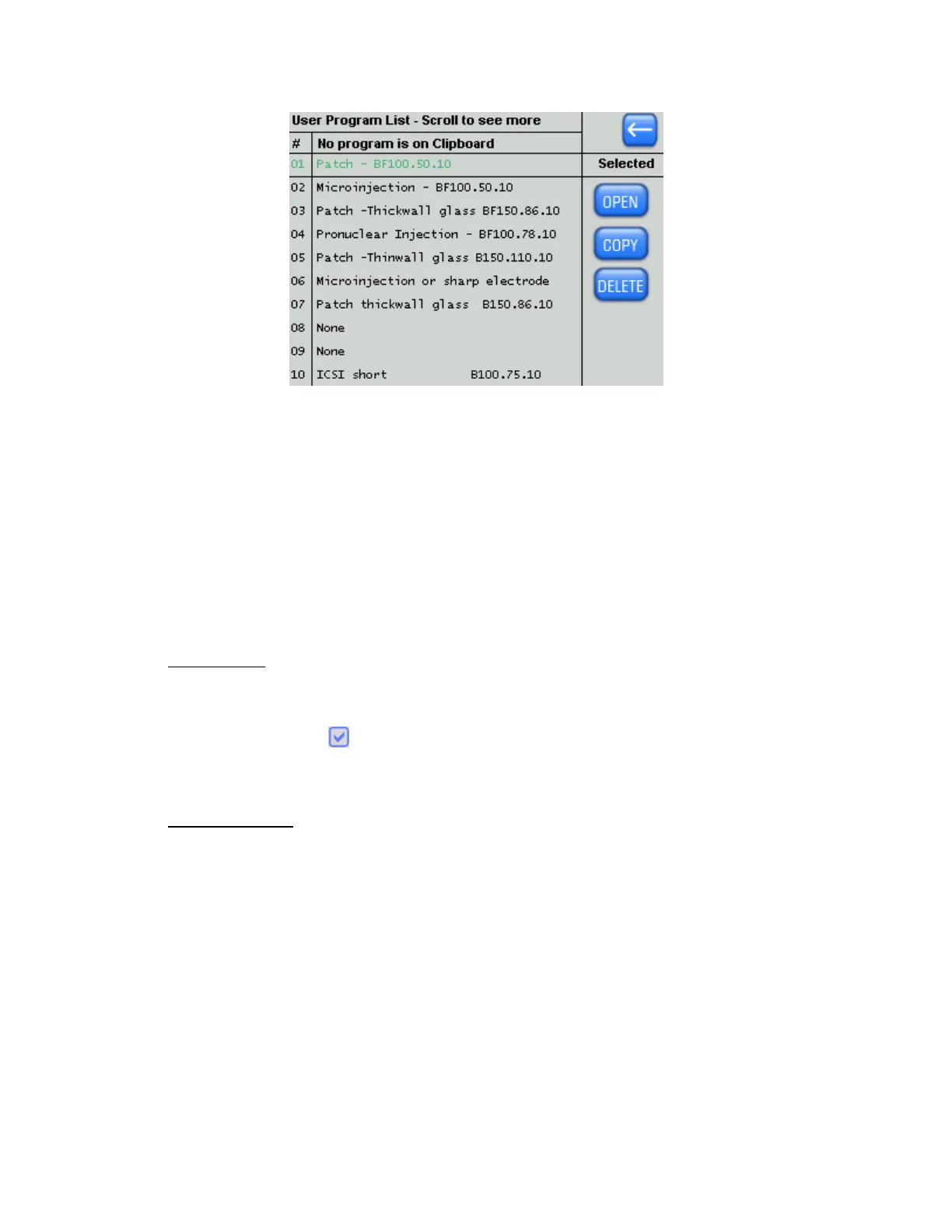
Figure 4-21. Program list screen.
Use the Knob on the front panel to scroll through the list. The currently selected program is
shown in green. Press either the OPEN button or the Knob on the front panel to open the
program, whereupon the Program Edit screen will be displayed showing the details of the
selected program.
4.2.5 Editing a Program
On opening a program, the Line 1 Heat value is highlighted with a blue rectangle. You can
touch and highlight any parameter for editing. A highlighted parameter can be edited using
the Keypad or the Dial. After a number is selected and the ENTER button is pressed, the
next field will be highlighted.
4.2.5.1 Editing Tips
All changes to a program cause the “Last Edited” time to update (top of the screen).
A warning is given if a Keypad entry exceeds the maximum for that parameter.
If Safe Heat is checked ( ), a warning is given if a Heat value differs from Ramp by more
than 10%.
4.2.5.2 Edit User Notes
By touching the blue text box at the bottom of your program you can bring up the “Edit User
Notes” Screen.
P-1000 FLAMING/BROWN MICROPIPETTE PULLER SYSTEM OPERATION MANUAL – REV. 3.02 (20161118)



 To Next Page