53
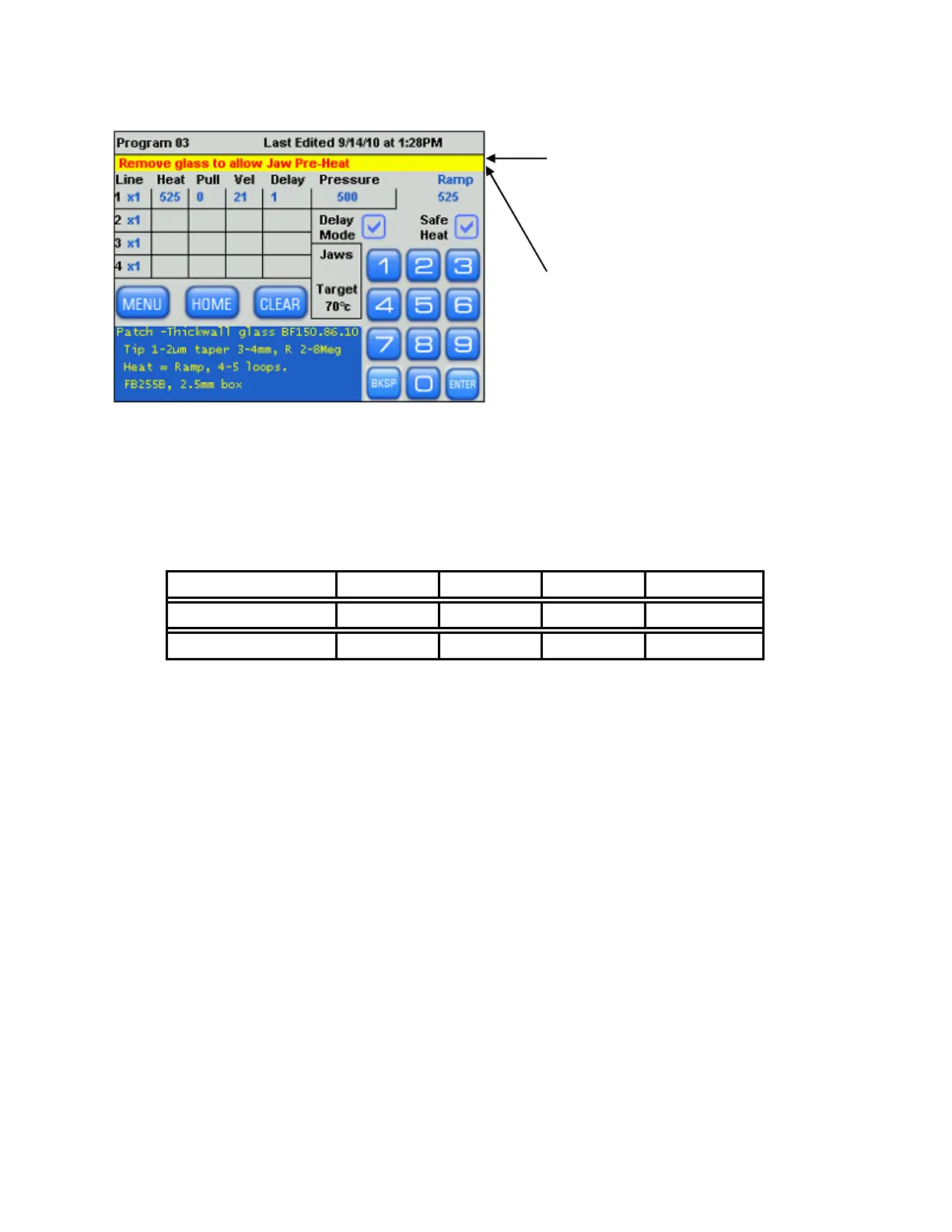
If a program is opened with the
glass already installed, the user is
requested to remove the glass to
allow the Pre-Heat to continue.
If the glass is inserted when the
display is in the Sleep mode, this
message is also displayed upon
waking from Sleep.
4.8.5 Step-by-Step Patch Pipette Programming
Run a Ramp Test with the glass you intend to use for your particular application. Refer to
the manual if you need to review the Ramp Test procedure. When you know the Ramp value
(R), use it in the following program.
1. Program one line of code as follows:
Filament Type HEAT PULL VELOCITY
TIME/DELAY
Box Ramp 0 *30 DELAY=1
Trough Ramp + 15 0 *50 TIME=150
* The VELOCITY value will need to be manipulated.
PRESSURE should be set to 500 for thick walled glass and 300 for thin walled glass.
2. Insert your glass and execute the above program. The program should “loop” a multiple
number of times (i.e. the same line will be repeatedly executed). The display will report
the number of loops at the end of the pull sequence. This “looping” is the key to forming
patch pipettes. For thin walled glass, 2 to 3 loops are typically all that is required. For
thick walled glass, 4 to 5 loops are typically required.
3. Increase the VELOCITY in one unit increments for thick-walled glass and three unit
increments for thin-walled glass. Pull a pipette after each adjustment. Note the change in
the number of loops and note the geometry of the pipette (viewed with microscope). As
the VELOCITY increases, the number of loops decreases.
4. Repeat step (3) only this time decrease the VELOCITY. As the VELOCITY decreases, the
number of loops increases.
5. By adjusting the VELOCITY as described, establish the number of loops required to
approximately form a pipette with the characteristics you desire. Set the VELOCITY
value in your program to the number that falls midway between the values required to
loop one more and one less times than the desired number. This is called the “mid-point
velocity”. For example, while experimenting with VELOCITY values, you find that when
the glass separates after 3 loops the resulting pipette looks pretty reasonable. Let Y be
equal to the VELOCITY value that results with the glass separating after 4 loops. Let Z
P-1000 FLAMING/BROWN MICROPIPETTE PULLER SYSTEM OPERATION MANUAL – REV. 3.02 (20161118)



 To Next Page