10
2.2 Home Screen
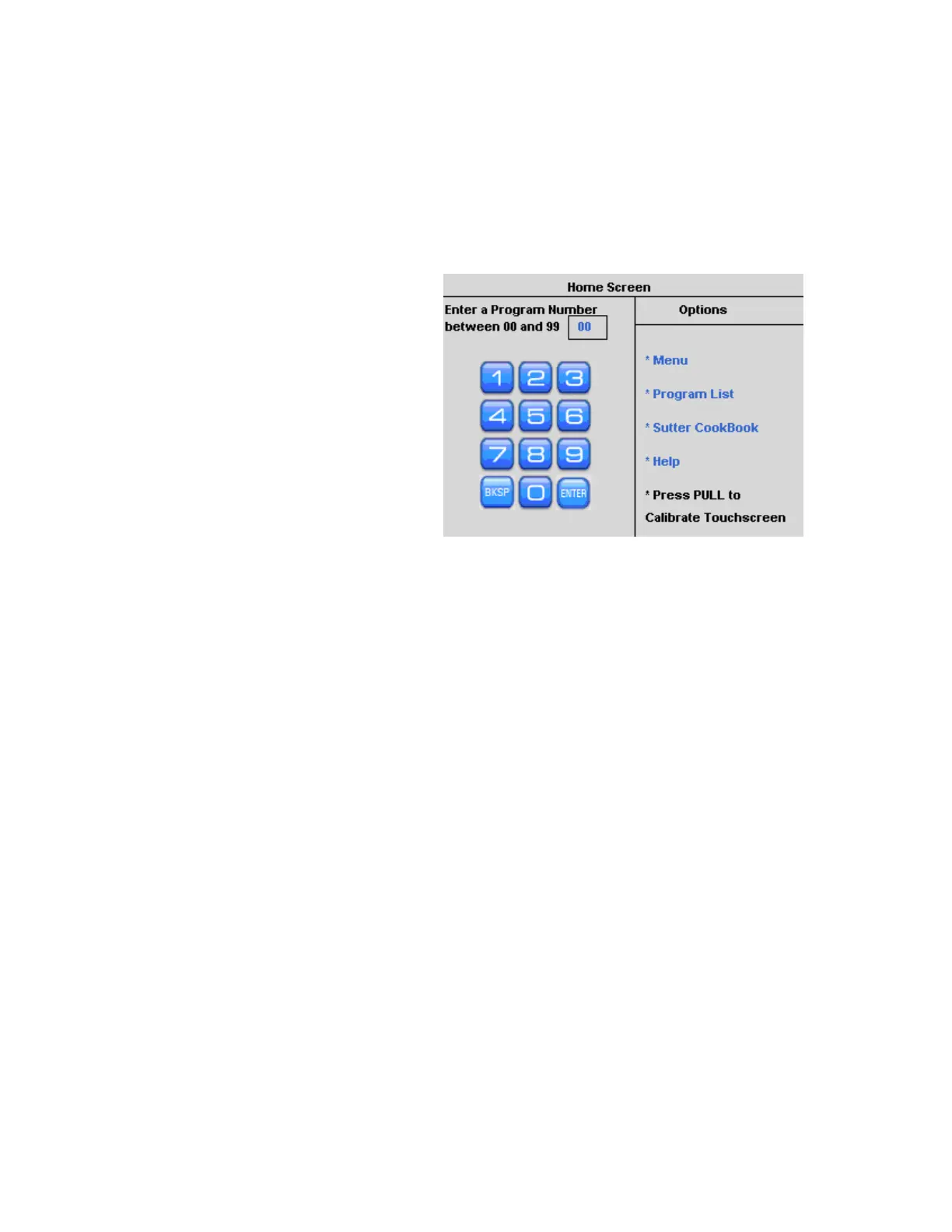
The Home screen is where you select and open any of the 100 user programs. To install and
open a program, use the touch screen keypad or the dial on the front panel. From the Home
Screen you can either open a program or select one of the Options in the right column which
provide access to the Menu, the Program List, the Sutter Cookbook, the Help Files, or
Calibrate the Touch Screen.
Blue text and numbers on the
screen are actively touch-sensitive.
Green numbers or values are in the
process of being installed or edited
and are pending entry.
To install a number that is in green
text, press [Enter].
Black text is not touch sensitive.
Figure 2-3. Home Screen.
2.2.1 Opening a Program
For any single-digit program, enter the number on the touch screen and press [Enter] and it
will open.
A double-digit program will open automatically. Alternatively, you can use the knob on the
front panel to dial and enter the program.
2.2.2 Calibration of Touch Screen
In the case that the touch sensitive areas of the display do not function as expected or a
misalignment has developed, it will be necessary to calibrate the touch screen. This is
normally done from the Menu screen. If the screen does not respond, press RESET; you can
then calibrate from the Home screen. Follow the instructions, press [Enter] to start the
calibration routine, and then press the green “saved” text in the middle of the screen to
accept and save your calibration.
2.3 Pulling a Pipette
Open a Program
Install the program number you would like to open and press [Enter] to open the
program.
Run a Ramp Test, or install known ramp value. (Ramp Test is described on Page 13).
If the program is empty, a heat setting has not been installed, or no ramp value is
recorded, you will be required to run a ramp test. Press [Ramp] and follow the
instructions. The Safe Heat Mode will be on (default settings) and a ramp value needs to
P-1000 FLAMING/BROWN MICROPIPETTE PULLER SYSTEM OPERATION MANUAL – REV. 3.02 (20161118)



 To Next Page