38
4.2.3 Pull Cycle
A typical pull cycle in a program line is described below:
1. The heat turns on.
2. The filament heats up, the glass softens, and a weak pull draws the glass out until it
reaches the programmed velocity.
3. When the programmed velocity has been reached, the heat turns off, and the air turns on
to cool the filament and glass.
4. If TIME is greater than 0 (zero), the hard pull (if any) is executed after a short delay and
then the air is activated for the specified TIME.
If DELAY is greater than 0 (zero), the air is activated for a short period and then the hard
pull is activated after the specified DELAY.
4.2.4 Start Up.
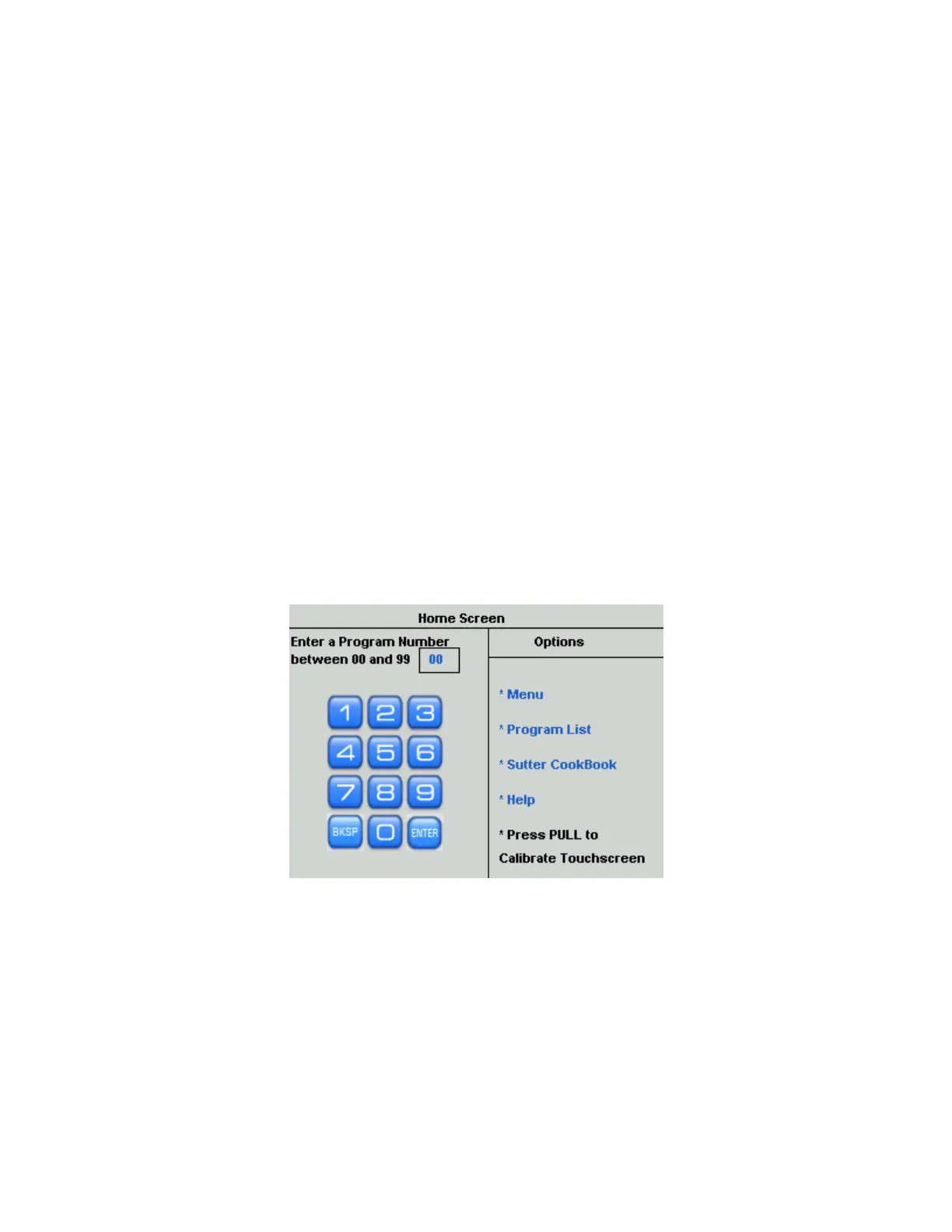
After switching on or after pressing RESET, the P-1000 tests the air and heating systems.
The opening screen appears next
Note on Entering Numbers: Numbers can be entered with the on-screen touch Keypad or
with the Rotary Dial. Key in all digits for a field (e.g., “012” for a three digit field or key in
“12” followed by pressing ENTER. You can also turn the Rotary Dial to increase or decrease
a value then press Enter.
Figure 4-19. Home screen.
To open one of the 100 programs, use the touchscreen keypad or the rotary dial to select and
enter a program number.
The display will appear as shown below in the following figure.
P-1000 FLAMING/BROWN MICROPIPETTE PULLER SYSTEM OPERATION MANUAL – REV. 3.02 (20161118)



 To Next Page