13
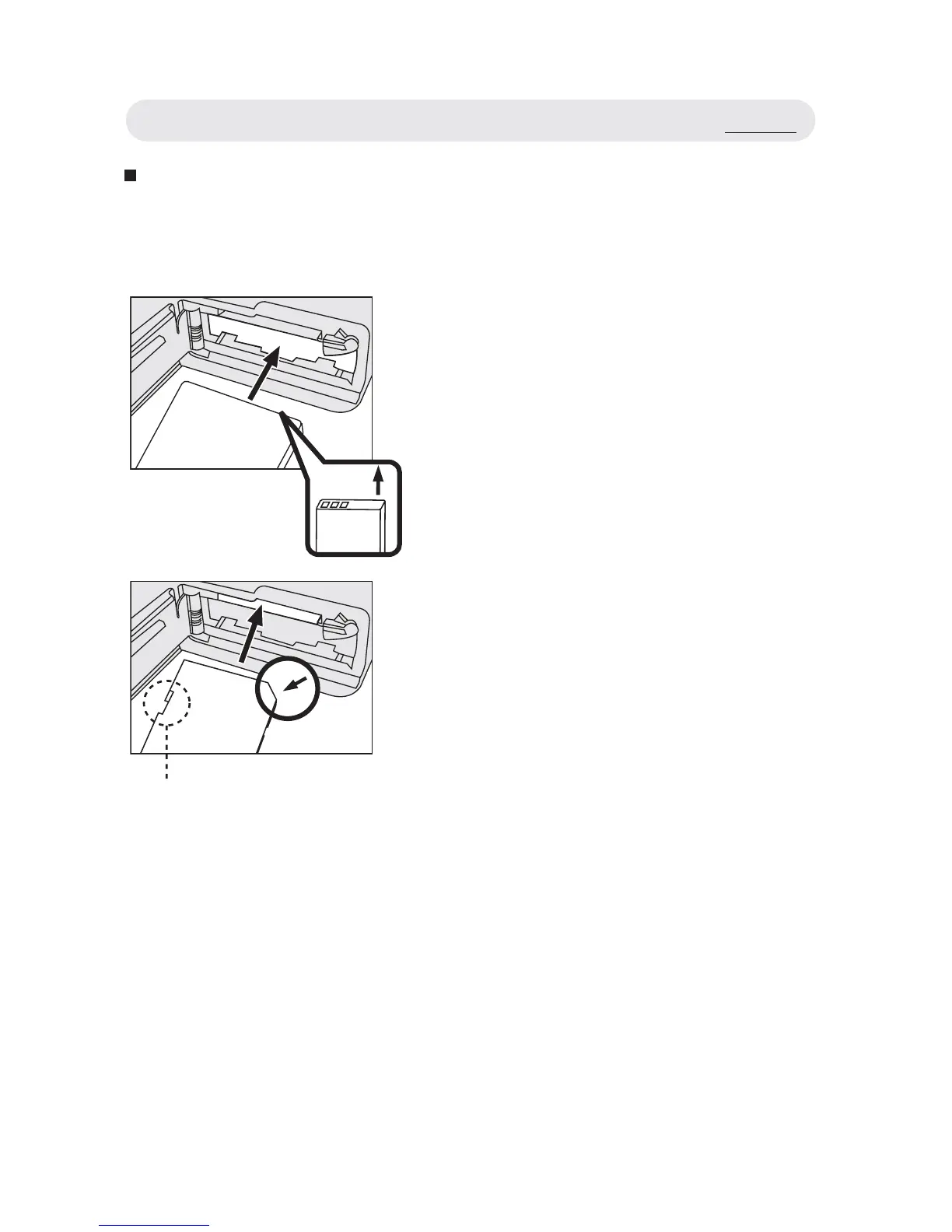
Inserting the Battery and Memory Card
1 Open the battery/memory card cover.
2 Insert the battery. Please check
whether the battery is inserted with the
correct polarity (+/-).
Note: Risk of explosion if battery is
replaced by an incorrect type.
Dispose of used batteries according
to the instructions.
3 Insert a SD memory card into the
memory card slot as shown.
Note 1: The write protect switch of the
memory card prevents fi les from
being deleted or formatted. Make
sure the switch is in the “unlock”
position before use.
Note 2: Please format memory card before
fi rst use.
4 Close the battery/memory card cover.
Write Protect Switch
Set Up



 To Next Page