37
Setting Drive Mode
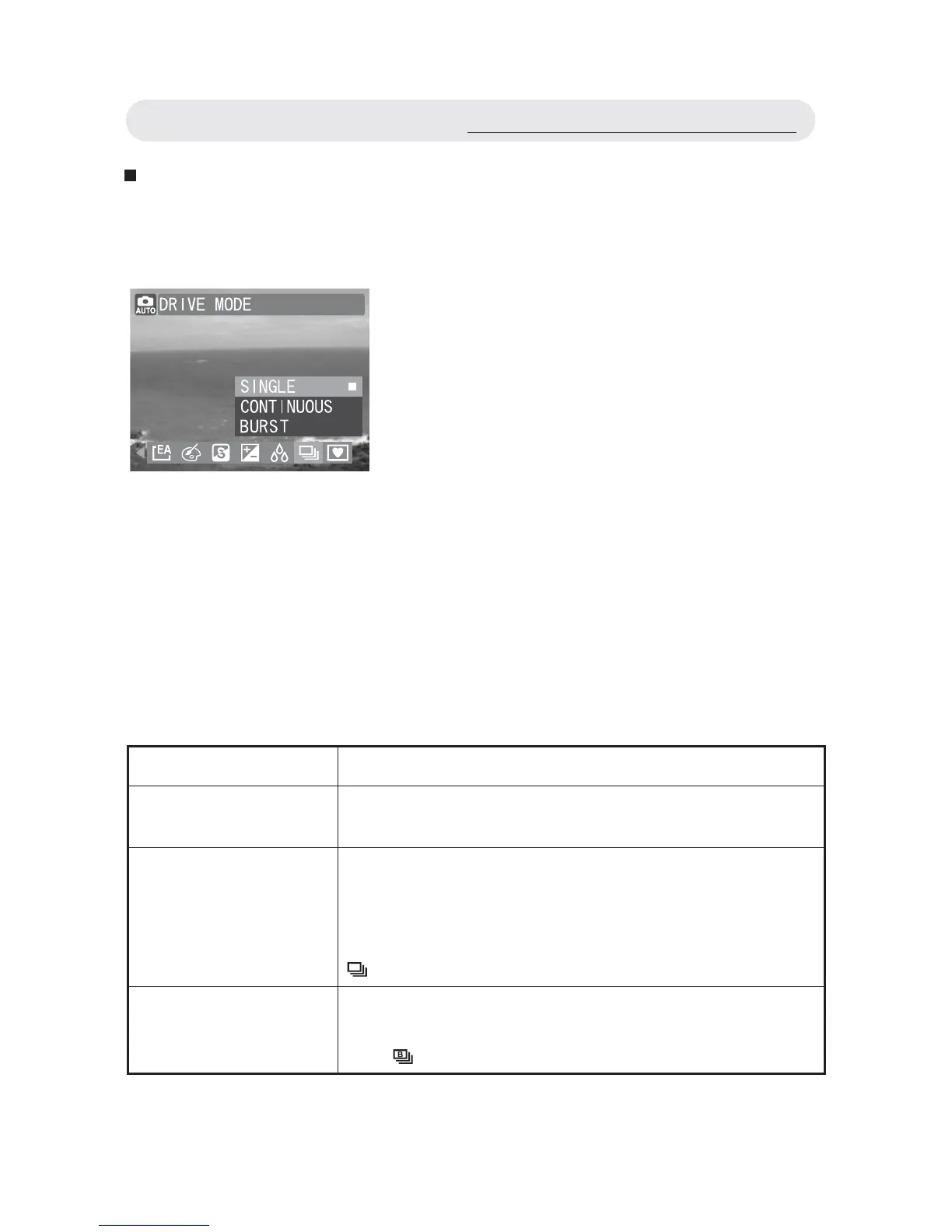
When you select DRIVE MODE in the capture menu, you can choose
from three shooting modes: Single, Continuous and Burst modes.
Note 1: The fl ash mode and self-timer is “Off” when using
“CONTINUOUS” and “BURST”.
Note 2: The CONTINUOUS mode will stopped when the SD card or the
internal memory is full. A “CARD FULL” warning appears on the
LCD .
1 In Capture menu, select “DRIVE
MODE”.
2 Select “SINGLE”, “CONTINUOUS” or
“BURST”.
3 Press OK button to confi rm the setting.
Setting Function
SINGLE Takes a single image. Press the shutter release
button once to capture the image.
CONTINUOUS
Takes a series of images when you press down
and hold the shutter release button. The camera
will continue to take images until you release the
shutter release button. When selected, the icon
appears on the LCD monitor.
BURST
Takes 5 images when you press down the
shutter release button once. When selected, the
icon
appears on the LCD monitor.
Using the Capture/Video Menu



 To Next Page