45
Deleting Images and Video Clips
This function allows you to delete your images and video clips.
Note 1 : You can also delete a single image by pressing the SP/
button without entering the menu. Select OK and press the OK
button to delete the selected image.
Note 2 : If the image is protected, you must remove the protection before
you can delete it. See page 46 for more details.
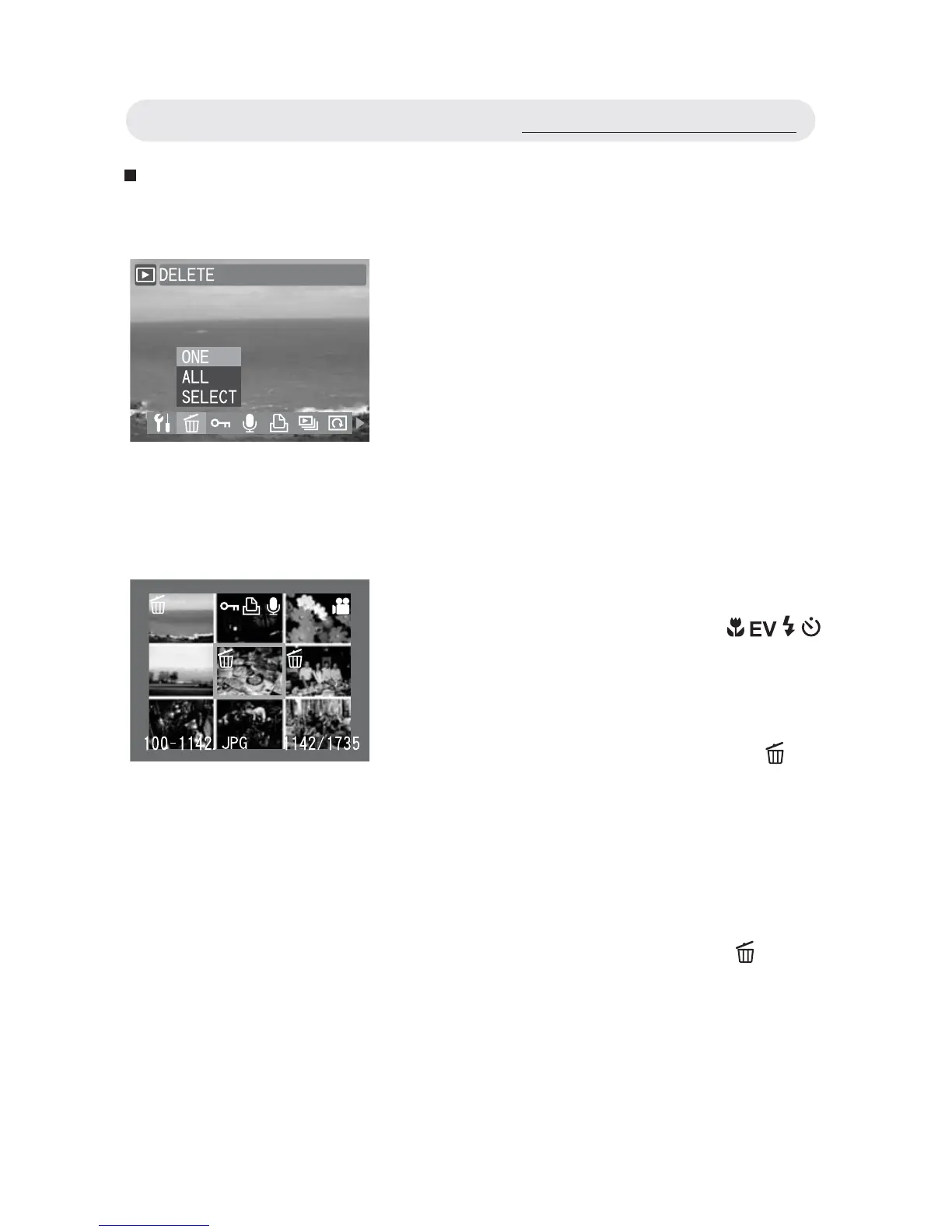
1 In Playback menu, select “DELETE”.
2 Select “ALL” to delete all images and
video clips or select “ONE” to delete
the displayed one. Press the OK button.
3 A confi rmation dialogue will appear.
Select “OK” and press OK button to
delete images or video clips.
4 Select “SELECT” and a thumbnail
image gallery appears. Press
/ / /
button to select the image you want to
delete. Press the OK button.
5 After select the images, press SP/
button to delete. A confi rmation dialogue
appears, prompting “DELETE
SELECTED IMAGES?”. Select OK and
press the OK button to delete the selected
image.
Using the Playback Menu



 To Next Page