30
Chapter2: Taking Images and Recording Video Clips
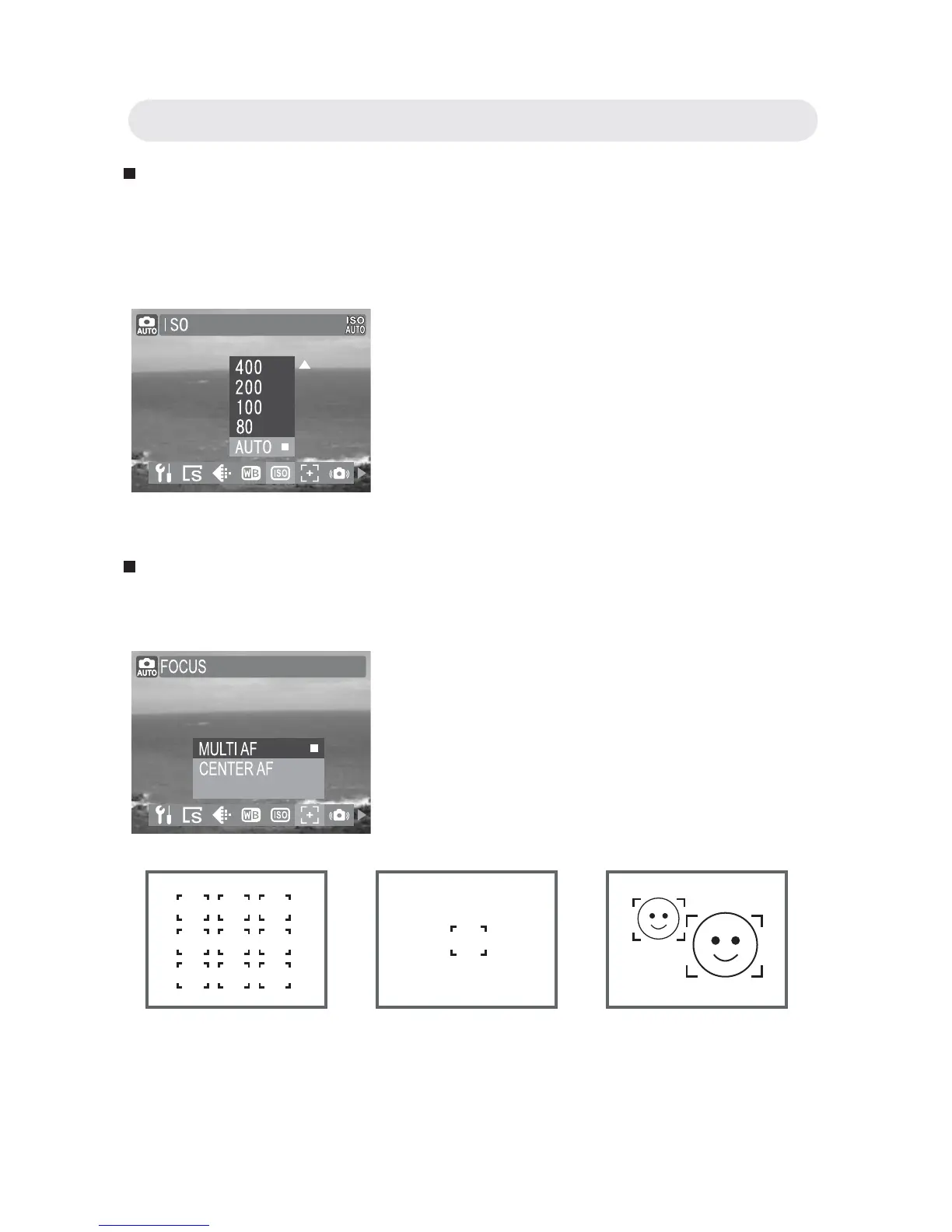
Setting ISO (Sensitivity)
Adjust the ISO value depending on the lighting levels of your
surroundings; use a high ISO setting in dim conditions and a lower ISO
setting in brighter conditions.
Setting Focus
The AF frame helps you to get the area on which the camera focuses.
1 In Capture menu, select “ISO”.
2 Select “1000”, “800”, “400”, “200”, “100”
, “80”or “AUTO”.
3 Press OK button to confi rm the setting.
1 In Capture menu, select “FOCUS”.
2 Select “MULTI AF” , “CENTER AF” or
“FACE TRACKING” .
3 Press OK button to confi rm the setting.
FACE TRACKING
Muti AF Center AF Face Tracking



 To Next Page