14
Turning On for the First Time
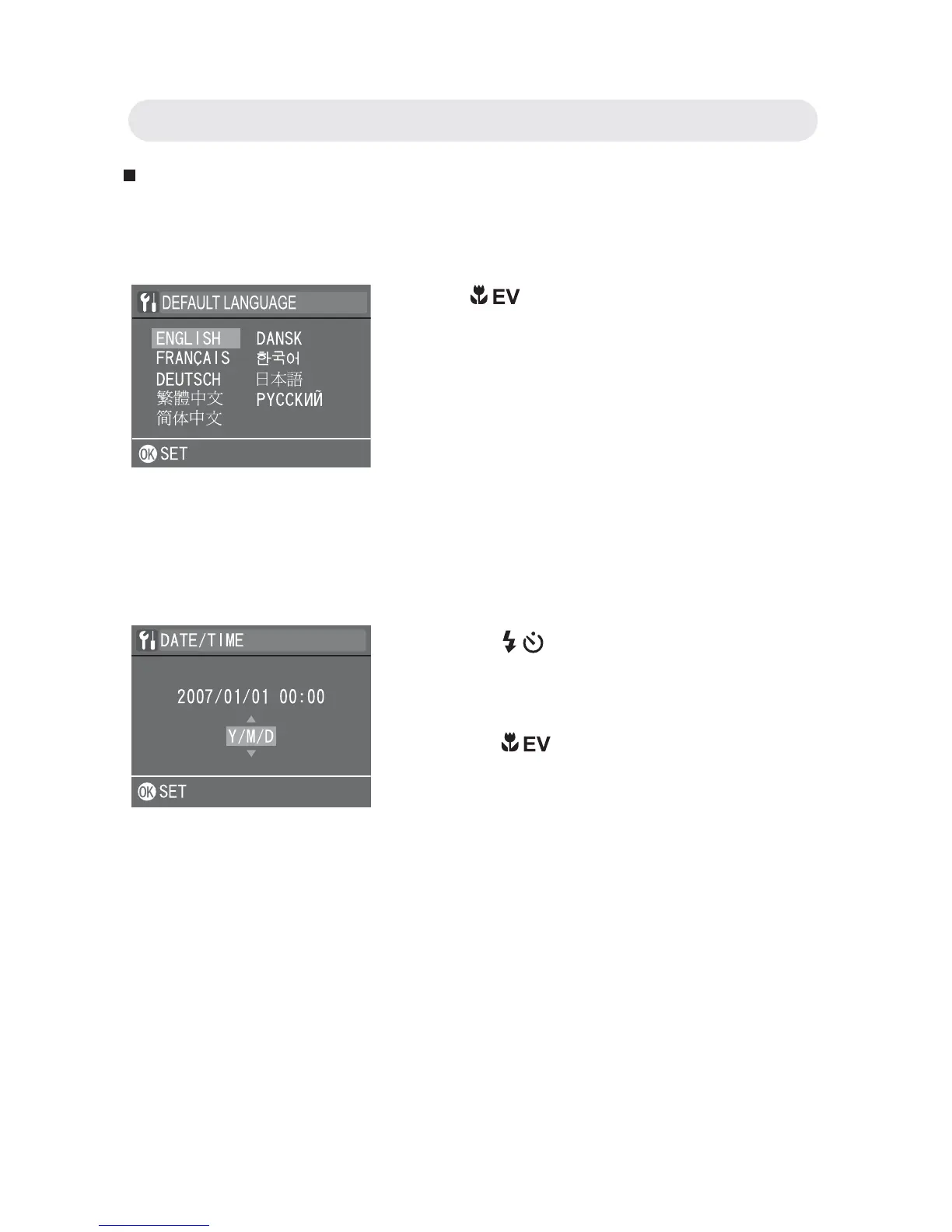
The language selection screen appears. Select the language you want
from the list.
The Date/Time setup screen will appear automatically after you have
selected a language. Set the date and time so they appear correctly
when reviewing images stored on your camera.
Note: To reset the default language and date & time, do the following:
• Press the POWER button to power up the camera.
• During power up, press and hold the OK button continuously.
• The language and date & time setup screens are displayed.
• Once you have confi gured these settings, the AUTO Live View will be
displayed.
Press
/ button to select the language
you need. Press the OK button to confi rm
all settings.
Note: To change the language after you
have performed confi guration for
the fi rst time, refer to “Setting
Language” on page 60.
1 Press / button to select each fi eld.
2 Press / button to make adjustments
to each fi eld. Press the OK button to
confi rm all settings.
Note: To change the date and time after
you have performed confi guration
for the fi rst time, refer to “Setting
Date and Time” on page 60.
Chapter1: Getting Started



 To Next Page