49
Setting DPOF
This function helps you to print out your images at a professional print
service or on a DPOF (Digital Print Order Format) compatible printer
directly.
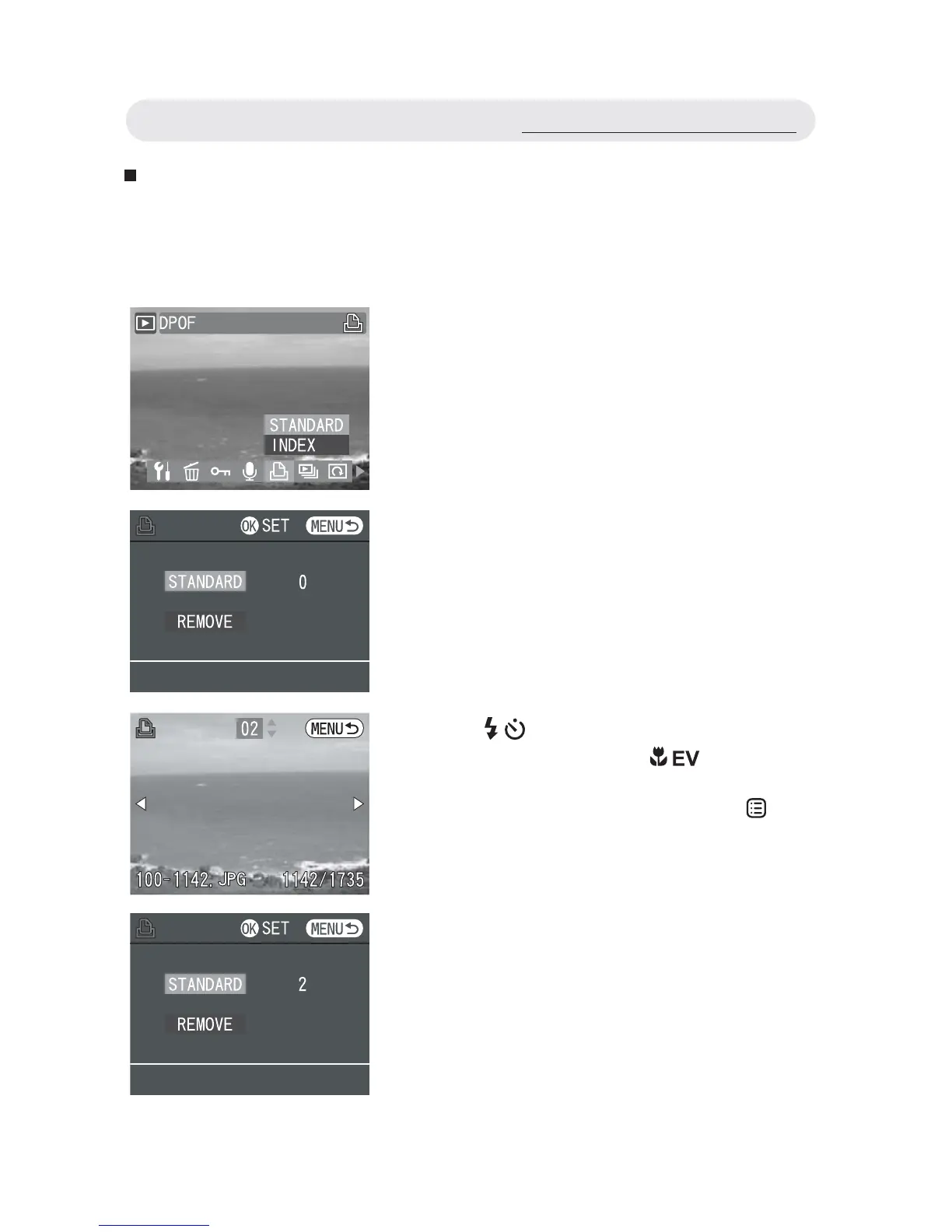
1 In Playback menu, select “DPOF”.
To decide which images are to be
printed and the number of copies,
select “STANDARD” and then press OK
button to enter the submenu.
2 In the submenu, select “STANDARD”
and then press OK button to start
setting.
3 Use / button to select the image you
want to print and use / button to
specify the number of copies. After all
the settings are selected, press
button to exit.
Using the Playback Menu



 To Next Page