29
Setting White Balance
You can select the appropriate setting depending on the lighting
condition of your surroundings. White Balance will adjust color levels that
are affected by these lighting conditions.
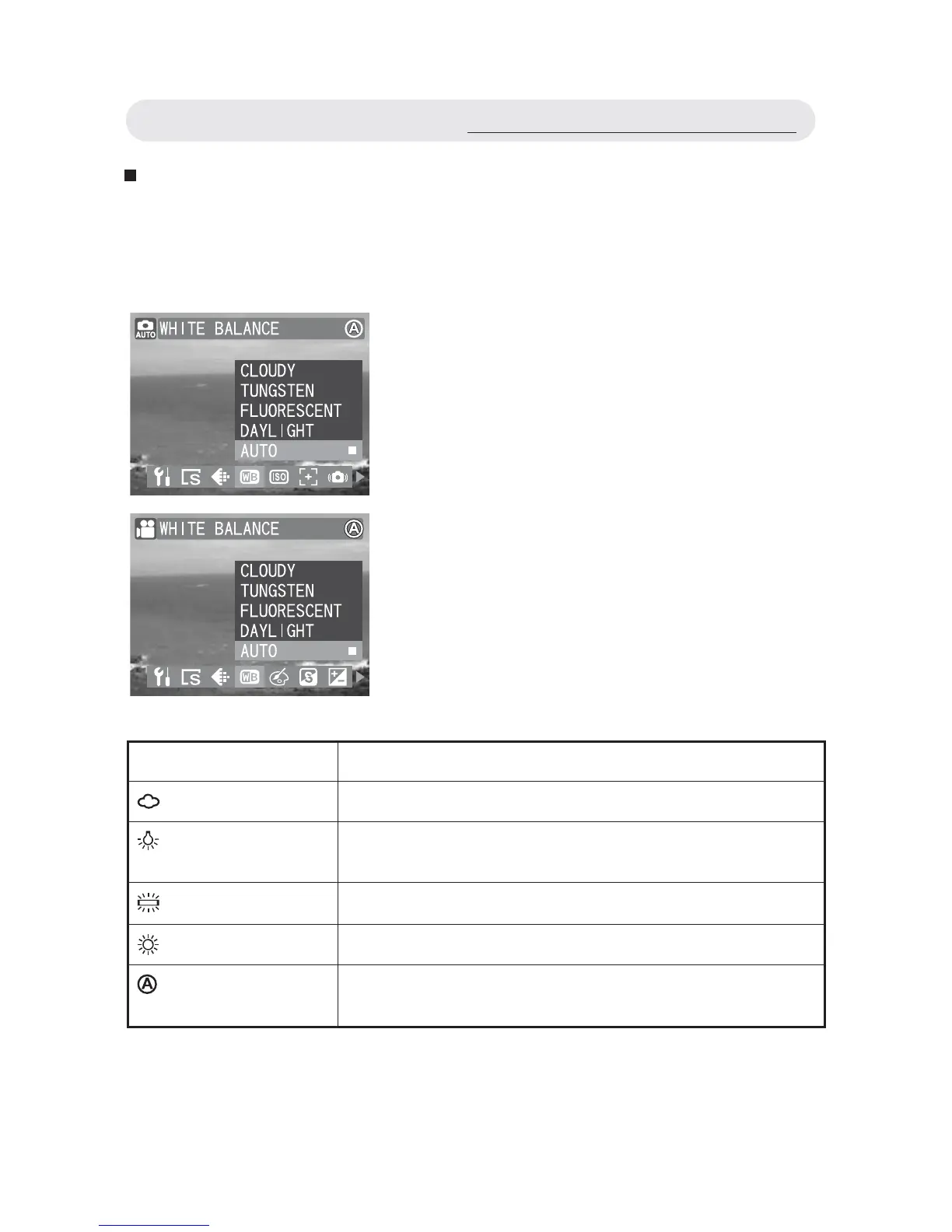
1 In Capture/Video menu, select WHITE
BALANCE”.
2 Select “CLOUDY”, “TUNGSTEN”,
“FLUORESCENT”, “DAYLIGHT”, or
“AUTO”.
3 Press OK button to confi rm the setting.
Setting Function
CLOUDY
Setting for shooting in overcast condition.
TUNGSTEN
Setting for shooting in incandescent or halogen
condition.
FLUORESCENT
Setting for shooting in fl uorescent condition.
DAYLIGHT
Setting for shooting in sunny condition.
AUTO
The camera will automatically adjust settings
depending on the level of light available.
Using the Capture/Video Menu



 To Next Page