64
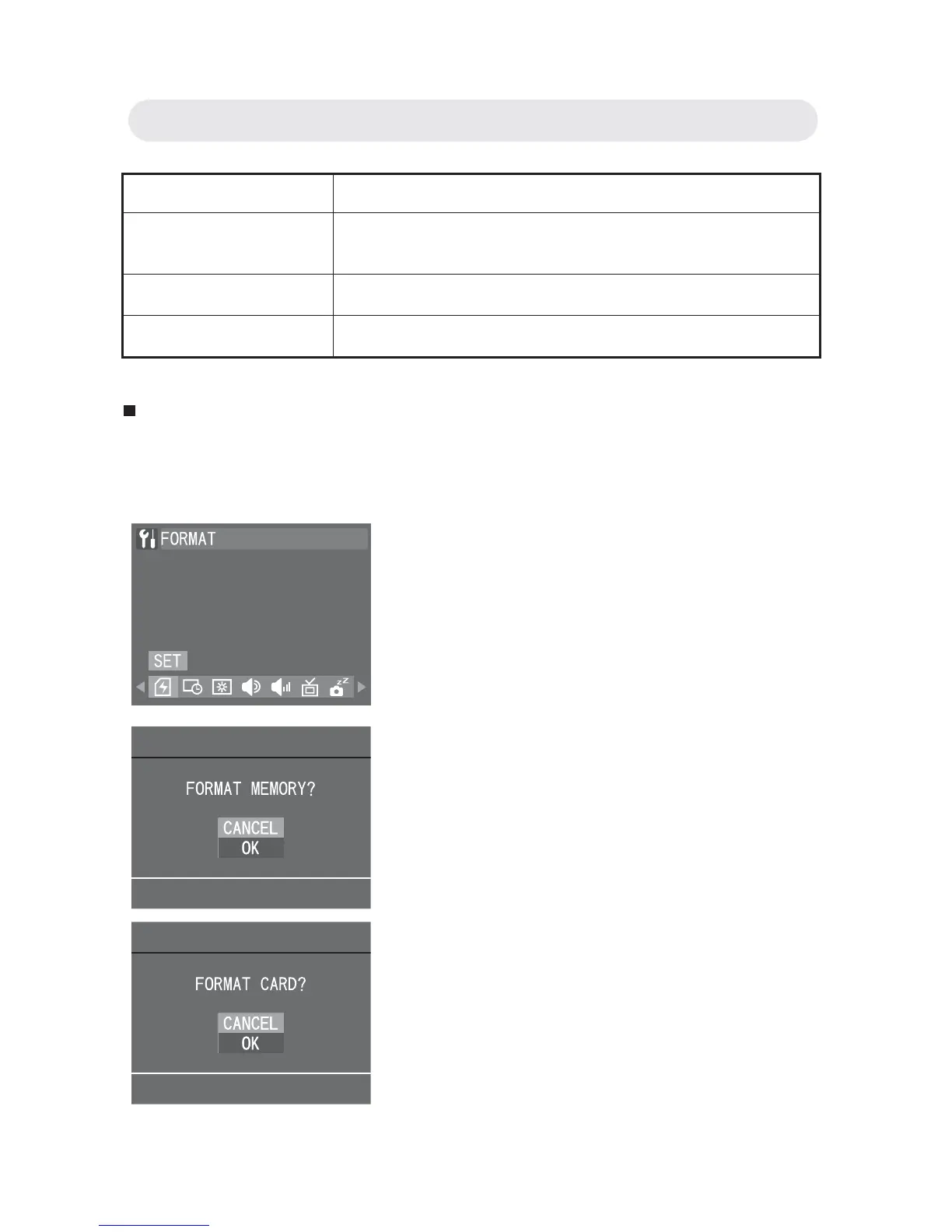
Formatting the Memory
This function allows you to delete all of the images, data, information,
and folders in your memory card or internal memory.
Setting Function
DATE & TIME The image is printed with the date and time it
was taken.
DATE The image is printed with the date it was taken.
OFF The image is printed without the date or time.
1 In Setup menu, select “FORMAT” and
then press OK button.
2 A confi rmation dialogue will appear.
Select “OK” and press OK button to
format.
Note: If a memory card is inserted, a
“FORMAT CARD?” prompt appears.
If there is no memory card inserted,
a “FORMAT MOMERY?” prompt
appears.
Chapter 6: Adjusting the Camera Settings



 To Next Page