59
Displaying Images on a TV
By connecting your camera to a TV, you can view images as a slide show
and play video clips.
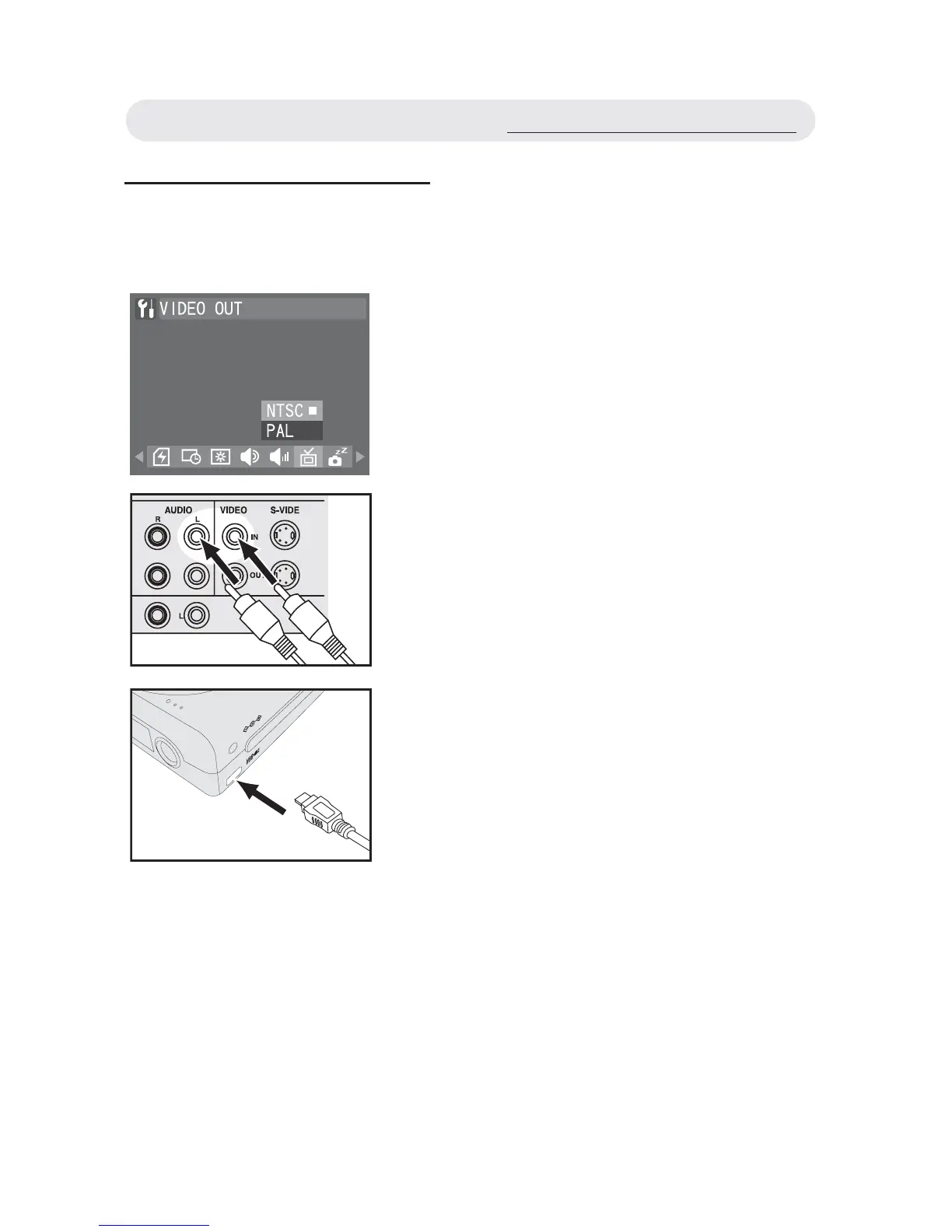
1 Select a compatible TV system in
“SETUP” menu.
2 Connect the A/V (Audio/Video) cable
to the A/V inputs of the TV, and connect
the A/V cable to the A/V connector of
the camera.
Note 1: When you connect your camera to
a TV, the LCD monitor turns off
automatically.
Note 2: The audio terminal is white and the
video terminal is yellow.
A/V OUT
DC IN 5V
Displaying Images on a TV



 To Next Page