TSAT 3000 - Telemetry and data transfer via SATellite
TSAT 3000 Configuration Parameter Description, January 2013 Page 108 of 124
3.15 UTILITY PARAMETERS
3.15.1 UTL_LOG_SIZE
Default 100, Range 10…1000
3 Logs are maintained by the CCU:
• Error Log – Containing all
FATAL_ERRORs that will cause CCU to RESET.
• Warning Log – Containing all
FATAL_ERRORs and WARNINGs issued by the CCU.
• Message Log – Containing all
FATAL_ERRORs, WARNINGs and MESSAGEs reported by CCU.
Each of the 3 Logs consists of circular buffers with UTL_LOG_SIZE elements. I.e. the last
UTL_LOG_SIZE events will always be available.
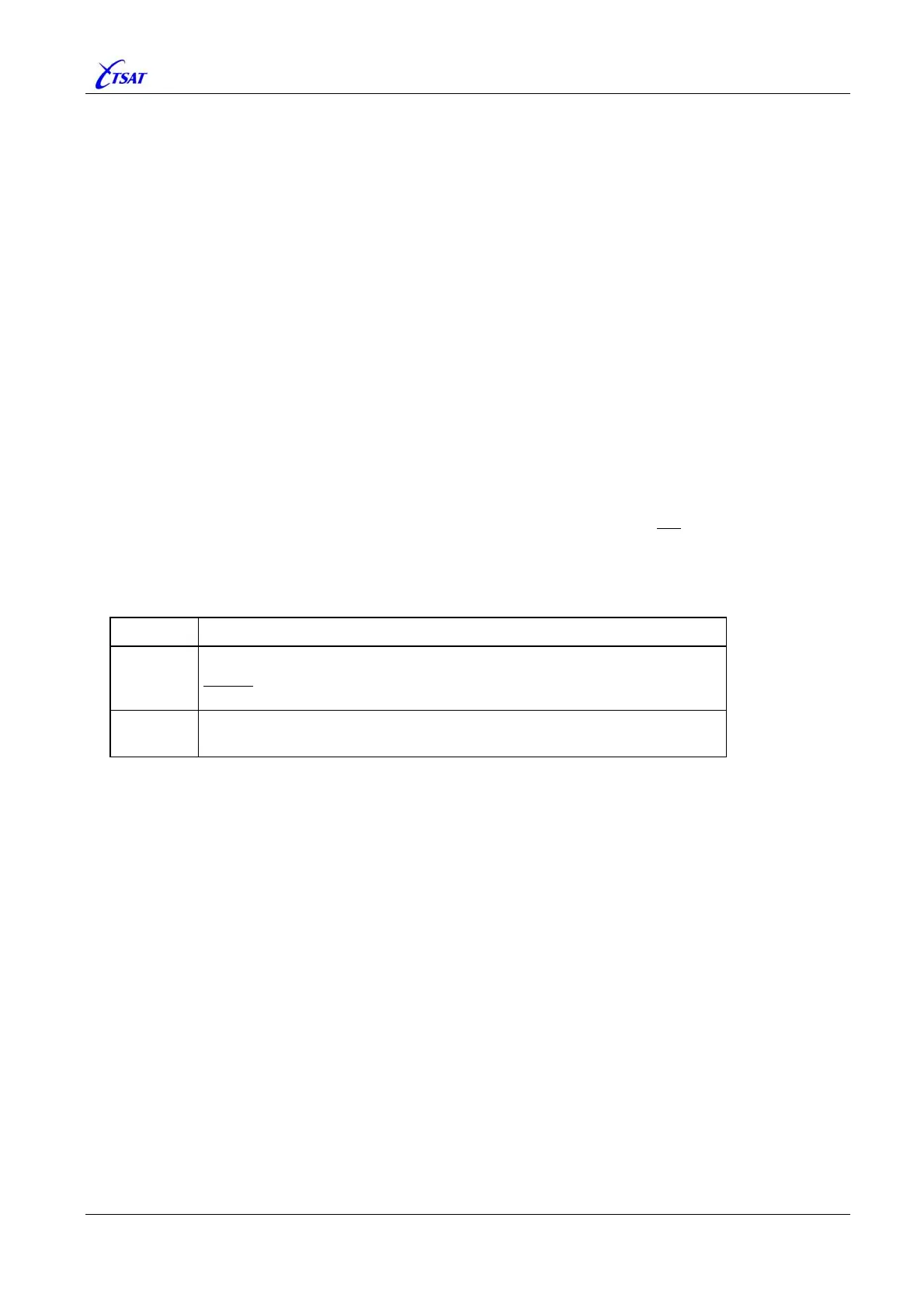
3.15.2 UTL_LOG_SAVE_INTERVAL
Default 0, Range 0…86400
The 3 Logs (Error, Warning and Message) are read from file (ccu.log) when CCU is booting, and
written to file when CCU is performing a controlled shutdown. Logs are not
saved when power is
lost, uncontrolled shutdown, or an abnormal error occurs in the Log-module (i.e. the “cLog” task).
To be able to retrieve some of the events leading to an uncontrolled shutdown, you may also
specify that the Logs should be written to file at regular intervals.
UTL_LOG_SIZE_ INTERVAL is
given in seconds (1 second … 24 hour).
Value Description
0
Log is written to file only when CCU is performing a controlled shutdown.
Always use this value, unless you try to log some of the events leading to
an uncontrolled shutdown.
1 … 86400
Log is written to file at regular intervals (1 second … 24 hour),
and also when CCU is performing a controlled shutdown.
3.15.3 UTL_TASK_TIMEOUT
Default 0, Range 0…300
Ver <= 31.1.1:
Not Implemented.
Ver >= 31.1.2:
Normally, the CCU will RESTART when one of the CCU-processes hasn’t been alive for 10
seconds (except the “cLog” task which is running at very low priority – timeout is 300 sec).
For test purposes, you can now increase the timeout period by setting
UTL_TASK_TIMEOUT
>= 11 [seconds].



 To Next Page