TSAT 3000 - Telemetry and data transfer via SATellite
TSAT 3000 Configuration Parameter Description, January 2013 Page 39 of 124
3.3.6 COM_OPTIONS [n]
Default 0, Range 0…255 (0xFF)
Bit field to control miscellaneous COM options.
Bit Mask Mnemonic Description Ver
0
0x01
KEEP_OPEN
Don’t Close+Open COM when too many errors are
rx’ed.
31.0.0
1
0x02
IGNORE_PFO_ERRORS
Ignore Parity-, Framing- and Overrun-errors. 31.1.1
2
0x04
n/a
3
0x08
n/a
4
0x10
DEBUG_PRINT_RX
Print all bytes received from COM.
5
0x20
DEBUG_PRINT_TX
Print all bytes sent to COM.
6
0x40
DEBUG_PRINT_ASCII
Print ASCII text – Else HEX data. 31.0.0
7
0x80
HIGH_LEVEL_LOOP
Loop all data sent and received to/from COM.
KEEP OPEN
Ver >= 31.0.0: Normally, the COM will be Closed+Opened when more than 10 errors are
received the 10 last seconds (to fix a problem in VxWork-6.2 FTP-Client !!!). Enable this
option will disable this behaviour, and COM will be kept Open forever.
IGNORE PFO ERROR
Ver >= 31.1.1: Normally, characters with Parity-, Framing- or Overrun-errors are discarded. Also
some bytes received immediately before and after the erroneous characters could be
discarded. When this option is enabled, no
bytes will be discarded (which could be very
useful for some applications). Note:
KERNEL >= 4.0.1 is required.
DEBUG PRINT {RX | TX}
Print all data received and/or sent from/to COM to Console.
Ver >= 30.8.0: A message will also be sent to all SERVICE Ports – I.e. the NMS.
DEBUG PRINT ASCII
Ver >= 31.0.0: Normally HEX data will be printed when
DEBUG_PRINT_{RX | TX} is enabled.
Enable this option to print ASCII text.
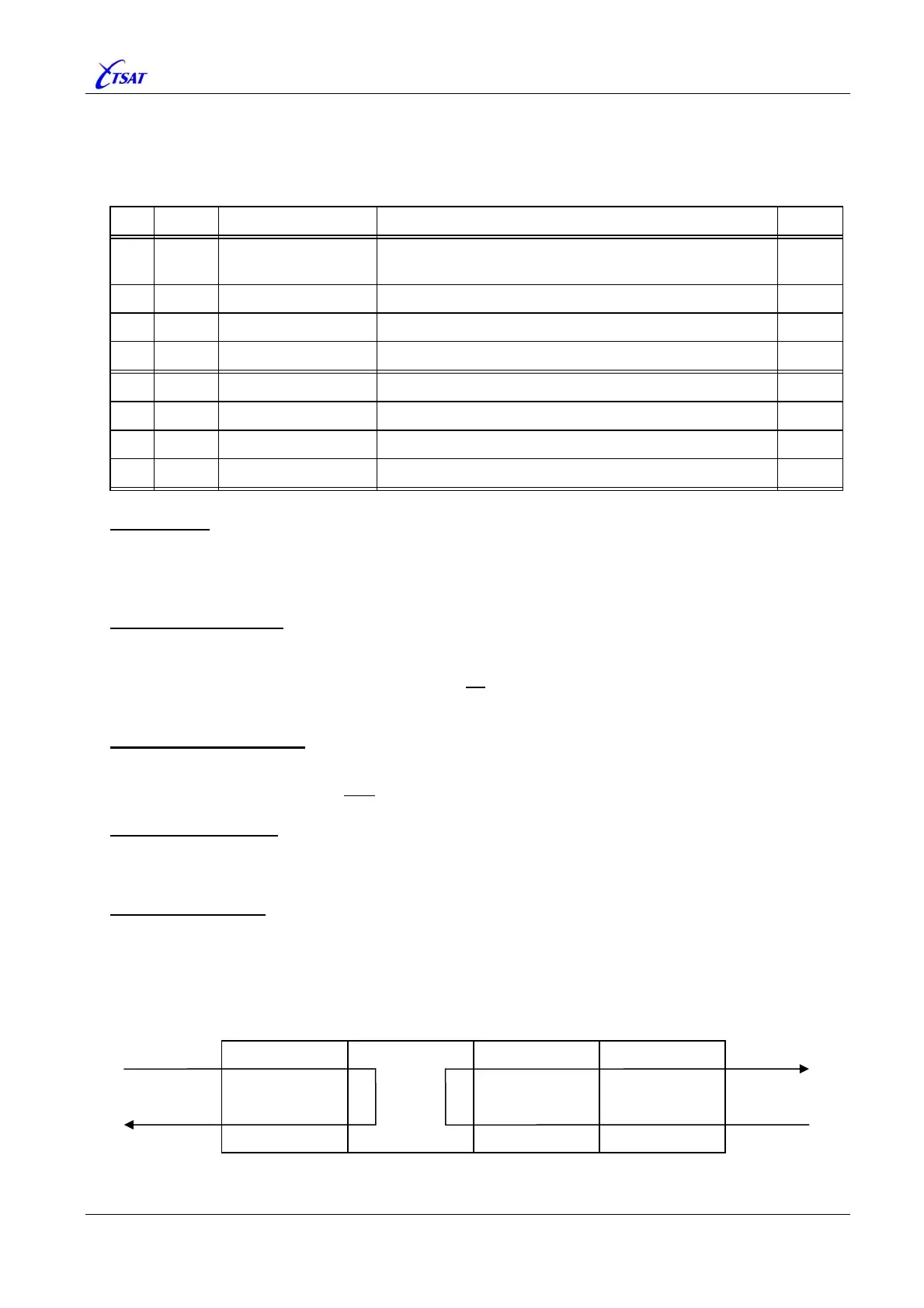
HIGH LEVEL LOOP
When enabled, data received from the satellite link and sent to COM, will be (software) looped
within the COM module, and handled as it was received from the COM-Driver (i.e. sent back to
PORT and the other (remote) network node).
Data received from the COM-Driver will be looped back to the COM-Driver.
Satellite
Link
RS 232
Line
PORT COM COM-Driver Physical Device



 To Next Page