Smart Plus (PHT-35LHS)
Technical Manual
VT-TECH-Smart Plus-001
COPYRIGHT© 2018 VATECH.
2.2. PANO Collimator Alignment
In Adult mode
1) Remove the Temple Supports and the Normal Chin Block from the unit
Remove other objects in the Sensor Effective Area during the 1st Collimator Alignment
operation.
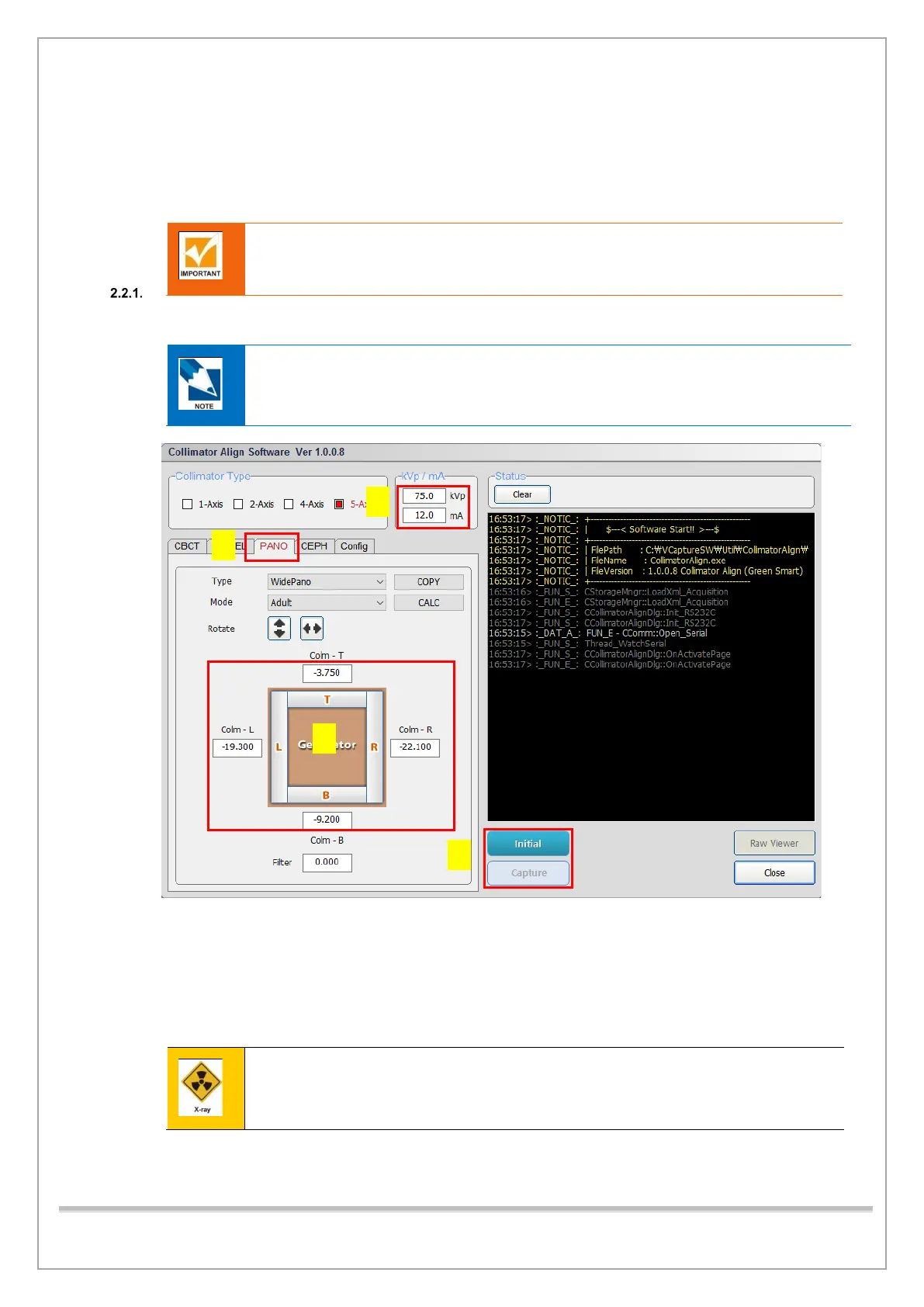
2) Run CollimatorAlign.exe.
C:\VCaptureSW\Util\CollimatorAlign\CollimatorAlign.exe
3) Type 60 kVp, 5.0 mA in the KVp/mA filed.
4) Click Initialize and wait until the system is initialized.
5) Click Capture when it is enabled.
6) When Align Sequence window appears, press the X-ray exposure switch.
Stay outside of the X-ray shielding room to avoid unnecessary X-ray radiation during
exposure.














 To Next Page