Smart Plus (PHT-35LHS)
Technical Manual
VT-TECH-Smart Plus-001
COPYRIGHT© 2018 VATECH.
2. Performing Firmware Upgrade
Follow the procedure below to upgrade your firmware.
If there is a problem with a firmware upgrade, install/reinstall Inform Grabber Virtual
Driver v1.5 or later (ex. VirtualSerialSetup_jungo12_V1.5.exe)
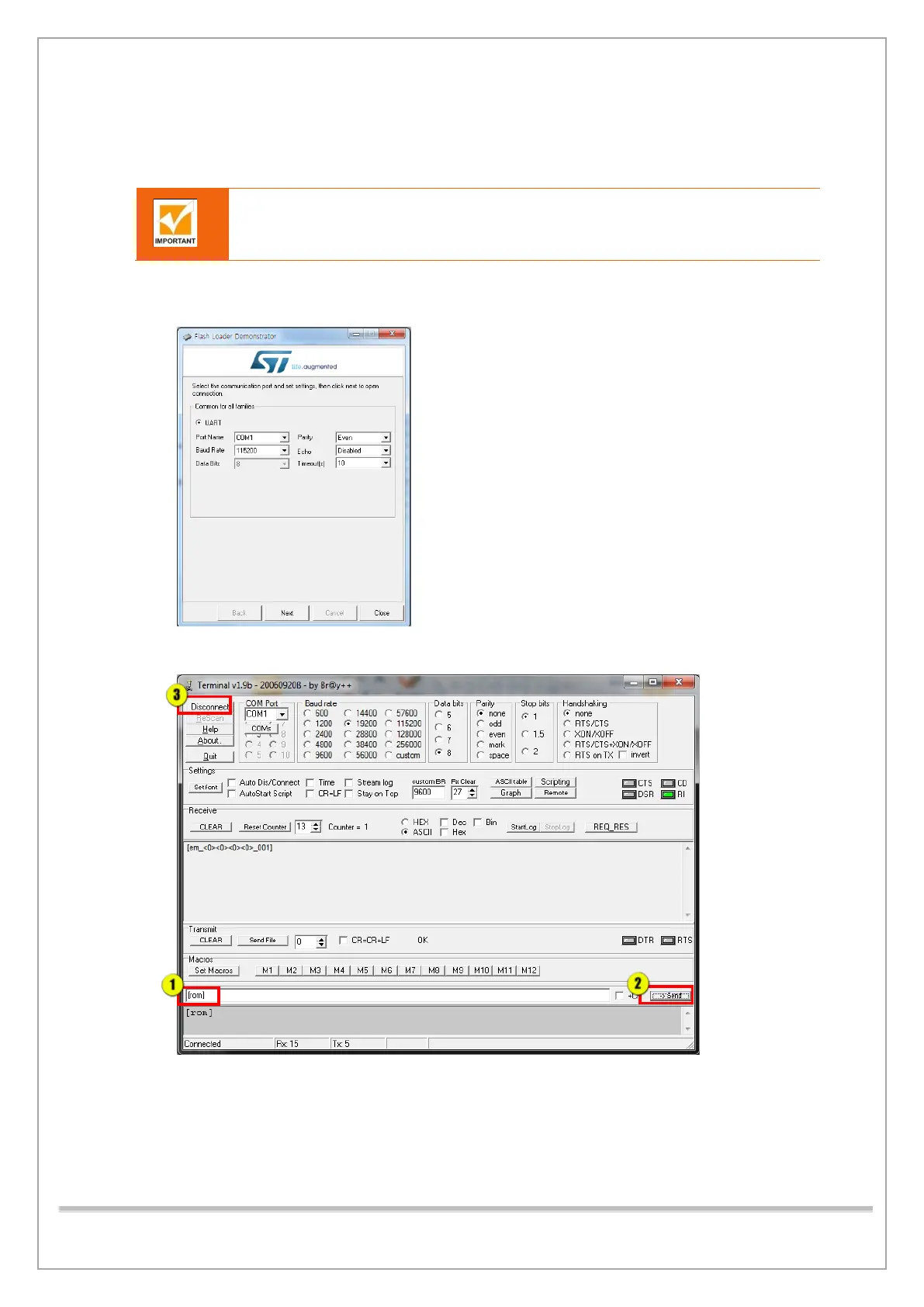
1) Run STMFlashLoader Demo.exe.C:\Program Files (x86)\STMicroelectronics\Software\Flash
Loader Demo
2) Run Terminal v1.9b and type [rom], and then click Send.
3) Click Disconnect and exit Terminal v1.9b.














 To Next Page