Smart Plus (PHT-35LHS)
Technical Manual
VT-TECH-Smart Plus-001
COPYRIGHT© 2018 VATECH.
4. How to use V.I.P.S: CEPH Bright Calibration standard
Follow the procedure below to use V.I.P.S CEPH Bright Calibration Standards.
1) Run the C:\VCaptureSW\Util\VIPS.exe file.
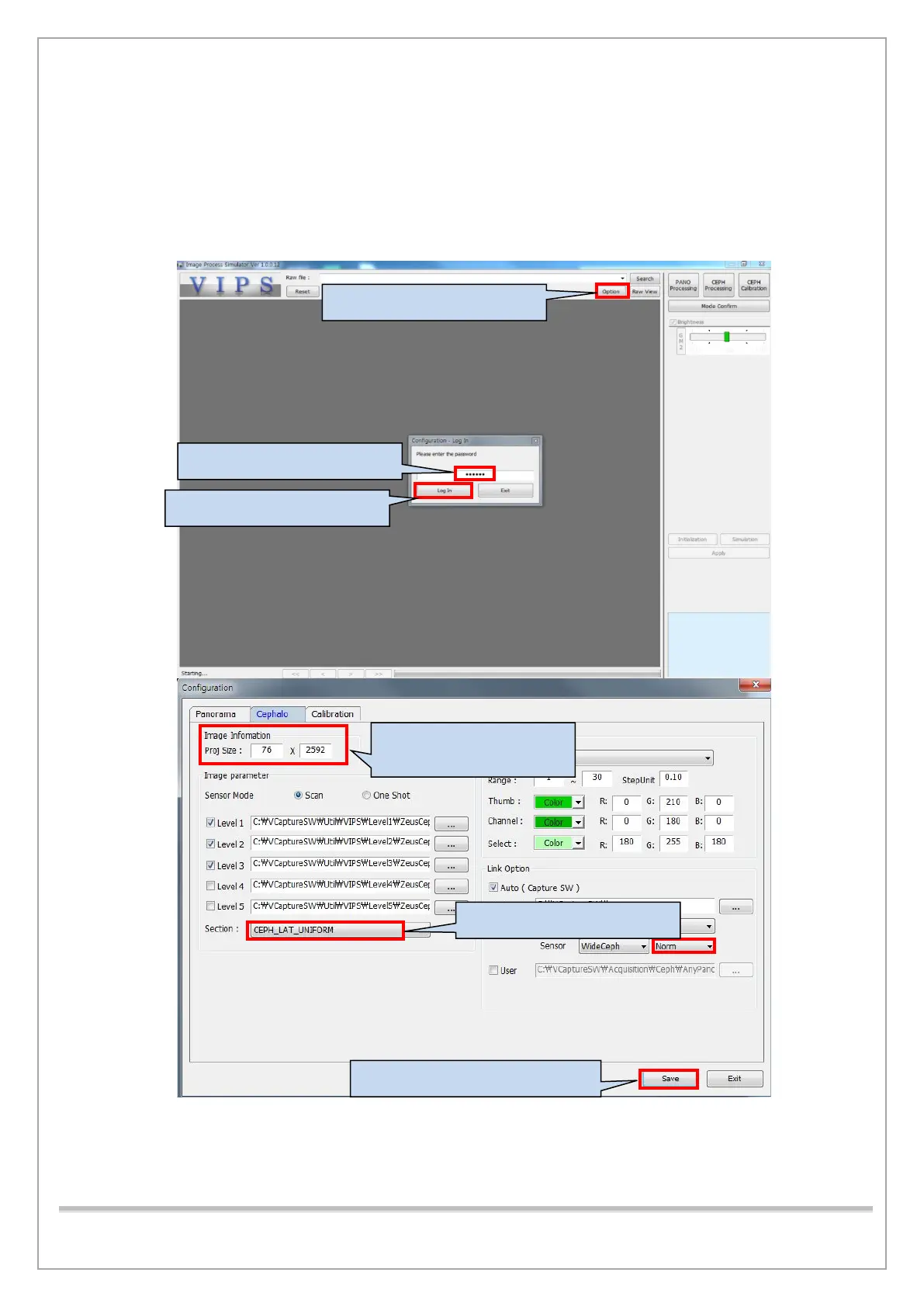
2) Set options for each mode, as shown in the picture below.
1. Click the Option button.
3. Click the Log In button.
* 76 x 2592
5. Choose the image mode.
6. Click the Save button.














 To Next Page