Smart Plus (PHT-35LHS)
Technical Manual
VT-TECH-Smart Plus-001
COPYRIGHT© 2018 VATECH.
2.3. Setting up CBCT Reconstruction Environment
About CT Reconstruction setting files
(Go to the following path = C:\VCapture\Acquisition\CBCT\WidePano\REC)
Reconstruction mode settings file
Reconstruction settings file for Patient
Reconstruction settings file for Bead phantom
Reconstruction settings file for Geometry
Calibration
1) Open APsetting.vxm and change GPUMODE = 4 to GPUMODE = 3 and save/exit the file.
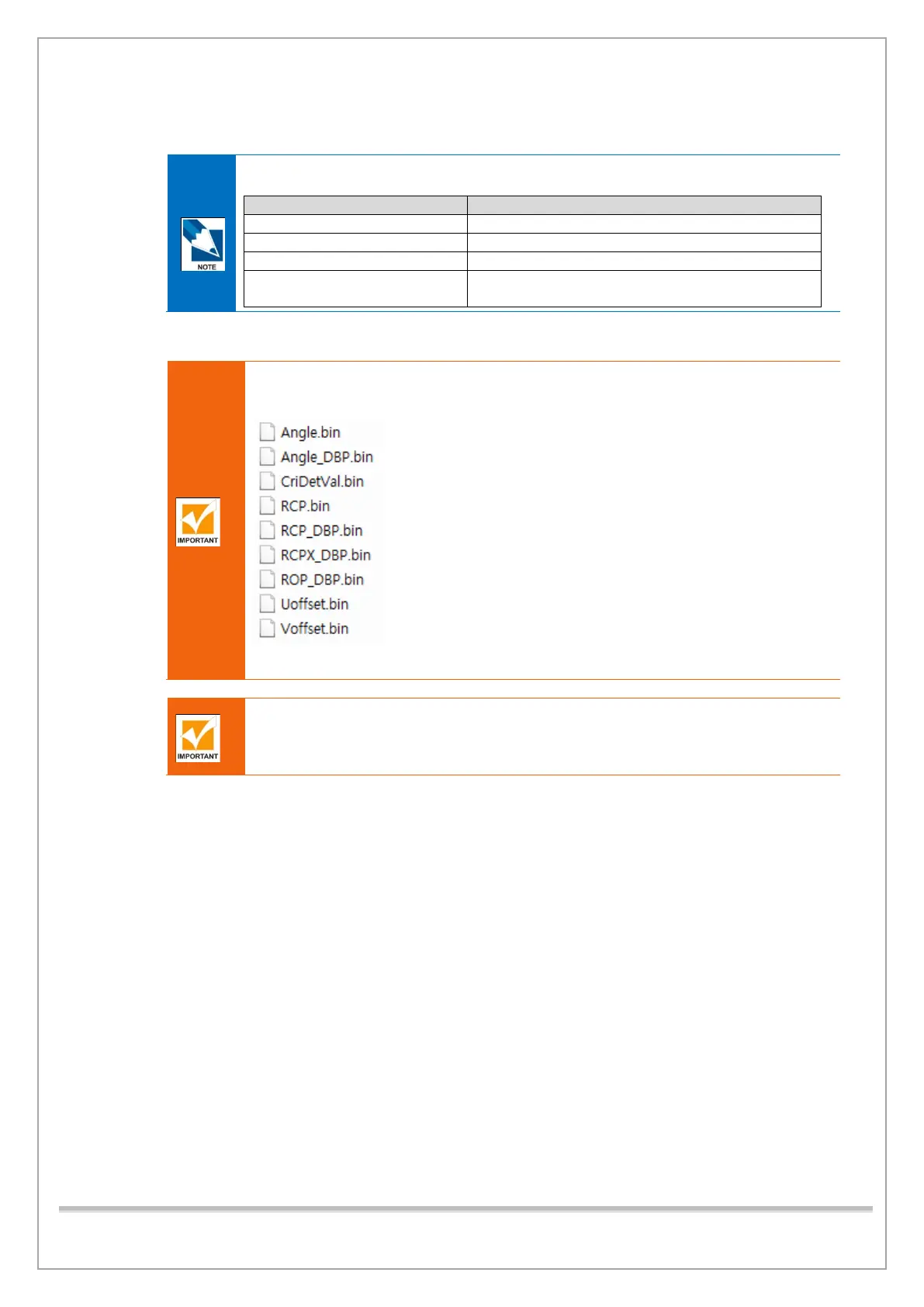
Angle.bin, RCP.bin, Uoffset.bin, Voffset.bin, Angle_DBP.bin, RCP_DBP.bin,
RCPX_DBP.bin, ROP_DBP.bin, CriDetVal.bin should be found in the
C:\VCaptureSW\Acquisition\CBCT \WidePano\Para folder always.
If there goes something wrong with Geometry calibration, delete the four files in the
current folder and recover the original files from the subfolder (./Base_para)
Make sure that there is no file other than these: Angle.bin, RCP.bin, Uoffset.bin,
Voffset.bin, Angle_DBP.bin, RCP_DBP.bin, RCPX_DBP.bin, ROP_DBP.bin,
CriDetVal.bin in the C:\VCaptureSW\Acquisition\CBCT \WidePano\Para folder.














 To Next Page