Smart Plus (PHT-35LHS)
Technical Manual
VT-TECH-Smart Plus-001
COPYRIGHT© 2018 VATECH.
3.2. Top/Bottom Collimator Alignment (FOV: 100 x 85, 100 x 70, 50x50)
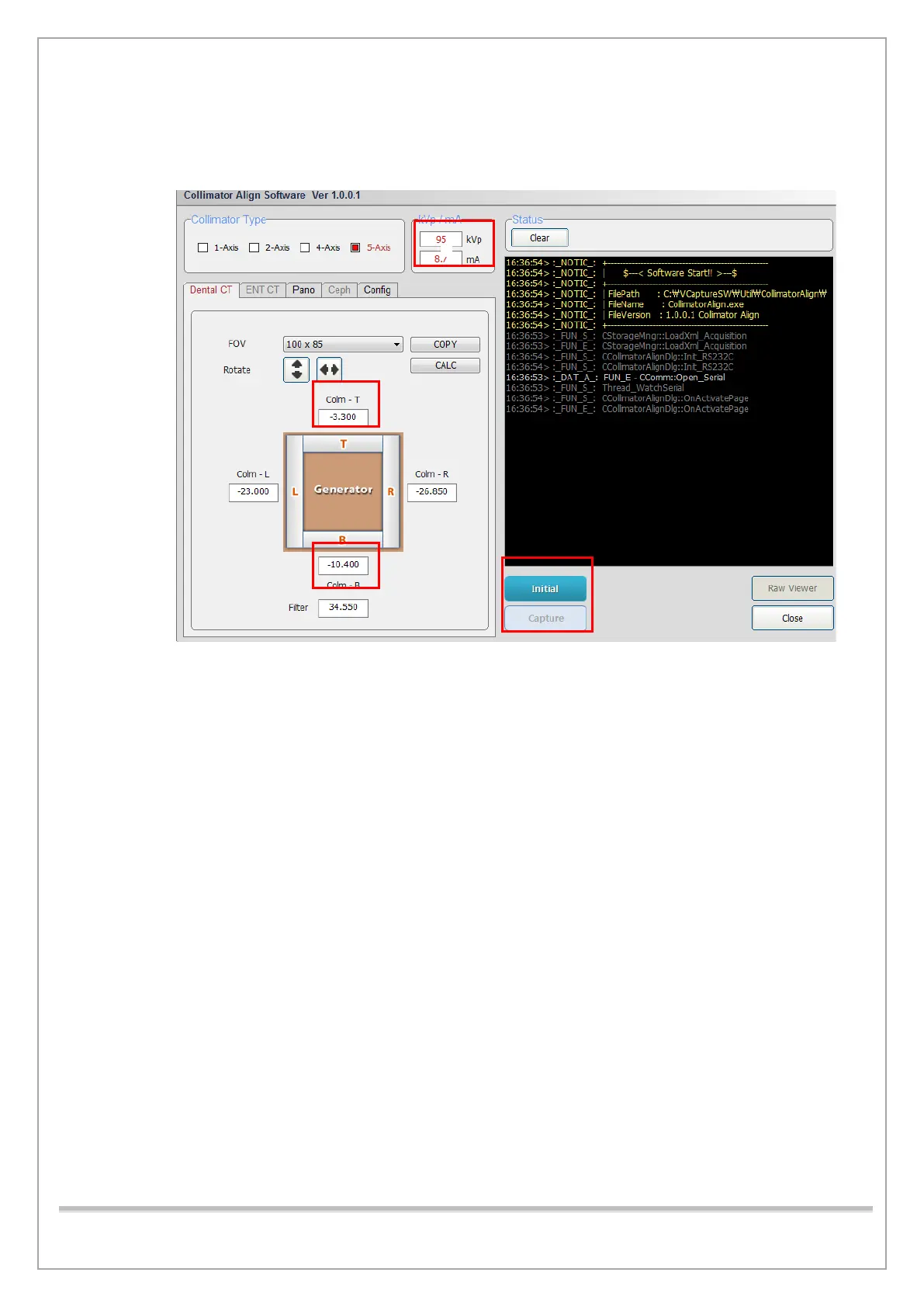
1) Run CollimatorAlign.exe.
2) Type 95 kVp, 8 mA in the kVp/mA field.
3) Select 100 x 85 in the FOV Selection.
4) Type -3.3 in the Top and -10.4 in the Bottom field.
5) Click Initialize and wait until the system is initialized. (This will enable the Capture tab)
6) Click Capture when it is enabled.














 To Next Page