Smart Plus (PHT-35LHS)
Technical Manual
VT-TECH-Smart Plus-001
COPYRIGHT© 2018 VATECH.
Chapter 2. Image Optimization
1. Sensor Calibration
To optimize CBCT image quality in Smart Plus (PHT-35LHS), the operator should perform the
Geometry Calibration operation according to the following procedures.
1.1. CBCT Preliminary Sensor Calibration (for new sensor only)
When the sensor is replaced and newly installed, Smart Plus (PHT-35LHS) requires preliminary
CBCT Sensor Bright Calibration to prepare the unit for CBCT Geometry Calibration and Collimator
Alignment
Only preliminary sensor calibration is required if a new sensor is installed in the system. For
your usual CBCT Geometry Calibration skip the 2-
point calibration, go to 1.2 CBCT
Geometry Calibration, and follow the instructions.
1) Remove the Temple Supports and the Normal Chin Block from the unit
2) Rename the CAL folder(C:\VCaptureSW\Acquisition\CBCT\WidePano\CAL) by adding
‘- Backup’. (e.g., C:\VCaptureSW\Acquisition\CBCT\WidePano\CAL-Backup),
3) Run VAKCAP.exe.
Path: C:\VCaptureSW\Acquisition\CBCT\WidePano folder
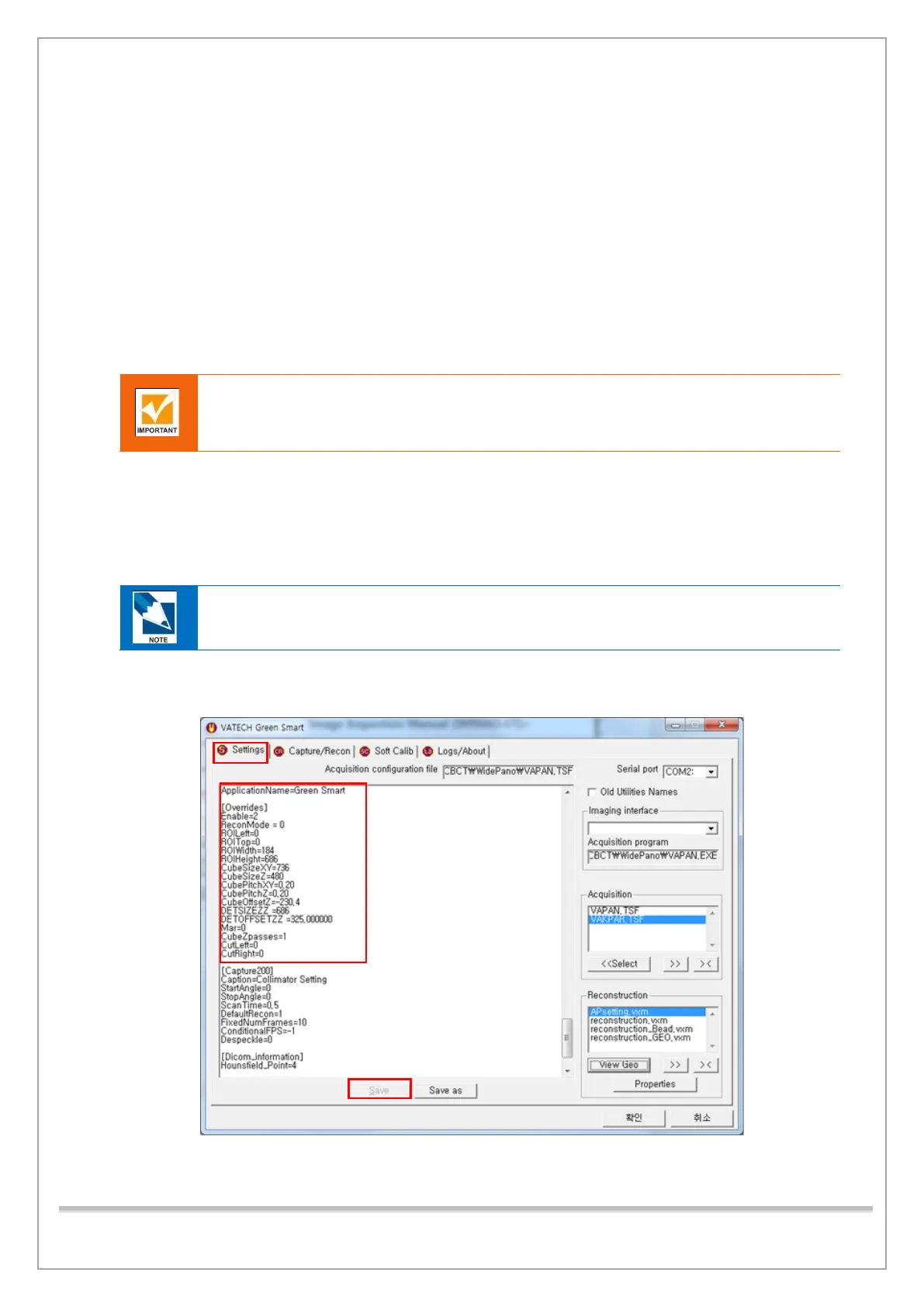
4) Click Settings. In the Serial port box, select a COM Port Number in use,
scroll down to the [Override] tab and check the parameter value, then click Save.














 To Next Page