Smart Plus (PHT-35LHS)
Technical Manual
VT-TECH-Smart Plus-001
COPYRIGHT© 2018 VATECH.
3.2. Performing PANO Geometry Calibration
Right and Left Pin Distance Calibration(PXST)
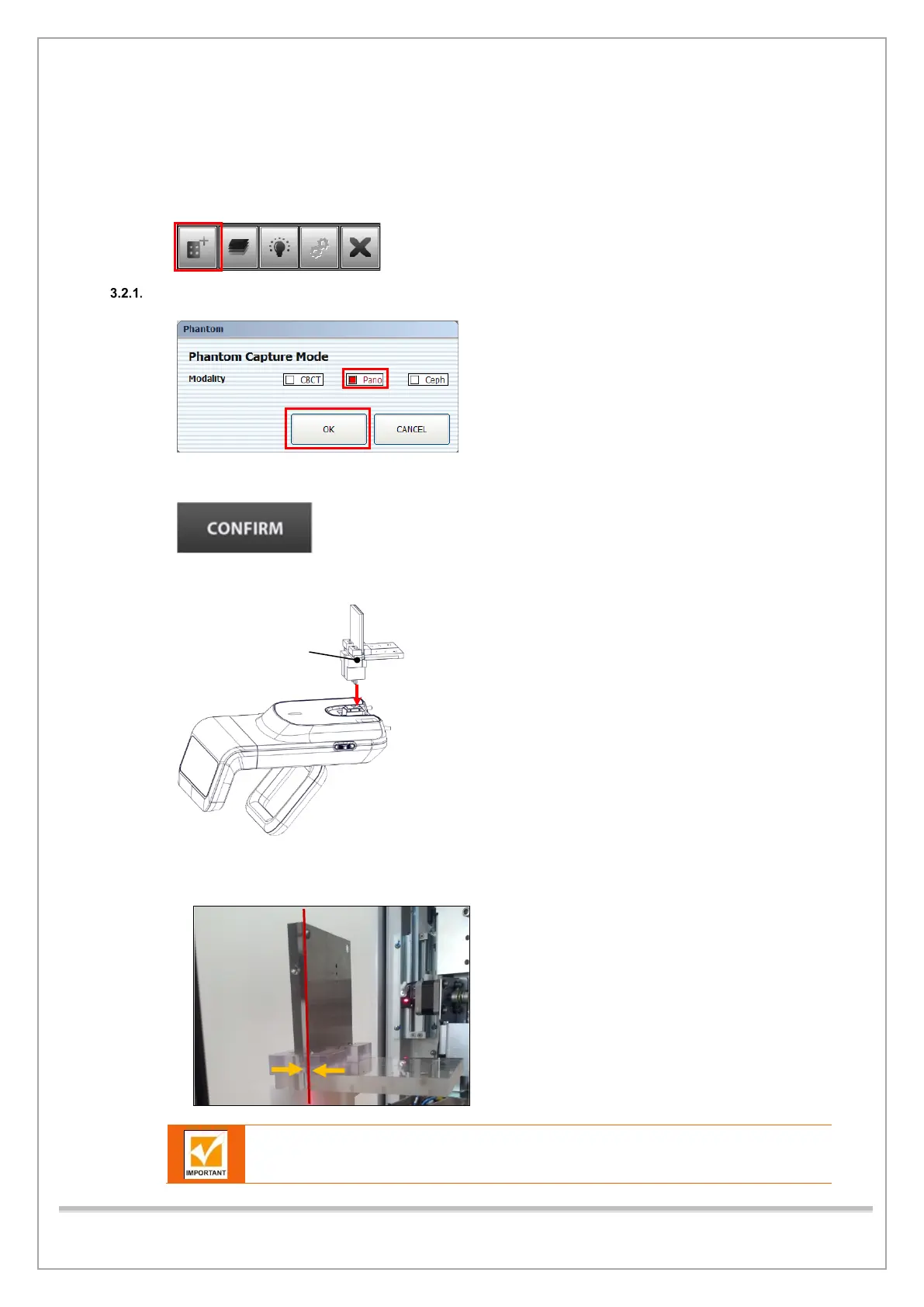
1) Run Console Software and click Phantom Capture Mode.
2) Select the Pano checkbox and click OK.
3) Click CONFIRM.
4) Attach PANO BALLPHANTOM Assay on Chinrest as shown below.
5) Adjust Canine Laser Beam knob to align the Beam to the baseline of Quart Phantom as shown
below.
Canine Laser Beam must be aligned with the center of the Quart Phantom AL filter
as shown in the figure














 To Next Page