Smart Plus (PHT-35LHS)
Technical Manual
VT-TECH-Smart Plus-001
COPYRIGHT© 2018 VATECH.
6) Remove the Laser Beam Jig from PANO Ball Phantom.
7) Click READY and acquire the image according to the Console Software guidance.
8) After the image acquisition is complete, run VAKCAP.exe.
VAKCAP.exe path: C:\VCaptureSW\Acquisition\Pano\WidePano
9) Click the Panorama tab and click V Pan to open View 16.
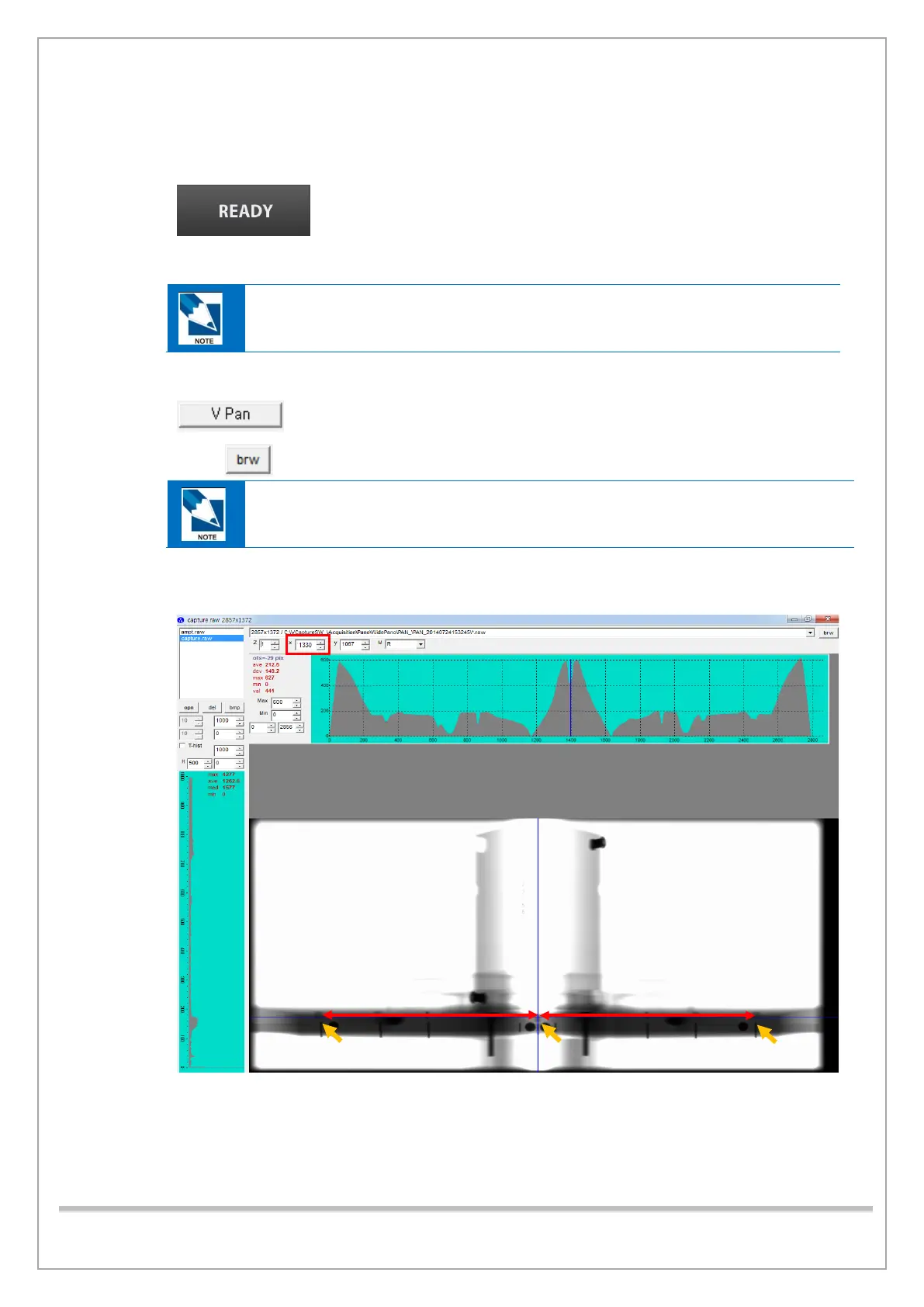
10) Click and select Capture.raw to open the captured image.
Capture.raw path: C:\VCaptureSW\Acquisition\Pano\WidePano\PAN
Panoramic image size: 2719(variable) x 1372(constant)
11) Click three pinpoints and read the X value of each point, and then measure the distance
between the points.














 To Next Page