Smart Plus (PHT-35LHS)
Technical Manual
VT-TECH-Smart Plus-001
COPYRIGHT© 2018 VATECH.
1.5. Performing PANO Sensor Bright Calibration
1 mm Copper Filter must be ready for PANO Sensor Calibration. Bright Calibration data
cannot be achieved without the Copper Filter.
Stay outside of the X-ray shielding room during Bright Calibration data achievement.
Follow the procedure below to perform PANO Sensor Bright Calibraiton
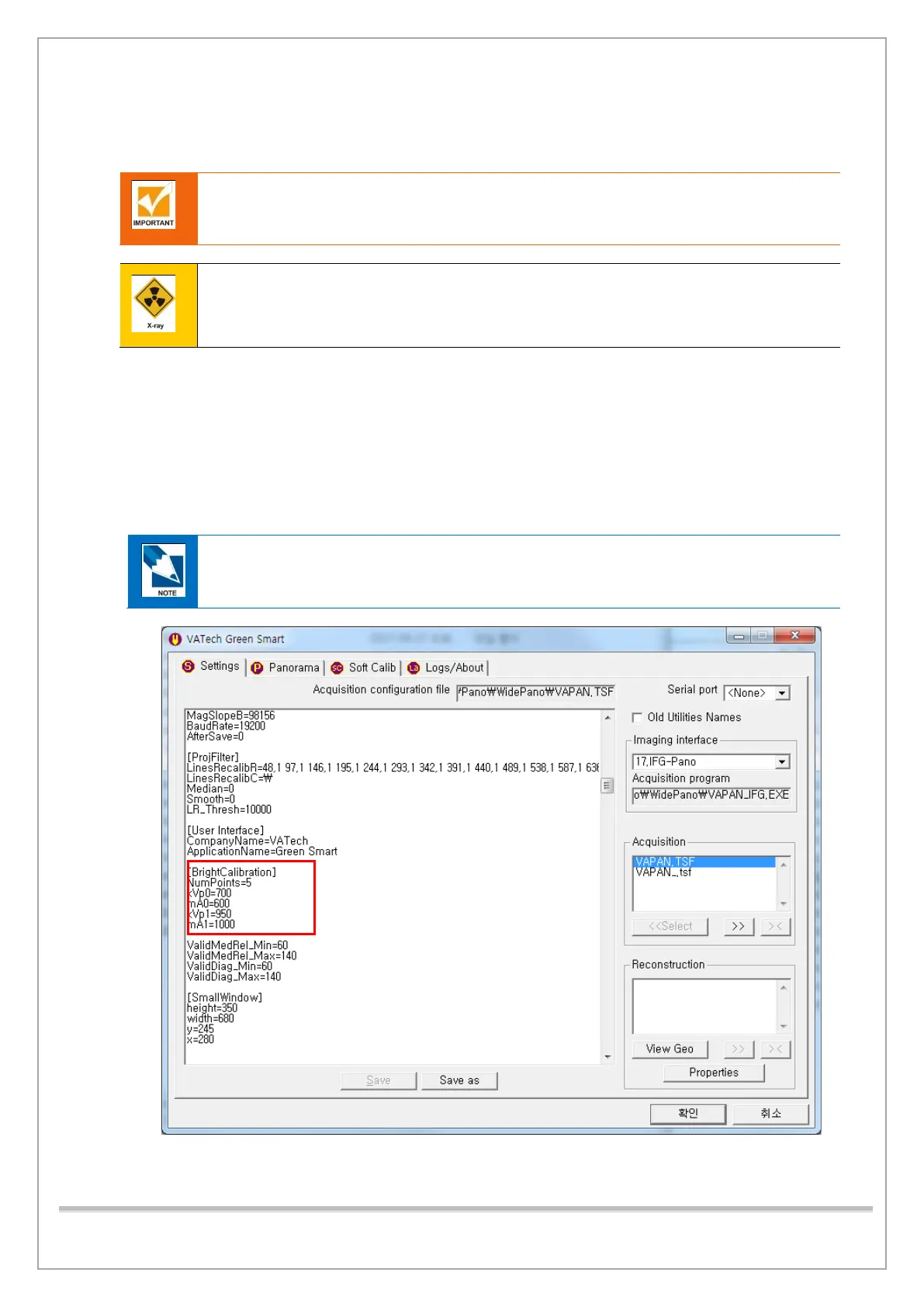
1) Click Settings tab and Check whether kVp and mA values in [BrightCalibration] are set as the
following:
kVp0 = 700 / kVp1 = 950, mA0 = 600 / mA1 = 1000.
If the values are different, change the values like the picture below (see the red box) and click
Save.
BrightCalibration kVp & mA Parameter Initial-Value














 To Next Page