Smart Plus (PHT-35LHS)
Technical Manual
VT-TECH-Smart Plus-001
COPYRIGHT© 2018 VATECH.
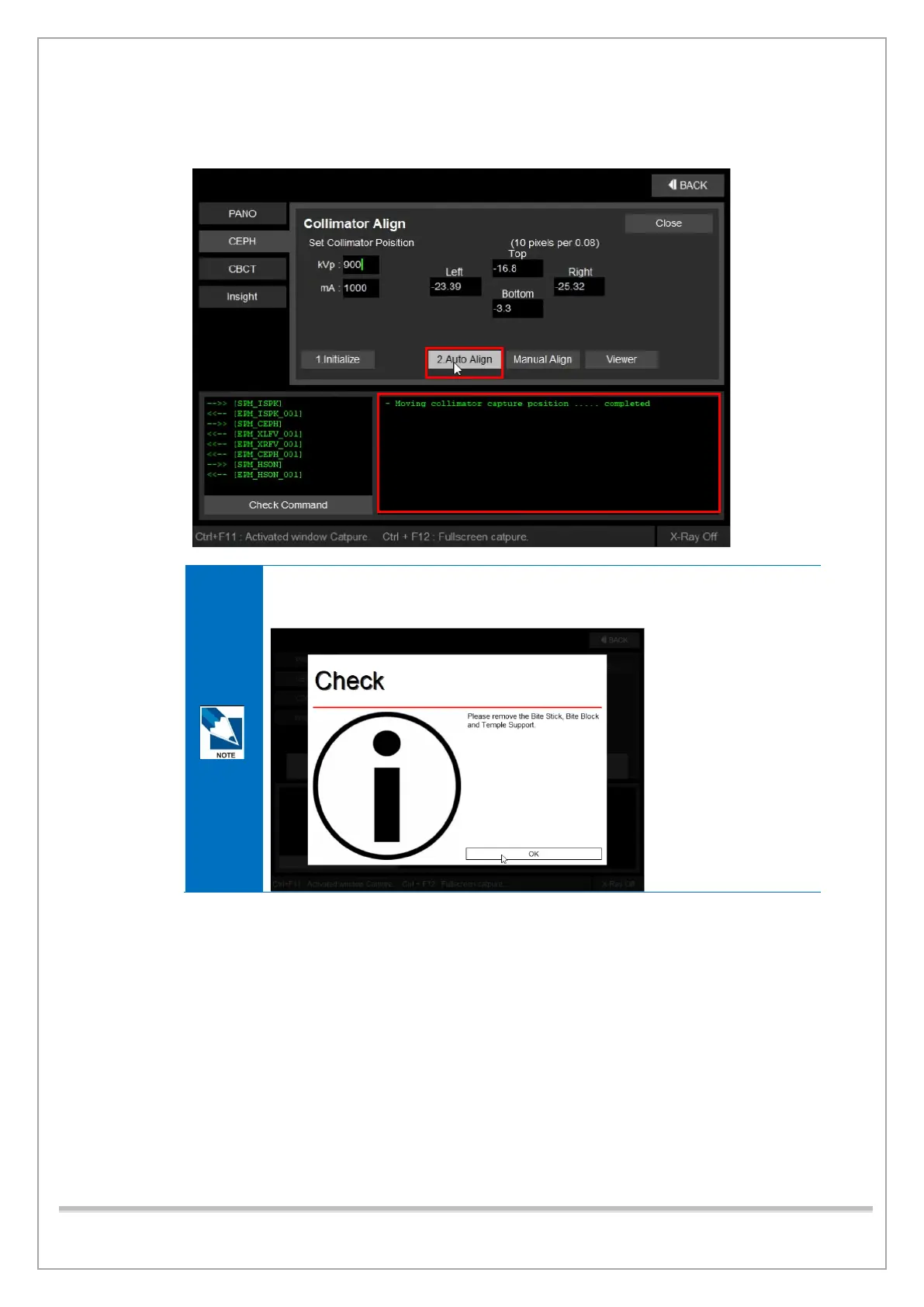
4) When the message “Moving collimator capture position...completed” appears in the status
window. Ensure to wait until you see the message then click 2. Auto Align.
When the bite or temple supports are still mounted on the equipment, the system
sends out a pop-up message (See below). When you see this message, remove
the bite or temple supports from the equipment, then click OK.
①
②














 To Next Page