Smart Plus (PHT-35LHS)
Technical Manual
VT-TECH-Smart Plus-001
COPYRIGHT© 2018 VATECH.
Communication Parameter Settings
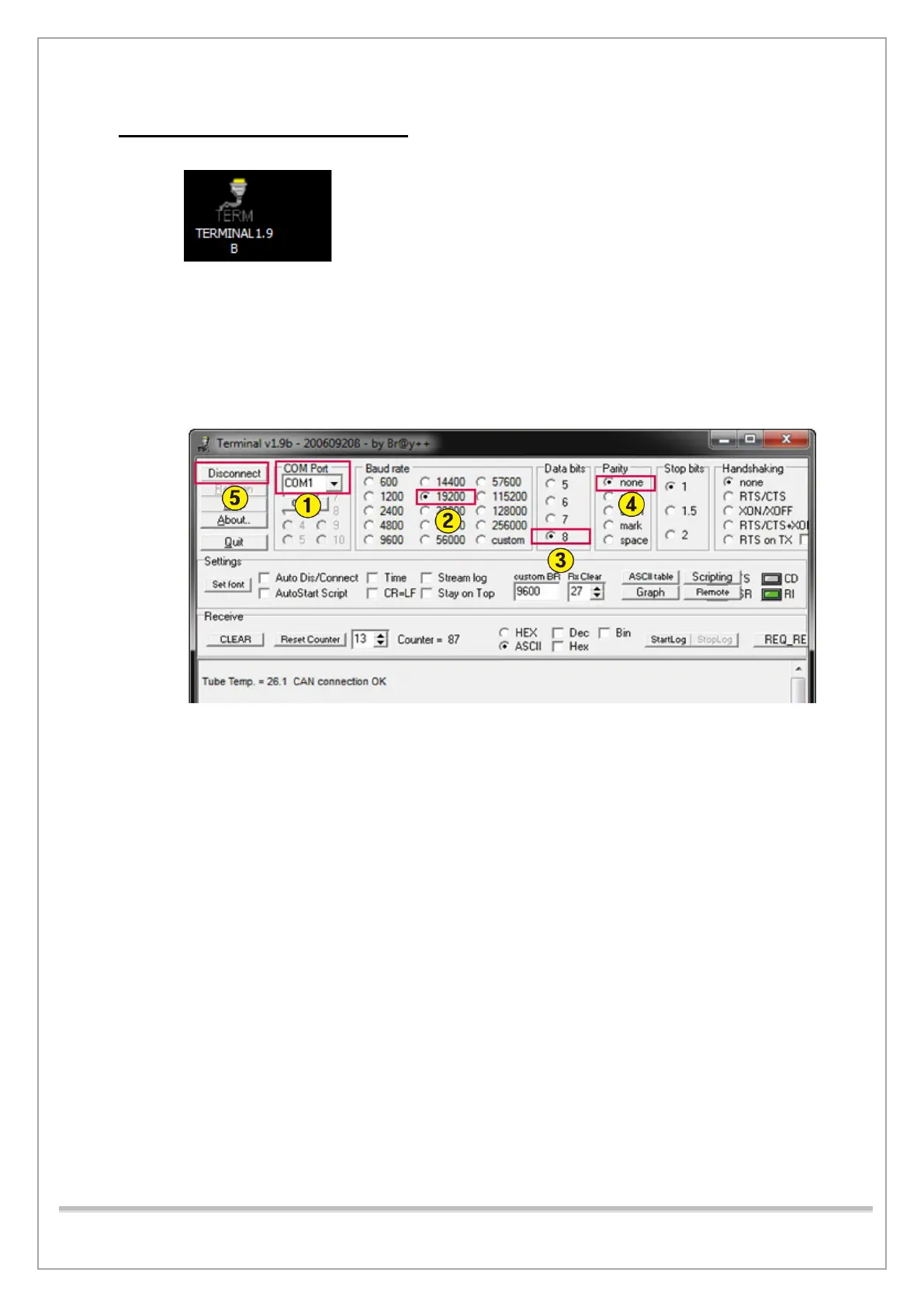
1) Run Terminal v1.9b.
2) In the COM Port box, select the connected Serial Port.
3) In the Baud rate area, select 19200.
4) In the Data bit area, select 8.
5) In the Parity area, select none.
6) Click Connect to communicate with the equipment.
7) Type [SPM_PVER] in the command window and click Send to check whether the version
information is sent from equipment.














 To Next Page