Smart Plus (PHT-35LHS)
Technical Manual
VT-TECH-Smart Plus-001
COPYRIGHT© 2018 VATECH.
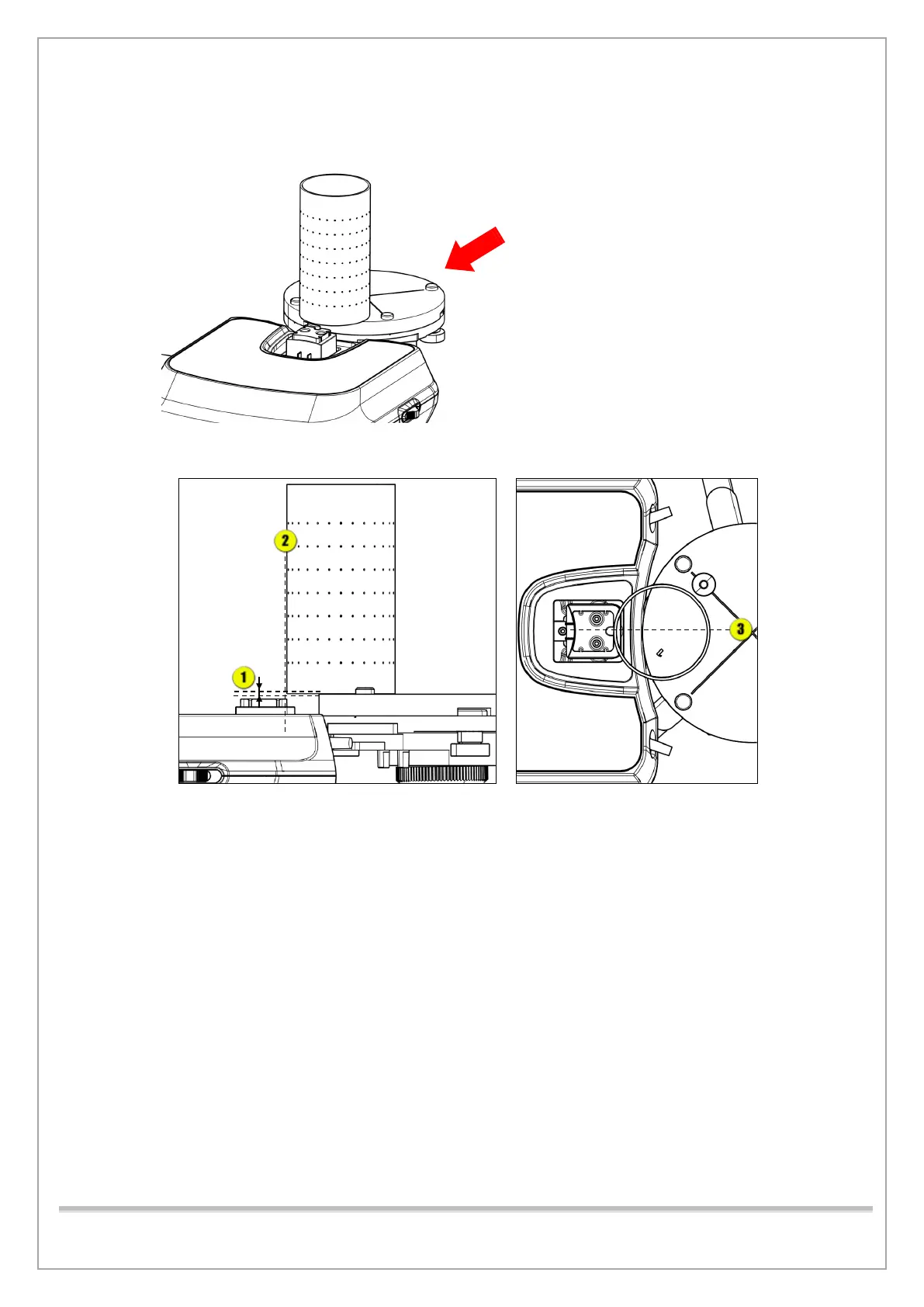
6) Adjust the tripod to constant height and put the tripod and the BEAD PHANTOM in position as
shown in the figure.
7) Run VAKCAP.exe and input the following commands [SPM_FIPM_0001] [SPM_FISM_0001]
[SPM_FOVO] [SPM_COLM_0009] clicking Send after each input. Then, type [SPM_CSON]
click Send to supply power to the CT Sensor.
8) Click Soft Calib and click Dark to acquire Dark Calibration Data.














 To Next Page