Smart Plus (PHT-35LHS)
Technical Manual
VT-TECH-Smart Plus-001
COPYRIGHT© 2018 VATECH.
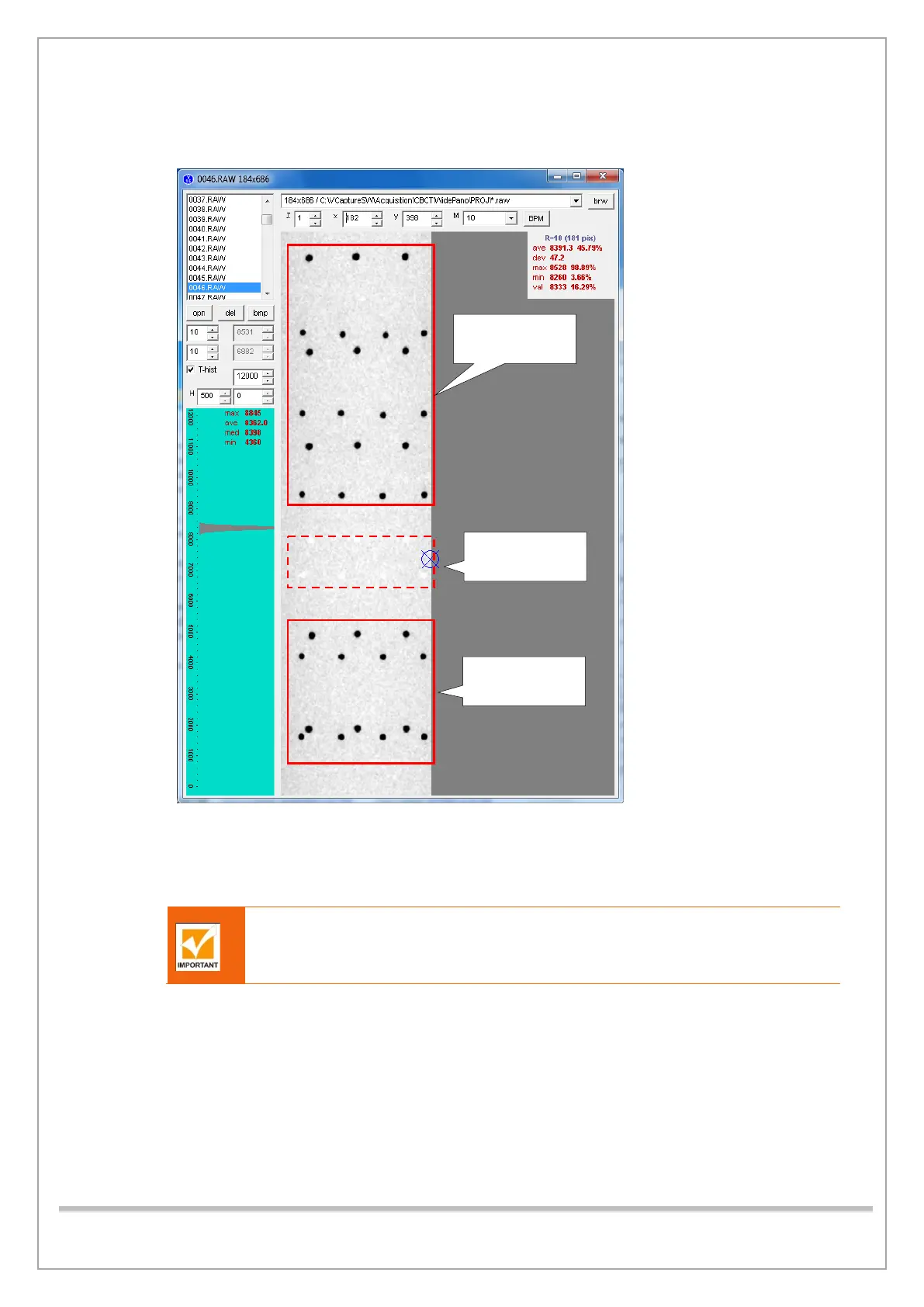
13) Make sure that there are three bead lines in the upper part and two bead lines in the lower part
with the beadles’ line as the center.
14) If the standard is not met, adjust the height of the column, and acquire the image again. (Note:
Input the following commands before the image acquisition only if you restarted the equipment:
([SPM_FISS_0001] [SPM_FIPM_0001] [SPM_FISM_0001] [SPM_FOVO] [SPM_COLM_0009]
[SPM_ARCT] [SPM_CSON]). If the standards are met, then continue from 16).
To recapture the image, make sure to do the steps thru 8 to 12 over again
15) Click Soft Calib tab, type and send the following commands (NOTE: These commands should
be entered only if the equipment was restarted [SPM_ARCT] [SPM_CSON] [SPM_FISS_0001]
[SPM_FIPM_0001] [SPM_FISM_0001]), otherwise type [SPM_FOVO] [SPM_COLM_0009] and
click Send to initiate the system into CT mode.
16) Type [SPM_ABMS] and click Send to go into CT capture mode B (at 100x85, 18 sec, 100Hz)
17) Type [SPM_TEST_0026] and click Send to remove the X-ray OFF section during exposure.
18) Click Dark to acquire Dark Calibration Data. Click the Capture/Recon tab and set the
parameters as shown below.














 To Next Page