Cleaning
VTK-TR-BA-072e-1 - User Manual MDS 358X Series
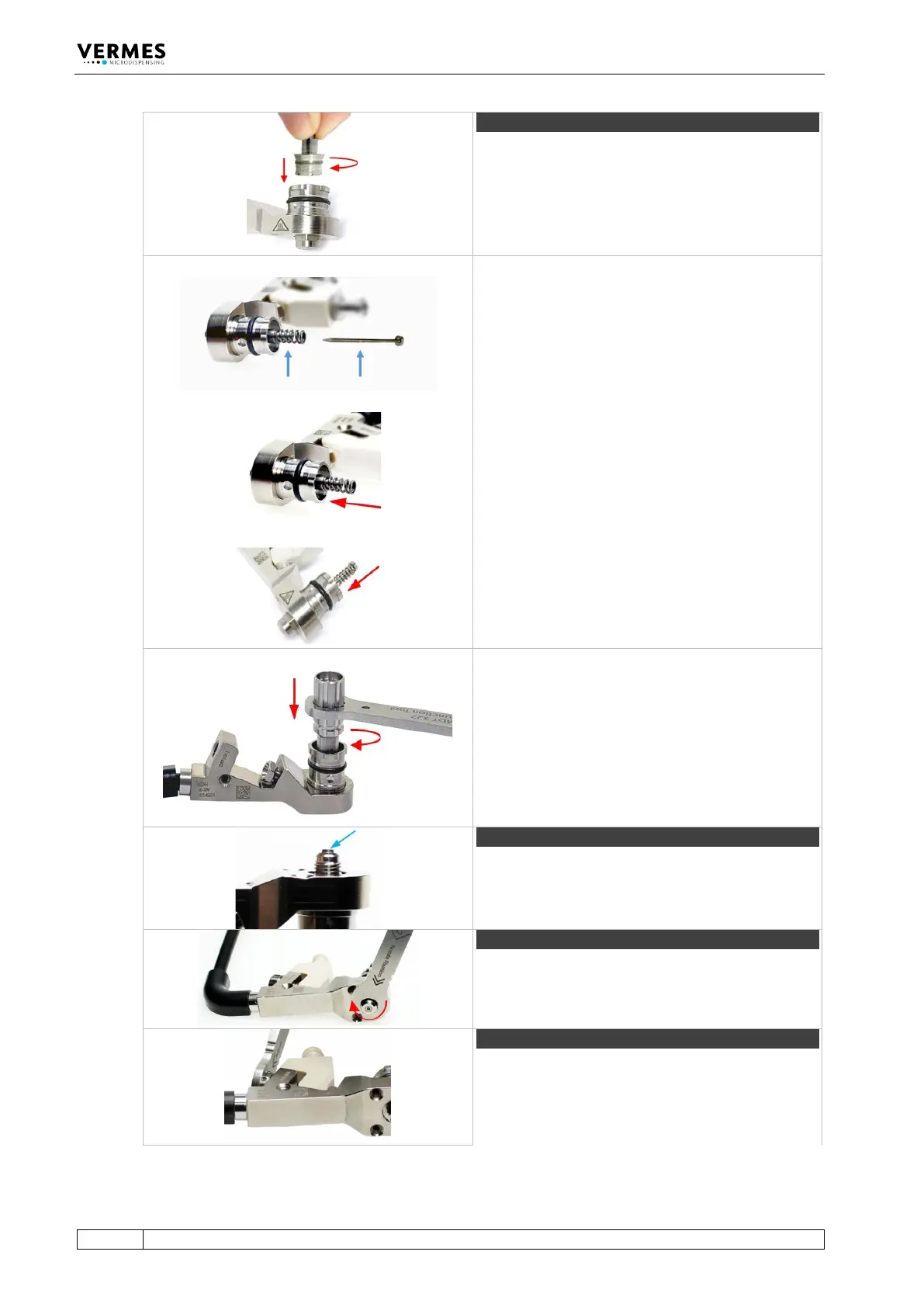
Step 4 (tappet and tappet centering screw)
Screw the Tappet Centering Screw BY into the fluid
box. Do not screw it tight yet. Screw it only for two
rotations.
Before mounting, please place a small droplet of
Tappet Grease TF (Order no. 1014637; droplet size
ca. 2 mm) on the tappet and another on the tappet
spring (for placing see blue arrows in the picture).
Make sure that the tappet tip is free of grease.
Rotate the tappet and pull it in and out for three
times to spread the grease.
Place the tappet spring over the Tappet Centering
Screw BY.
Push the tappet rod through the tappet spring into
the Tappet Centering Screw BY. Make sure the
tappet goes through the tappet sealing.
Screw the Tappet Centering Screw BY completely
into the fluid box (torque 100 – 140 cN.m) with MDT
303 - Nozzle Insert Changing Tool.
Make sure the three pins of the MDT 303 fit exactly
into the three holes of the Tappet Centering Screw
BY. Turn the MDT 303 clockwise while pressing it
down slightly to the fluid box.
Combine the MDT 303 with MDT 327 for a better
leverage.
Clip the nozzle insert into the fluid box. Use the
small hole of MDT 327 to press the nozzle insert.
Make sure the nozzle insert sits flat.
Step 6 (nozzle fixation nut)
Screw the nozzle fixation nut clockwise onto the
fluid box. Use the MDT 327 - Multi-Function Tool
(torque 150 – 180 cN.m).
Place the cartridge base onto the fluid box and fix it
with the tightening screw. Screw the tightening
screw clockwise with MDT 327 Multi-Function Tool
(torque 120 – 140 cN.m).



 To Next Page