Initial Operation
VTK-TR-BA-072e-1 - User Manual MDS 358X Series
– Confirm the adjust with pressing [ENTER]. The adjust is finished successfully and you are send
back to the main menu.
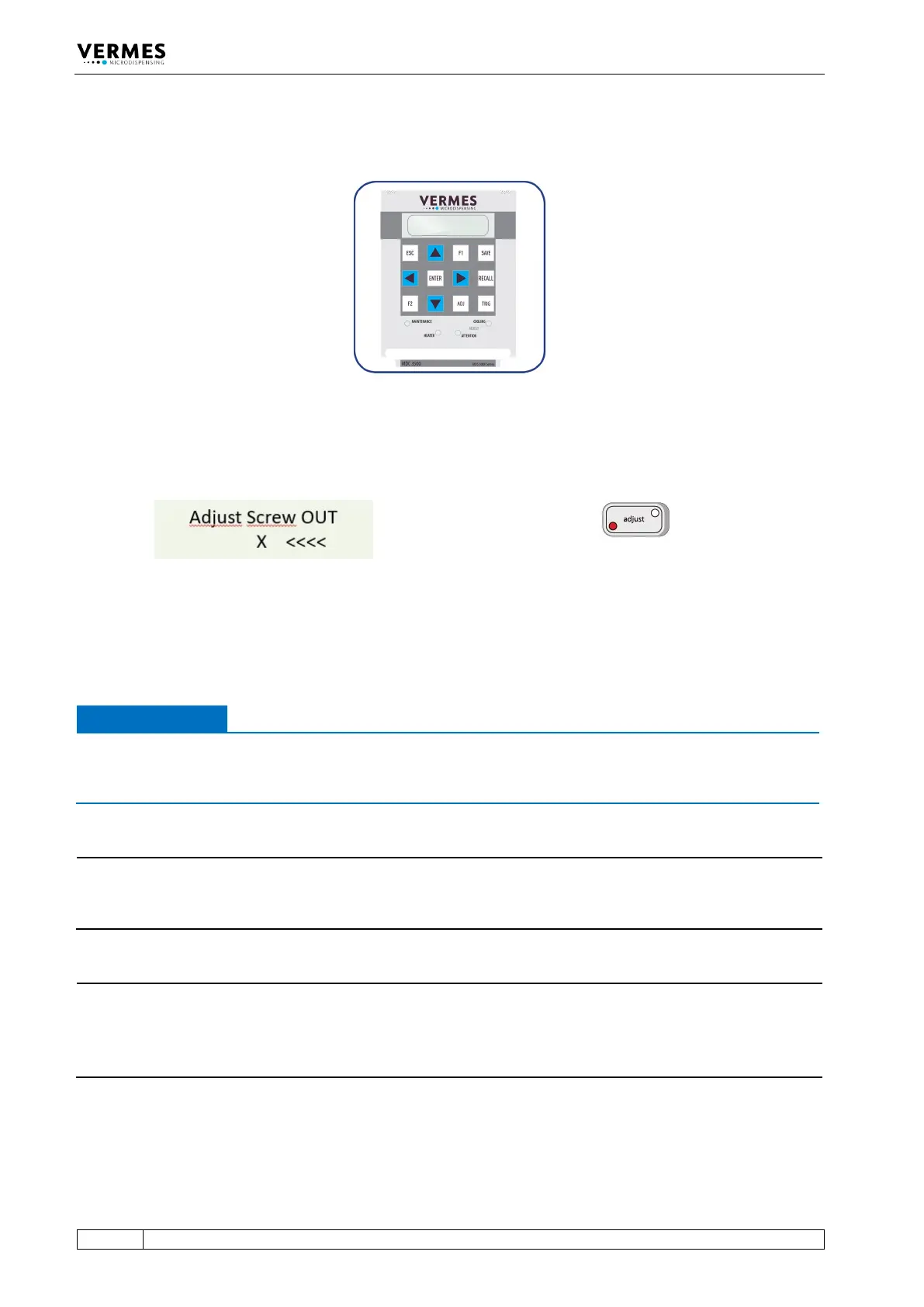
Fig. 46: Adjust – Press Enter
In case you had turned the adjust screw too far, the display shows “Adjust Screw OUT – X <<<<”.
Also, the red adjust LED is ON instead of the green one (see Fig. 47).
Fig. 47: Message Adjust Screw OUT – X <<<<, the red adjust LED is ON
– Unscrew the adjust screw (counter-clockwise) until the display shows “press enter! - 0” and
the green adjust LED is ON.
– Press the [ENTER]-key.
IMPORTANT NOTE
Do not screw too far
Do not keep screwing the adjust screw further clockwise, if the red adjust LED is ON. Otherwise
the tappet or the nozzle insert could get damaged.
INFORMATION
Confirming adjust
A correctly completed adjust can only be confirmed with [ENTER], while the green adjust LED is
ON.
INFORMATION
Abort and end of procedure
• The adjust can be aborted any time by pressing [ESC]. The display changes back to the main
menu.
• After the adjust the green lamp dims within approx. 3 s.



 To Next Page