Initial Operation
VTK-TR-BA-072e-1 - User Manual MDS 358X Series
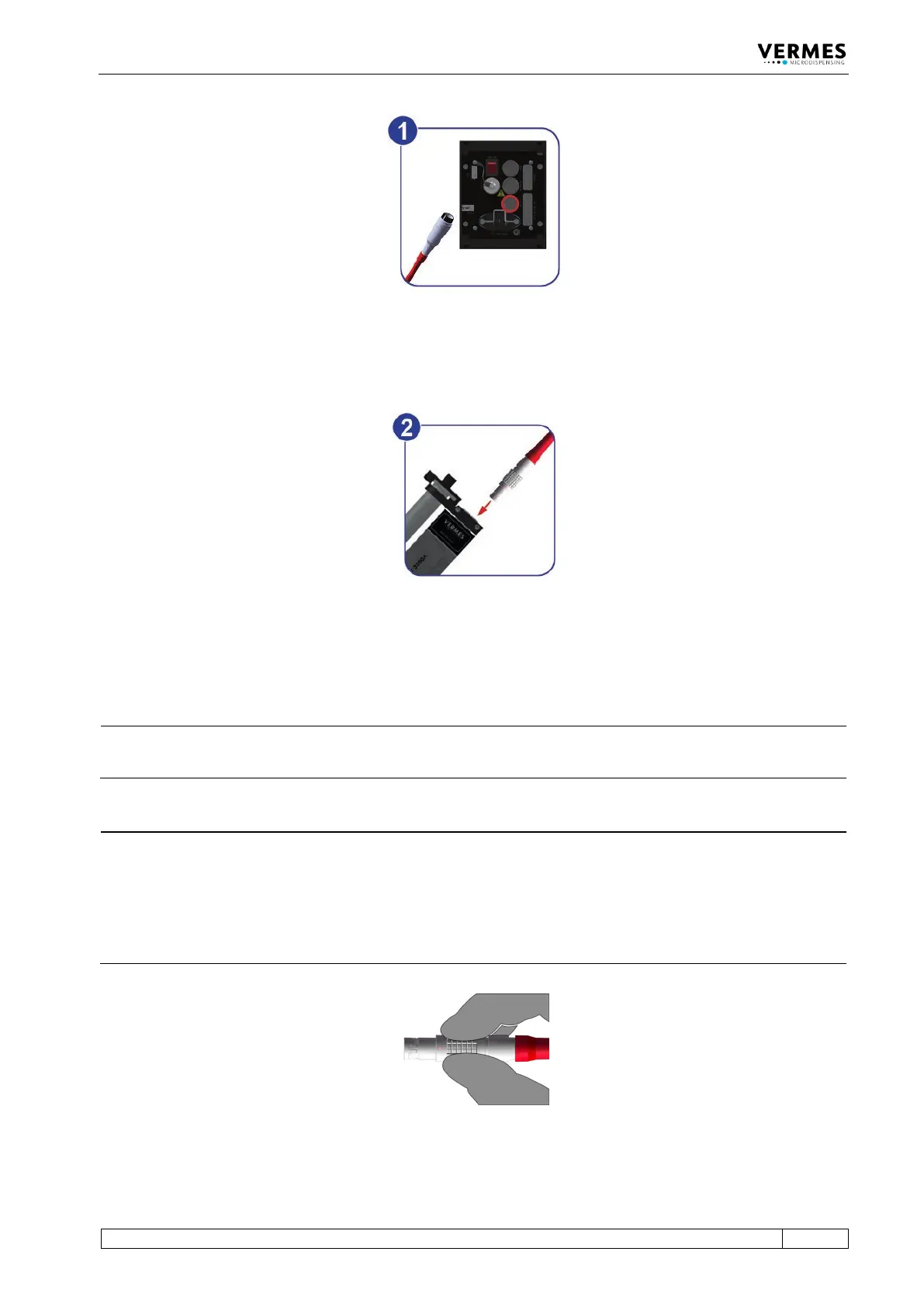
Fig. 22: Connecting the actuator cable – step 1
– Step 1: Plug the cable into the corresponding connector on the rear side of the control unit
and screw it in place.
Fig. 23: Connecting the actuator cable – step 2
– Step 2: The other end, equipped with a four-pin LEMO connector (corrugated sleeve), has to
be connected to the red marked, looped cable attached to the valve.
INFORMATION
Connecting cables
Verify during the connecting procedure that the red dots on the plugs point towards each other.
INFORMATION
Release latch for disconnection
To secure the connectors there is a latch, which you have to release before disconnection. You
have to grip the corrugated outhousing. Pull back the outhousing of the male connector to
release the latch (see Fig. 24). Then pull both connectors apart without losing the grip and they
will separate.
Do not pull at the cables!
Fig. 24: Connector actuator cable - grip



 To Next Page