Cleaning
VTK-TR-BA-072e-1 - User Manual MDS 358X Series
For some uncomplicated media it is possible to clean the parts just by using a fluid like ethanol
and compressed air, which can simplify the cleaning process. But before you try it, you should
always contact our Technical Support.
INFORMATION
Nozzle inserts with small orifices
If a nozzle insert with orifices smaller than 100 µm (except for nozzle inserts with long dispensing
channels, namely J-/C-series, N-27 and N-28) happens to be still clogged after cleaning, please
clean it with MDT 316 - Nozzle Insert Cleaning Tool. For operating the MDT 316 please refer to
the “Quick Reference Guide – MDT 316 - Nozzle Insert Cleaning Tool”.
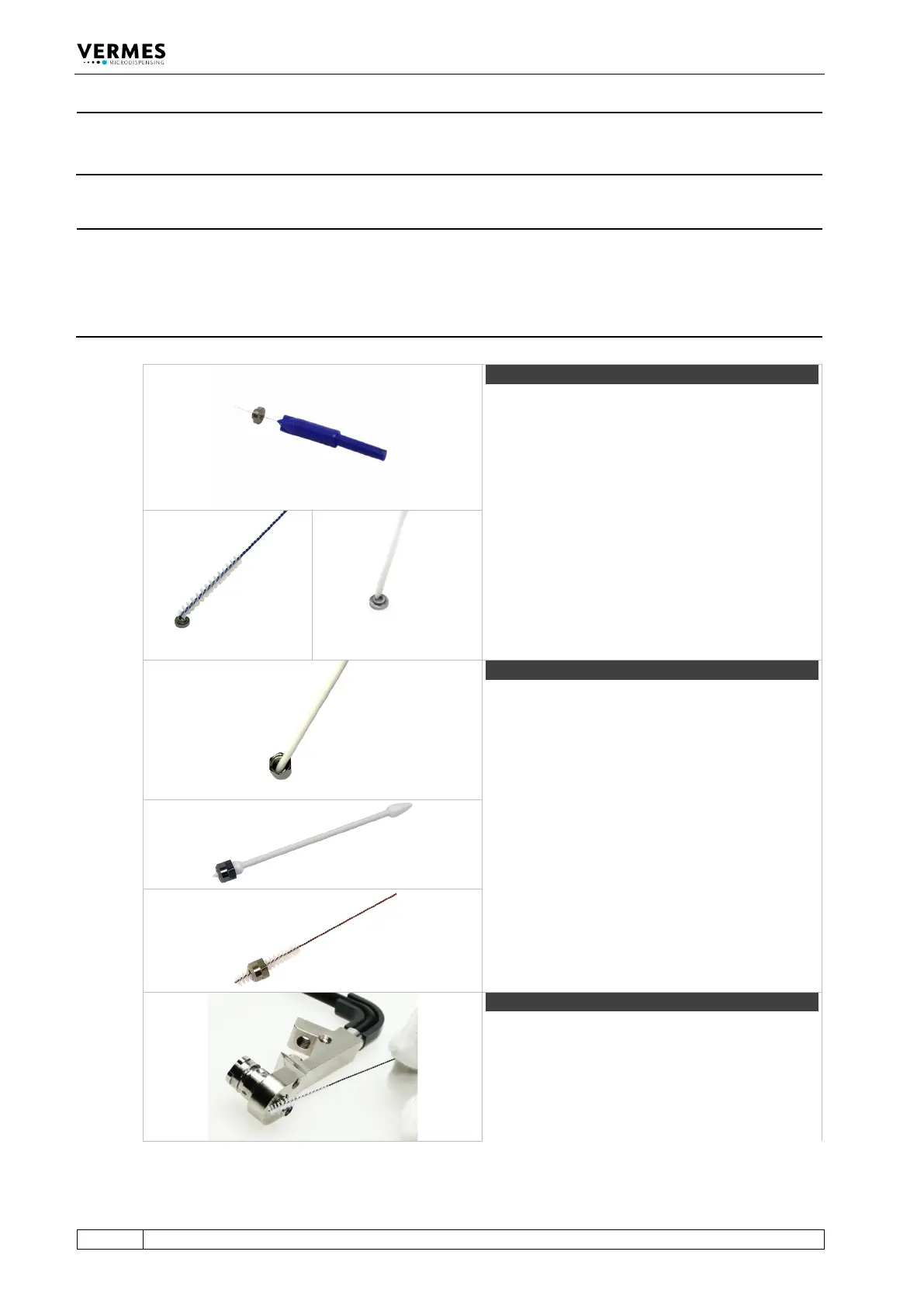
Start with the nozzle insert. For the bore use a
nozzle insert cleaning wire. These come with
different sizes. They are not part of the cleaning
toolkit CTK and have to be ordered separately.
Important note!
Use the MDT 324 - Nozzle Insert Cleaning Holder
with all Vermes nozzle inserts. With it, you can
safely keep the nozzle insert in place during
cleaning and drying with compressed air.
Clean the surface of the inner channel using a
fluidic brush. Clean it thoroughly from above and
below with a cleaning rod.
Step 2 (nozzle fixation nut)
Clean the nozzle fixation nut. Use a cleaning rod to
clean the inside/outside of the nozzle fixation nut.
Pay special attention to sharp corners and edges.
Push a fluid box cleaner through the opening of
the nozzle fixation nut to remove persistent
residues.
Clean the bore of the nozzle fixation nut using a
fluidic brush.
With the fluid box, clean all bores and threads with
a fluidic brush first.



 To Next Page