Operation
VTK-TR-BA-072e-1 - User Manual MDS 358X Series
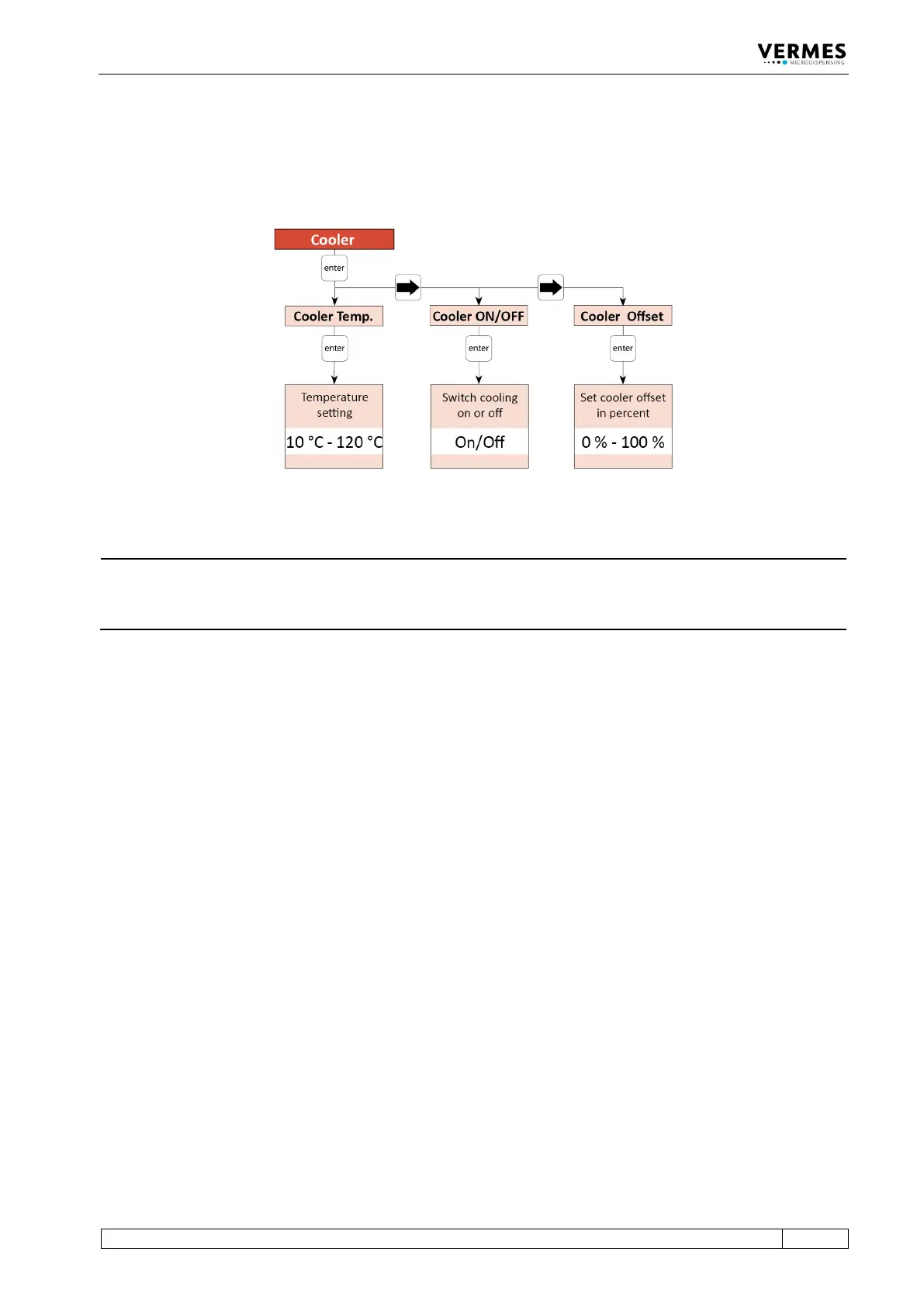
offset (menu item “Cooler Offset”, see also paragraph 7.14.2, page 81) and set the target
temperature (menu item “Cooler Temp.”). The possible temperature range lies between 10 °C
and 120 °C. (Further information about the menu of the control unit you can find in
paragraph 4.5, page 27.)
Fig. 60: Submenu Cooler
INFORMATION
Control cooling via serial commands
The cooling can also be controlled via the serial interface. The relevant commands and
information can be found in paragraph 8.1.2, page 84.
7.14.2 Cooler Offset
The cooler offset sets an offset value for the flow control valve (in %), which is independent from
the regulation system. The cooler offset allows for a constant airflow through the valve, even if
the regulation system does not require an airflow yet. Only when the regulation system requires
an airflow above the cooler offset, the regulation takes over. I.e. the cooler offset is not added to
the normal value, but sets a minimum value.
Using a cooler offset can be helpful in some applications, e.g. if your application has many short
but intense bursts. For such an application, the regulation could be a bit slow, if it always drops
back to zero airflow.
Use the arrow keys to reach the menu item “Cooler Offset” within the submenu “Cooler” (see
paragraph 7.14.1, page 80). Press the [enter]-key and then use the arrow keys to set the desired
value. A value of 0 % means that the cooler offset is deactivated. A value of 100 % would mean
that the flow control valve is always opened completely.



 To Next Page