Control Unit MDC
VTK-TR-BA-072e-1 - User Manual MDS 358X Series
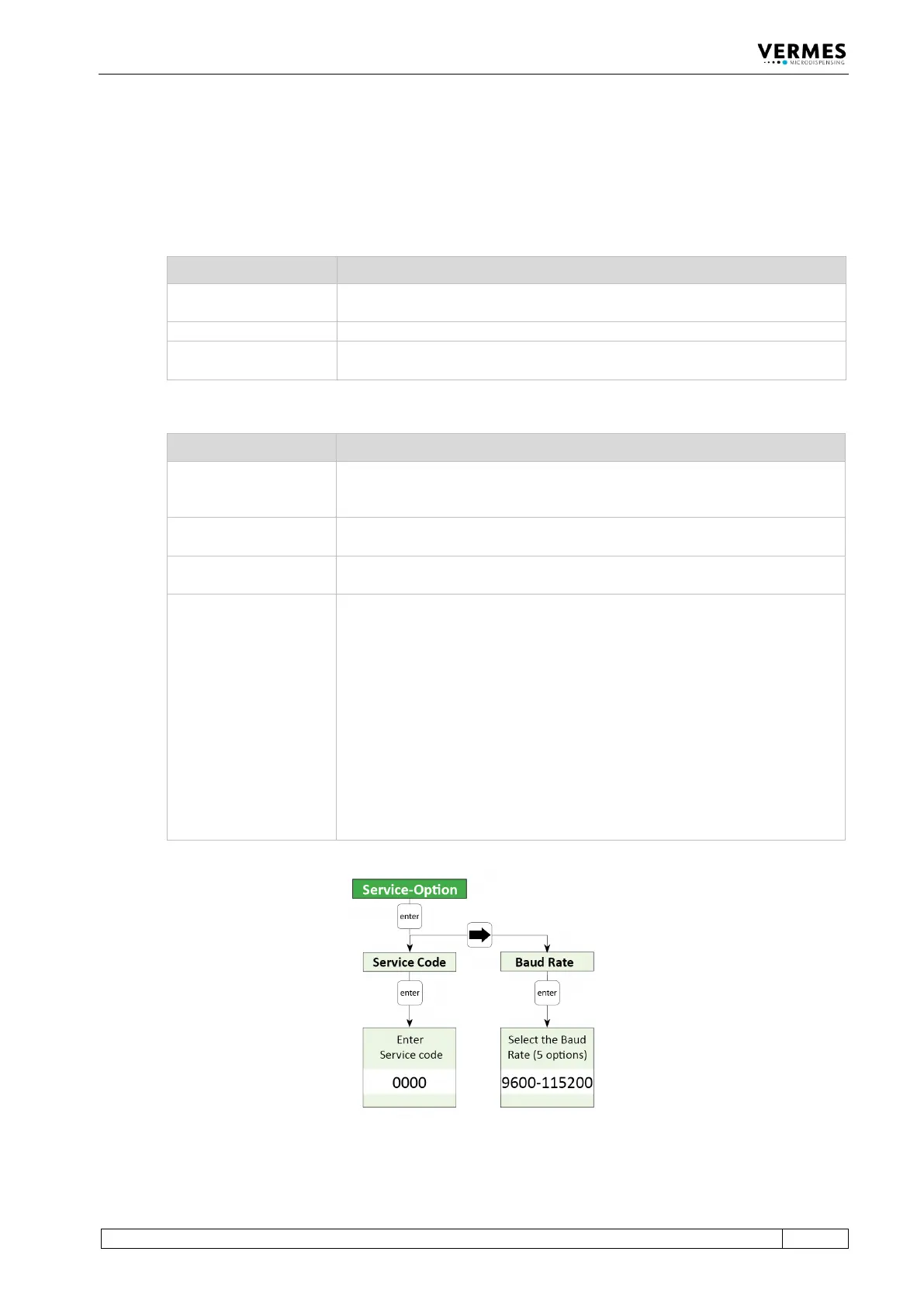
4.5.6 Submenu “Service-Option”
This menu has two sections. In “Service Code” you can enter a service code (see Tab. 17).
“Baud Rate” is used to change the baud rate. There are five possible values: 9600, 19200, 38400,
57600 and 115200 (new MDCs are set to 115200).
Service Code Explanation
If you enter 33, you can activate or change the adjust offset (see
paragraph 7.12 "Adjust Offset", page 75).
If you enter 35, the adjust offset is set back to “0”.
If you enter 1000, you enter a further submenu containing the options listed
in the table below (see Tab. 18).
Tab. 17: List of service codes
Option Explanation
You can select between the possibilities that the SingleDosOK signal is
switched per pulse or per setup. (Default setting is per pulse. For the pin
configuration of the PLC interface, see Page 113.)
You can select, if before switching the signal DosOK there should be one
delay executed at the end. (Default setting is OFF.)
Here the auxiliary mode can be switched ON or OFF (see paragraph 7.11
"Auxiliary Mode", page 74).
Here any parameters can be returned to the default factory settings (see
paragraph 7.10 "Factory Settings", page 73). You have got four alternatives:
• Setup 0 – 3 (the parameters of the working configuration and the setups
1 to 3 are returned to the factory settings)
• Reset ALL (all parameters are returned, including the settings of the
scenarios; also the heater will be turned OFF and the temperature set to
10°C, cooling will be turned OFF, set to 80 °C and the cooler offset will be
set as 0 %)
• Scenario (the parameters and settings of the scenarios are returned to the
factory settings)
• Setup ALL (the parameters of the working configuration and all setups
are returned, setups 4 – 10 receive values of setup 0)
Tab. 18: Options in the submenu of service code 1000
Fig. 17: Submenu “Service-Option”



 To Next Page