Operation
VTK-TR-BA-072e-1 - User Manual MDS 358X Series
7.9 Scenarios
The MDC does not only allow you to save setups of parameters, but also to define combinations
of setups, so called scenarios.
7.9.1 Basics about Scenarios
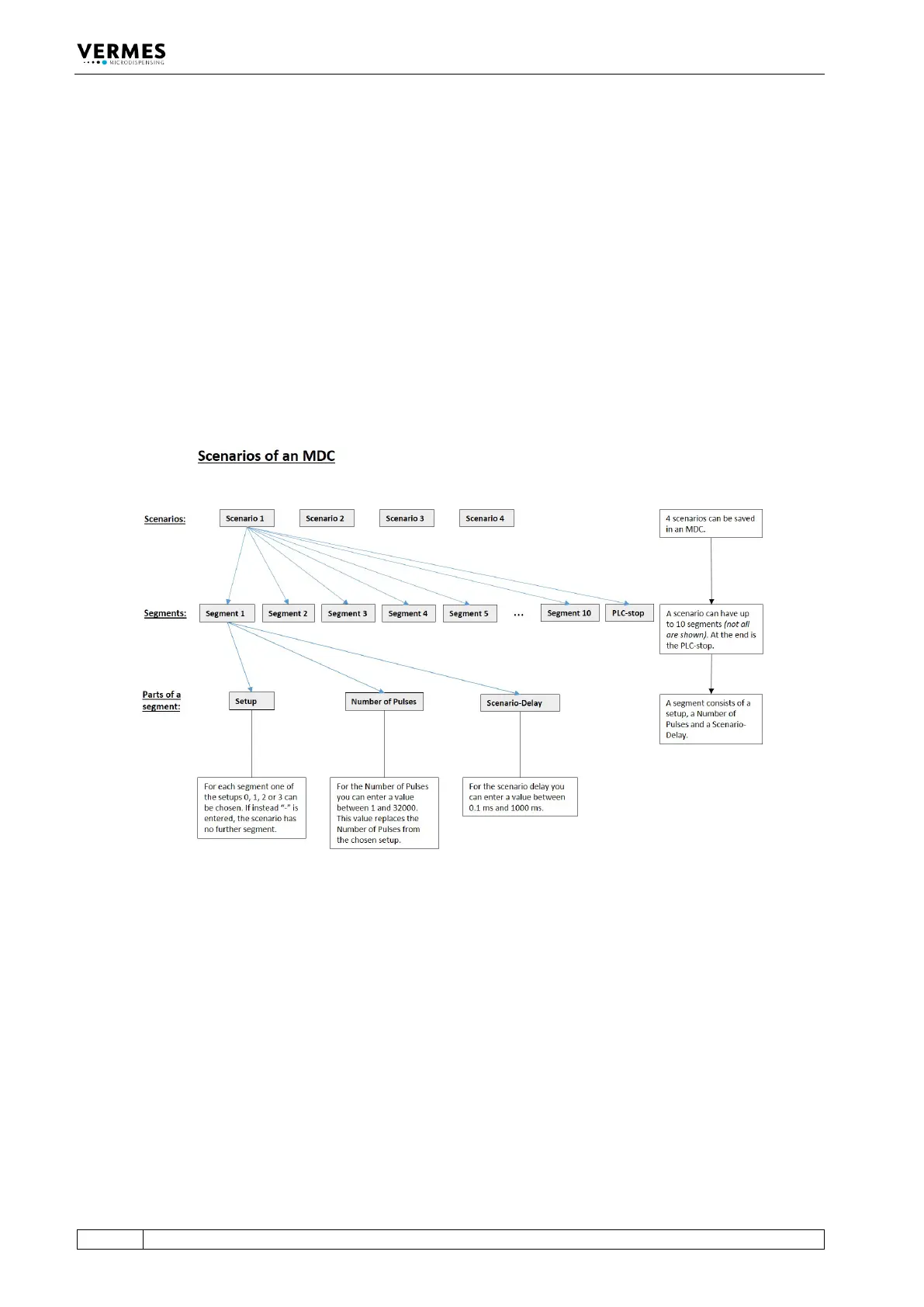
Each scenario consists of up to ten segments, each with a setup, a specific scenario delay and a
Number of Pulses (see Fig. 52). You can define up to four scenarios. You can only choose
between the setups 0, 1, 2 and 3. A maximum of ten segments can be chained together,
consisting of any possible combination of the four potential setups 0, 1, 2 and 3. As soon as you
enter “-” when selecting a segment, the chain ends. No further segments will be shown in the
menu. This is possible even for the first segment you select. In that case, the working
configuration (setup 0) would be executed instead of the scenario.
Fig. 52: Scenarios of an MDC
For each segment in a scenario, you can enter a Number of Pulses. For this segment, the number
then replaces the Number of Pulses saved with the original setup. The value can be between 1
and 32,000 or “infinite”. With “infinite”, the trigger signal defines the end.
The scenario delay marks the time span between two segments. It can be set in the range of
0.1 ms and 1000 ms.
Each scenario has a scenario PLC-stop, which is either “ON” or “OFF”. If it is “ON”, you can end the
scenario prematurely. The moment the trigger switches to “low”, the scenario ends. When it is
“OFF”, the trigger only affects a segment on “infinite” number of pulses. In that case, once the
trigger is switched to “low”, the system moves on to the scenario delay, followed by any
segments still to come. Unlike the “ON” situation, the scenario does not end immediately.
Scenarios can be controlled in two ways:
• via keypad (see next part)



 To Next Page