Operation
VTK-TR-BA-072e-1 - User Manual MDS 358X Series
7.12 Adjust Offset
If you have a problem with leakage despite a correct adjust (see paragraph 6.5, page 57), you can
use service code 33 to add a little adjust offset. This adjust offset will make sure the valve is
accordingly tighter than indicated by the display value. E.g. with an adjust offset of 4, the adjust
still works between 0 % and 3 %, but the valve is tighter at this value than it would be without
the adjust offset.
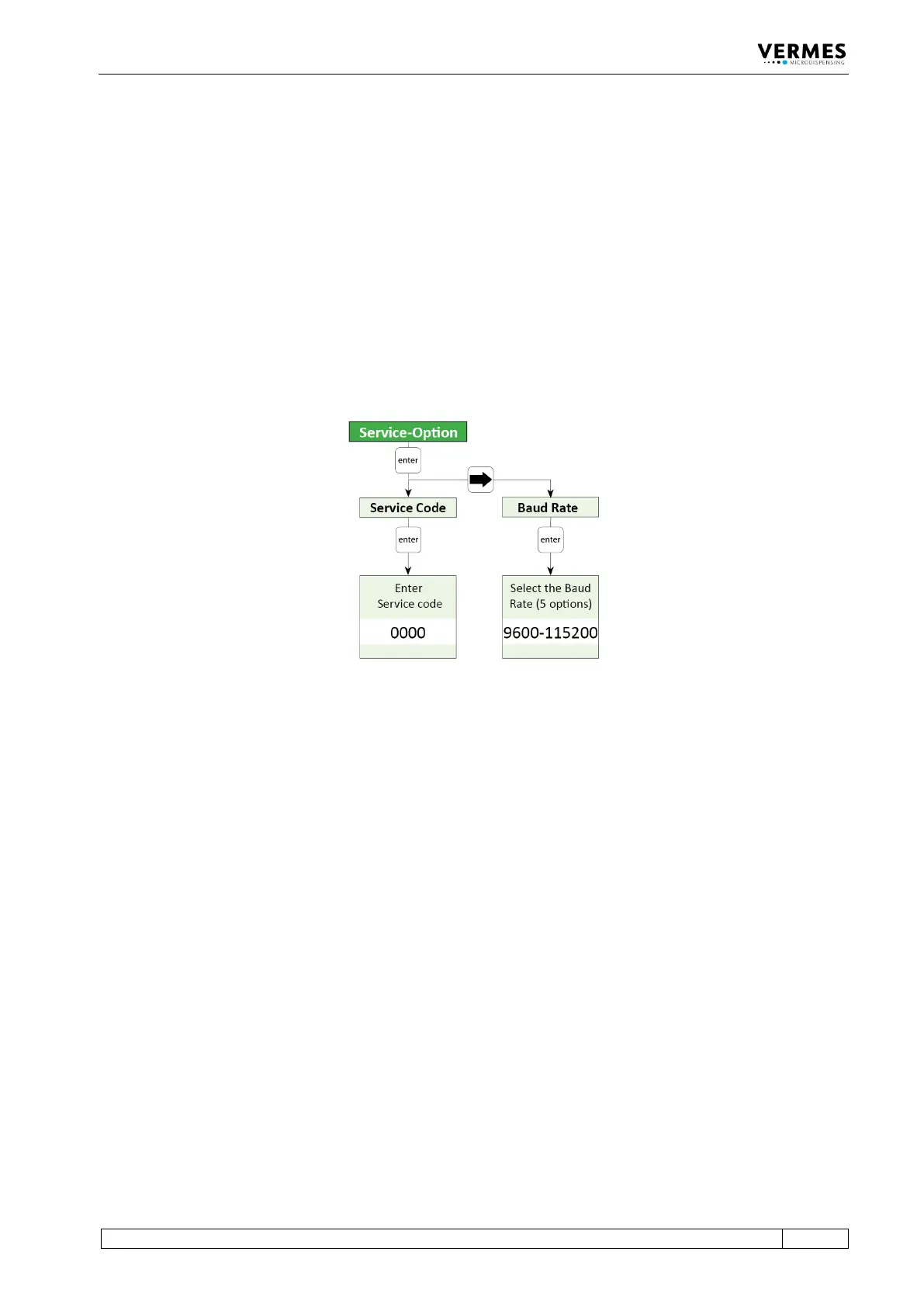
To enter a service code, go to “Main Menu -> Service-Option -> Service Code” (see also the figure
below and paragraph 4.5.6, page 37), press [enter] and enter 33. Once you have confirmed the
service code with [enter], you reach a new submenu called “Adjust Offset”. There you can enter a
value between -5 and 5 (negative means tighter than normal, positive looser than normal).
Confirm your value with [enter]. If you set an adjust offset of 0, the adjust offset is deactivated. It
is advisable to test the system first with an adjust offset value near the default value of 0, e.g. -1
Fig. 55: Submenu Service-Option
Alternatively, you can use the serial command ADJUST:OFFSET:<value>, to set an adjust offset
(see paragraph 8.1.2.2, page 88). The range is the same as if you set it via the keypad. You can also
use the command ADJUST:OFFSET:? to check for an existing adjust offset.
It is important to know that this adjust offset value is only saved in the valve. You have to enter it
again, if you change the valve. But as long as you use the same valve, you can switch off the
control unit and the adjust offset value is kept.



 To Next Page