Initial Operation
VTK-TR-BA-072e-1 - User Manual MDS 358X Series
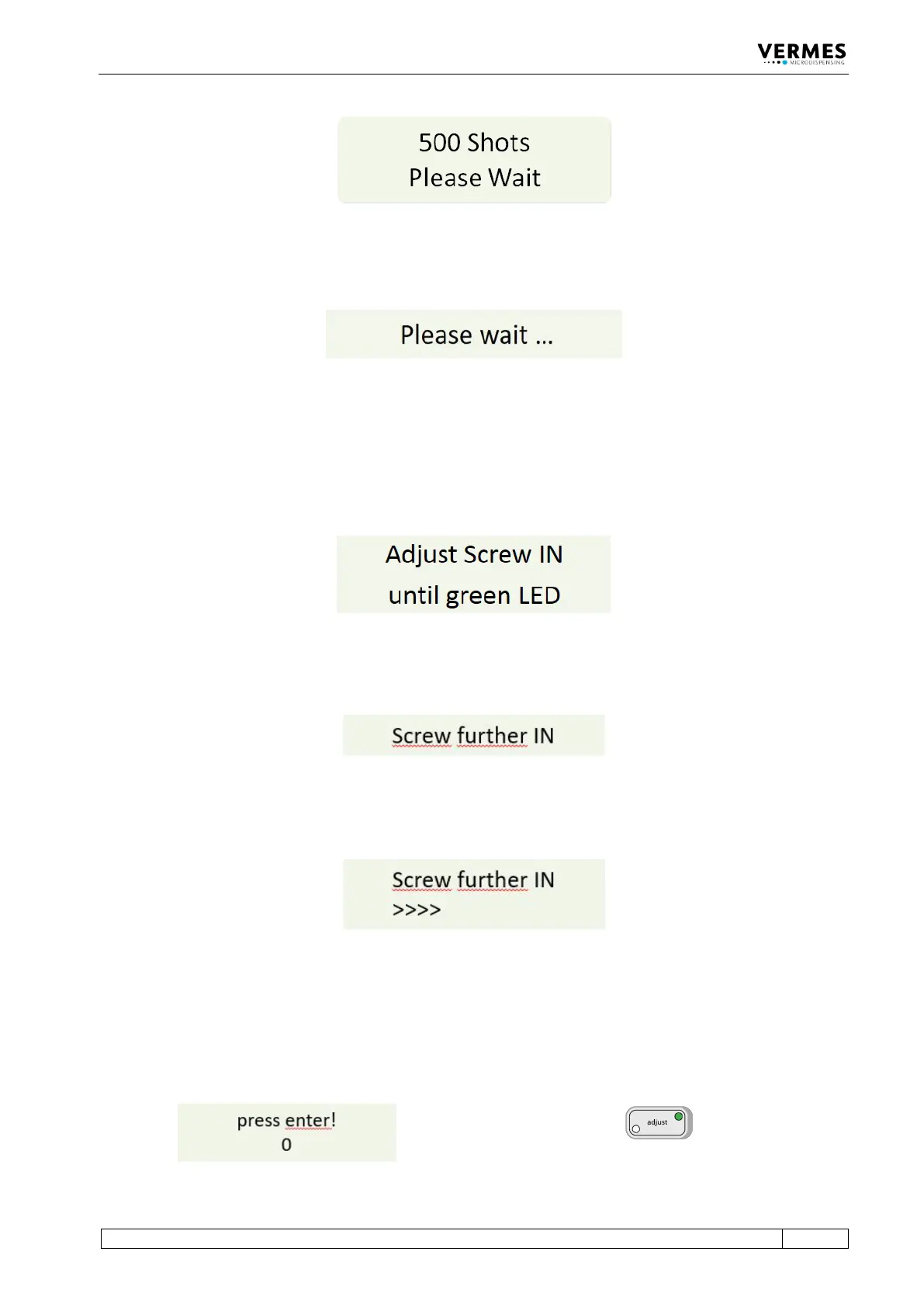
Fig. 40: Message 500 Shots – Please Wait
A few seconds later, the display shows the message “Please wait …”.
Fig. 41: Message Please wait …
Wait until a new message on the display announces the next step.
Adjust, step 2 (Turn in adjust screw):
The screen shows the message “Adjust Screw IN until green LED”.
Fig. 42: Message Adjust Screw IN – until green LED
After one second, the initial message disappears from the display. Instead, the message “Screw
further IN” appears.
Fig. 43: Message Screw further IN
– Screw the adjust screw carefully clockwise. While screwing, you will see an increasing amount
of arrows shown in the display (see Fig. 44).
Fig. 44: Arrows displayed
Adjust, step 3 (Find adjust point and confirm it):
– Keep turning the adjust screw slowly clockwise, until the display shows “press enter! - 0”.
Meanwhile, the green adjust LED is ON (see Fig. 45).
Fig. 45: Message press enter! – 0, the green adjust LED is ON



 To Next Page