iVent201 Operator's Manual
129
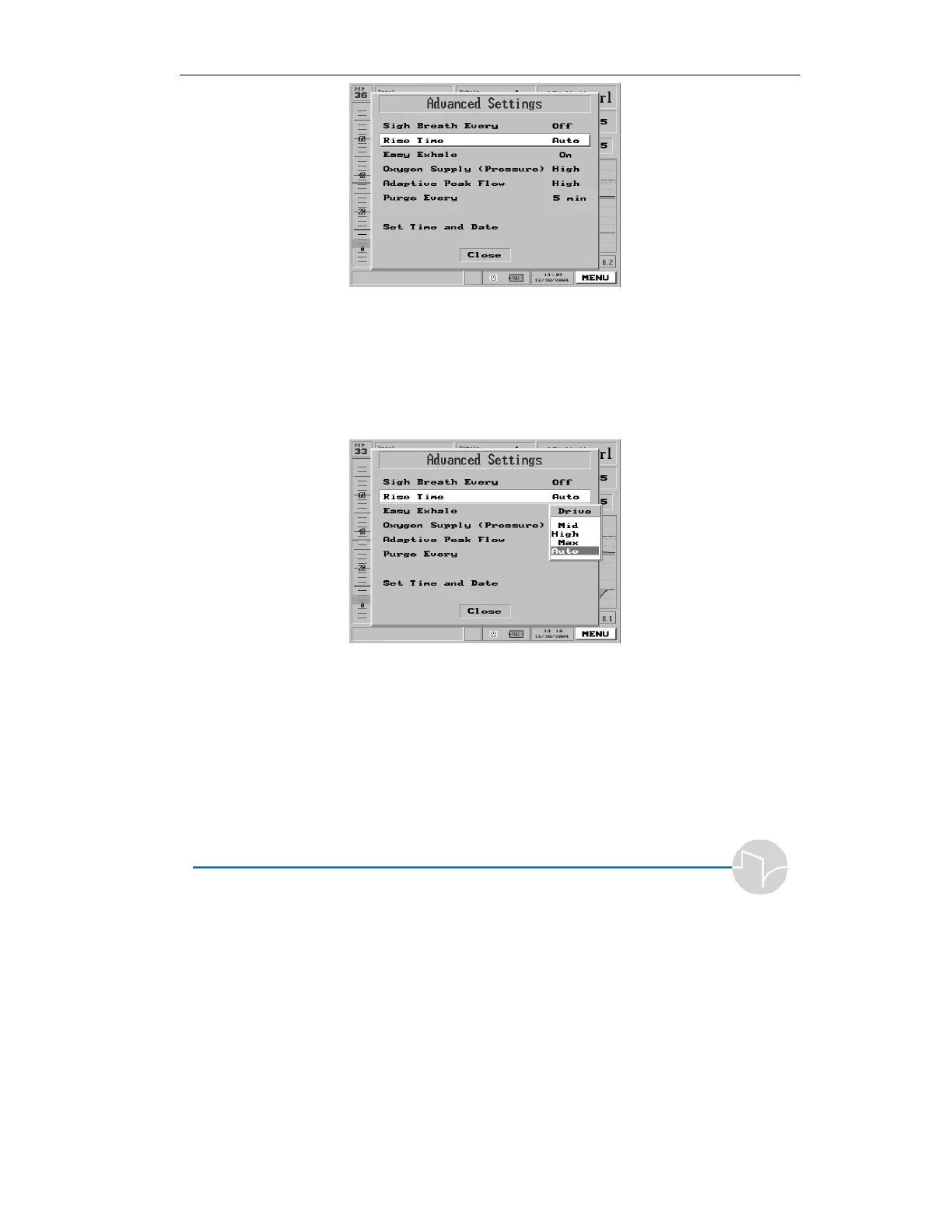
Figure 4.22 Rise Time selection highlighted on the Main Menu pop-up
2. Press the knob. A pop-up offers
the choices of Mid, High, Max
and Auto. The factory default
setting is “Auto.”
Figure 4.23 The Rise Time selection pop-up
3. Turn the dial to select the
desired value.
4. Press to accept the value. The
value you chose will now be
displayed next to “Rise Time” in
the Advanced Settings menu.



 To Next Page