Setting Up
32
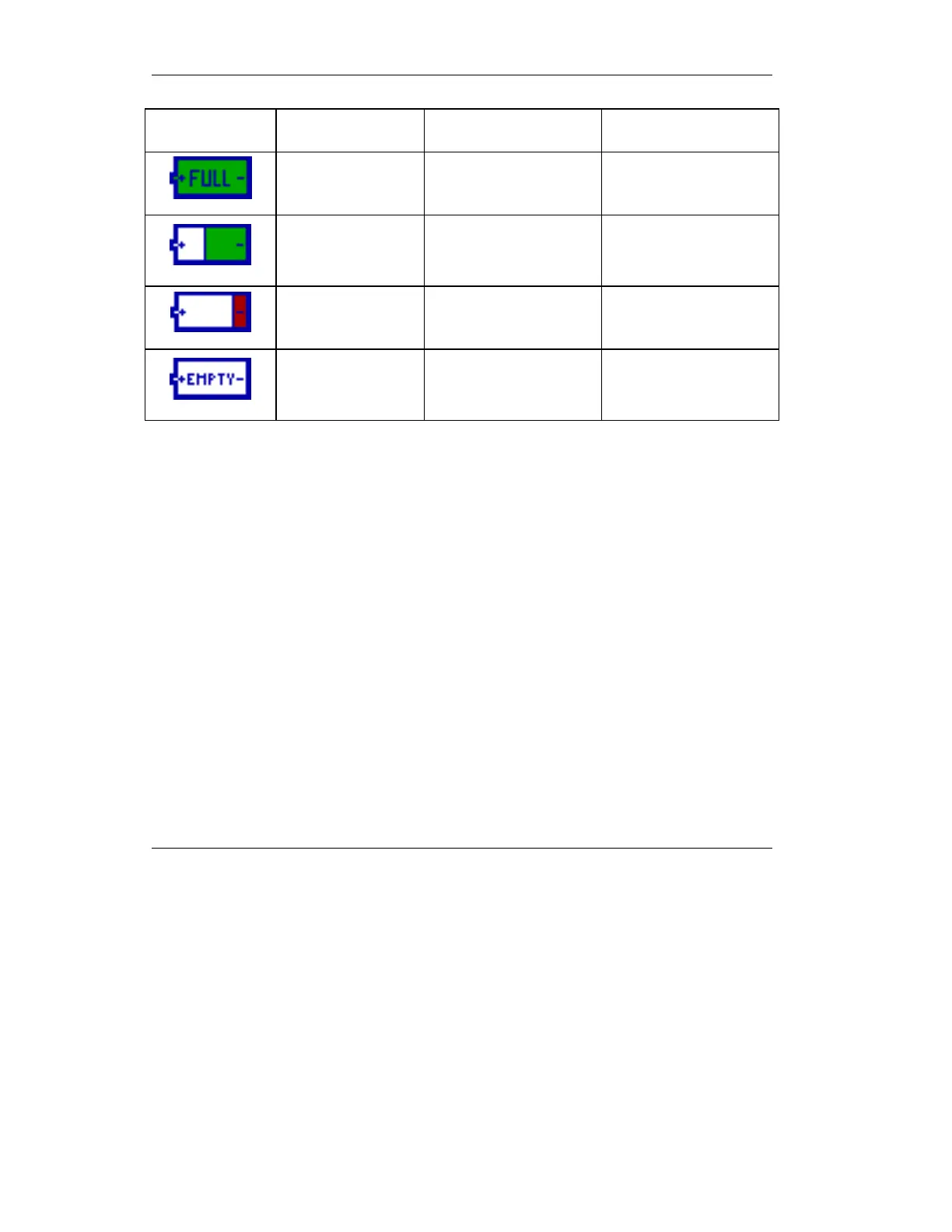
Table 2.1 The battery indicator
Indicator Colors Description Remarks
Green Battery is fully charged
Gray/Green
Battery partly
discharged
Indicator moves
downward in 10%
increments
Gray / Green Low battery
At 10%, the indicator
changes to red
Gray Empty battery
Below 7%, the
indicator changes to
gray
CAUTION : The battery for the iVent
201
is a critical
component. It should be replaced only with batteries
supplied by VersaMed. If the user has been qualified by
VersaMed to service the iVent
201
, the battery may be
substituted and programmed according to the VersaMed
Service Manual and only with the battery specified in
those notes.
2.1.2.1 Full Recharge Procedure
CAUTION: If the “Low Battery” or “Empty Battery”
alarm appears, the internal battery must be fully
recharged, as described below.
Continued usage of the battery after the “Empty Battery”
alarm appears may disable the battery’s charging
capability and/or lead to battery failure. Ventilation
parameters may not be met in this condition.



 To Next Page