Setting Up
60
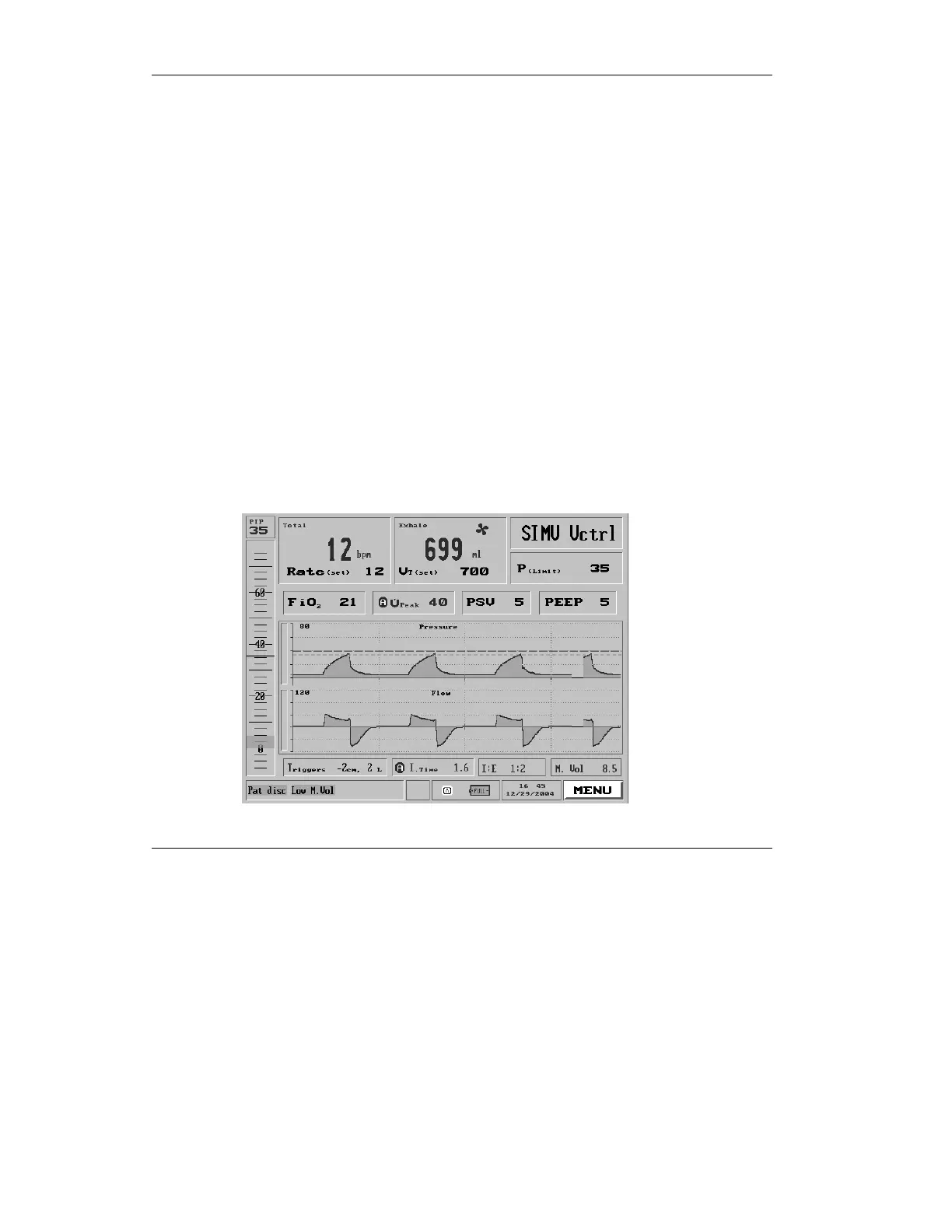
Beside the Respiratory Rate box is the Tidal Volume box. This
displays the exhaled Tidal Volume and allows adjustment to
the set Tidal Volume. (Refer to section 3.3.2, page 83 for more
detail about the Tidal Volume display.)
On the top right of the screen is the Mode Selection box. It
shows the current ventilation mode. Select this box to change
modes (see section 3.1.4 , page 69).
Selecting and clicking on a mode brings up the Mode screen for
the selected ventilation mode. Use this screen to view or adjust
ventilation parameters.
When the ventilator is operating, the middle section of the
Main screen displays pressure/flow waveforms. The optional
waveforms package permits a host of possible display
characteristics. (See section 4.5, page 157 for a guide to the
waveform package.)
Figure 2.22 The Main Screen



 To Next Page