Eliminating malfunctions
125
Reve rsal of the
direc tio n of rotati on
When the direction of rotation is reversed, the tractor's PTO shaft must
be switched off. A PTO shaft running in the opposite direction of rota-
ti on can cause damage to the implement.
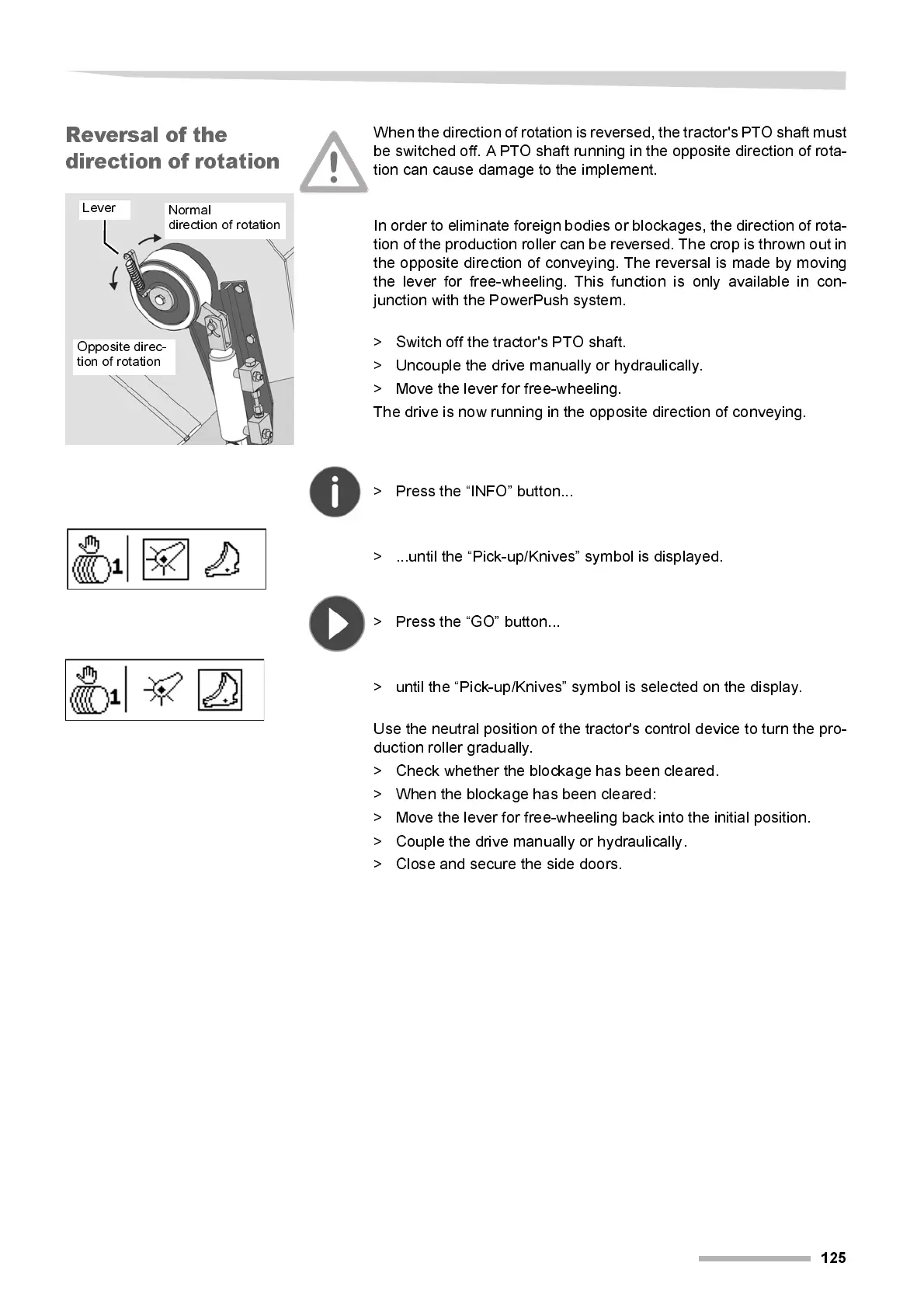
In order to eliminate foreign bodies or blockages, the direction of rota-
tion of the production roller can be rev ersed. The crop is thrown out in
the opposi te di rection of conveying. T he rever sal i s made by movi ng
the lever for free-wheeling. This function is only available in con-
junction with the PowerPush system.
> Switch off the tractor's PTO shaft.
> Uncouple the drive manually or hydraulically.
> Move the lever for free-wheeling.
The drive is now running in the opposite direction of conveying.
> Press the “INFO” button...
> ...until the “Pick-up/Knives” symbol is displayed.
> Press the “GO” button...
> unti l the “Pi ck-up/Kni ves” symbol is selected on the displ ay.
Use the neutral posi tion of the tr actor's control device to tur n the pro-
ducti on rol l er gradual l y.
> Check whether the blockage has been cleared.
> When the blockage has been cleared:
> Move the lever for free-wheeling back into the initial position.
> Couple the drive manually or hydraulically.
> Cl ose and secure the side doors.
Opposite direc-
tion of rotation
Normal
direction of rotation
Lever



 To Next Page