32
Familiarise yourself with the device
AutoP lu s di spl a y
overview
AutoP lu s di spl a y
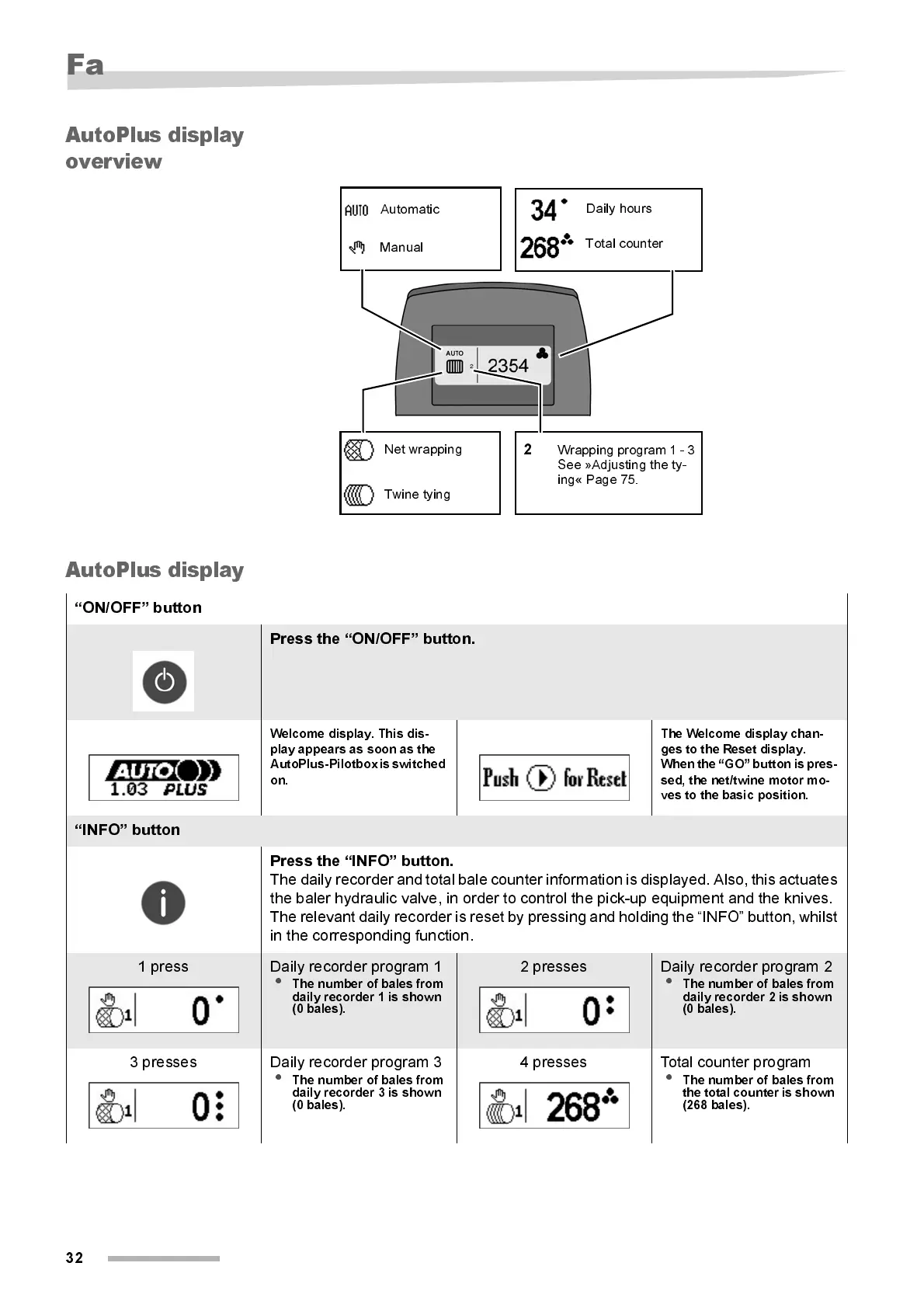
Net wrapping
Twine tying
Dail y hours
Total counter
Automatic
Manual
Wrapping program 1 - 3
See »Adjusting the ty-
ing« Page 75.
2
“ON/OFF” button
Press the “ON/OFF” button.
Welcome display. This dis-
play appears as soon as the
AutoPlus-Pilotbox is switched
on.
The Welcome display chan-
ges to the Reset display.
W hen t he “GO” but ton is pr es-
sed, the net/twine motor mo-
ves to the basic posi tion.
“I NFO” button
Press the “INFO” button.
The daily recorder and total bale counter information is displayed. Also, this actuates
the baler hydraulic valve, in order to control the pick-up equipment and the knives.
The relevant daily recorder is reset by pressing and holding the “INFO” button, whilst
in the corresponding functi on.
1 press Daily recorder program 1
•
The number of bales from
daily recorder 1 is shown
(0 bale s).
2 presses Dail y recorder program 2
•
The number of bales from
daily recorder 2 is shown
(0 bales).
3 presses Daily recorder program 3
•
The number of bales from
daily recorder 3 is shown
(0 bale s).
4 presses Total counter program
•
The number of bales from
the total counter is shown
(268 bales).



 To Next Page