Familiarise yourself with the device
33
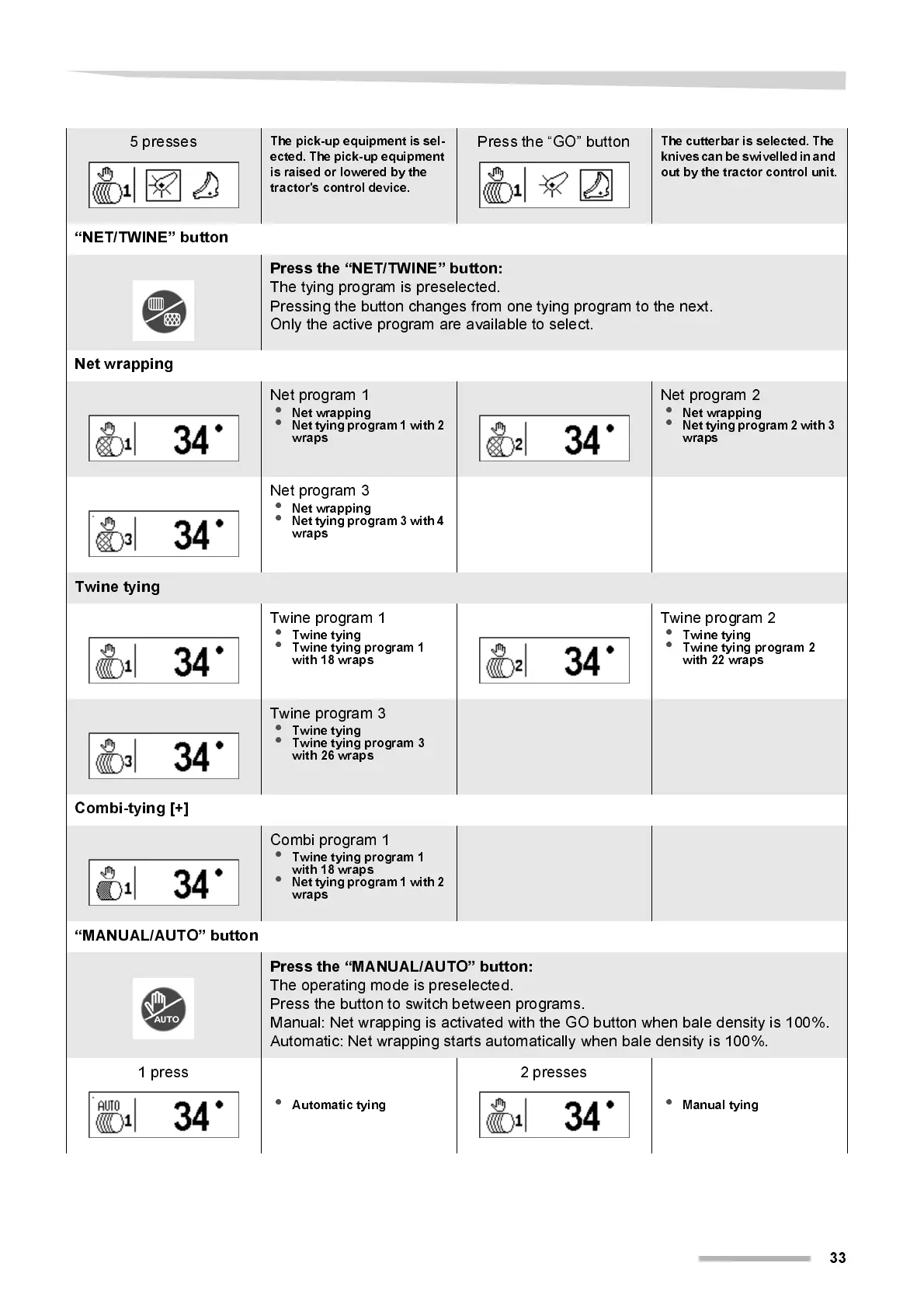
5 presses
The pic k-up e quipmen t is se l-
ected. The pick-up equipment
is ra is ed or lower ed by the
tractor's control device.
Press the “GO” button
The cutterbar is selected. The
knives can be swivelled in and
out by the tractor control unit.
“NET/TW I NE” butt on
Press the “NET/TWINE” button:
The tying program is preselected.
Pressing the button changes from one tying program to the next.
Only the active program are available to select.
Net wrapping
Net program 1
•
Net wrapping
•
Net tying program 1 with 2
wraps
Net program 2
•
Net wrapping
•
Net tying program 2 with 3
wraps
Net program 3
•
Net wrapping
•
Net tying program 3 with 4
wraps
Twine tying
Twi ne program 1
•
Twine tying
•
Twine tying program 1
with 18 wraps
Twine program 2
•
Twine tying
•
Twine tying progra m 2
wi th 2 2 wr ap s
Twi ne program 3
•
Twine tying
•
Twine tying program 3
with 26 wraps
Combi-tying [+]
Combi program 1
•
Twine tying program 1
with 18 wraps
•
Net tying program 1 with 2
wraps
“MANUAL/AUTO” button
Press the “MANUAL/AU TO” button:
The operating mode is preselected.
Press the button to switch between programs.
Manual: Net wrapping is activated with the GO button when bale density i s 100%.
Automatic: Net wrapping starts automatically when bale density is 100%.
1 press
•
Automatic tying
2 presses
•
Manual tying



 To Next Page