6-26 Line Select Mode Rev AB
Videojet 8520 Operator Manual
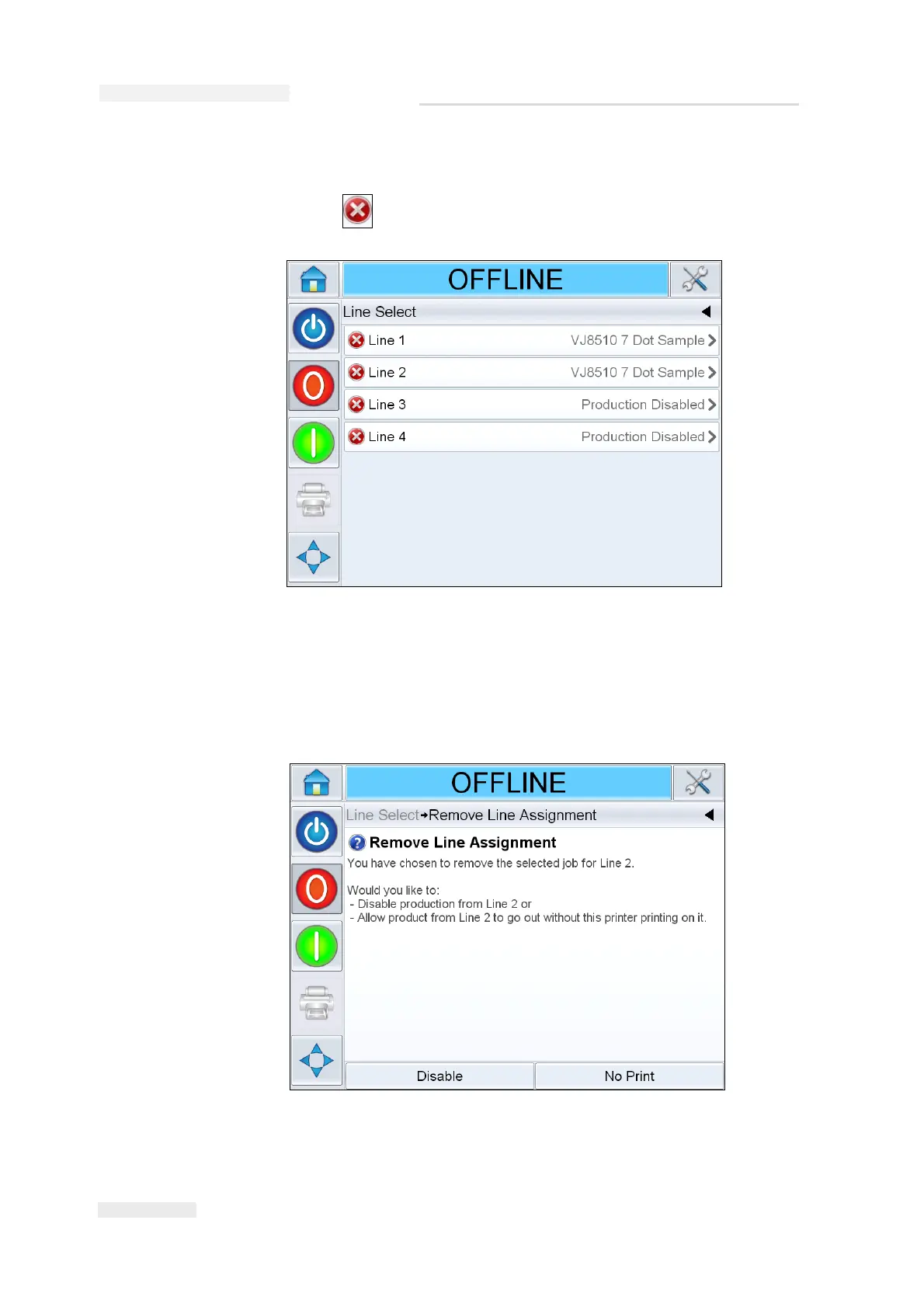
3 To remove the line assignment:
a. Touch on the Line Select screen (Figure 6-31).
b. Remove Line Assignment screen appears with the following choices
(Figure 6-32):
• To disable a production line, select Disable.
• To allow the product to go out without printing, select No Print.
Figure 6-31: Line Select Screen
Figure 6-32: Remove Line Assignment


 To Next Page