4-6 Using the Tools Screen Rev AB
Videojet 8520 Operator Manual
Printhead Setting
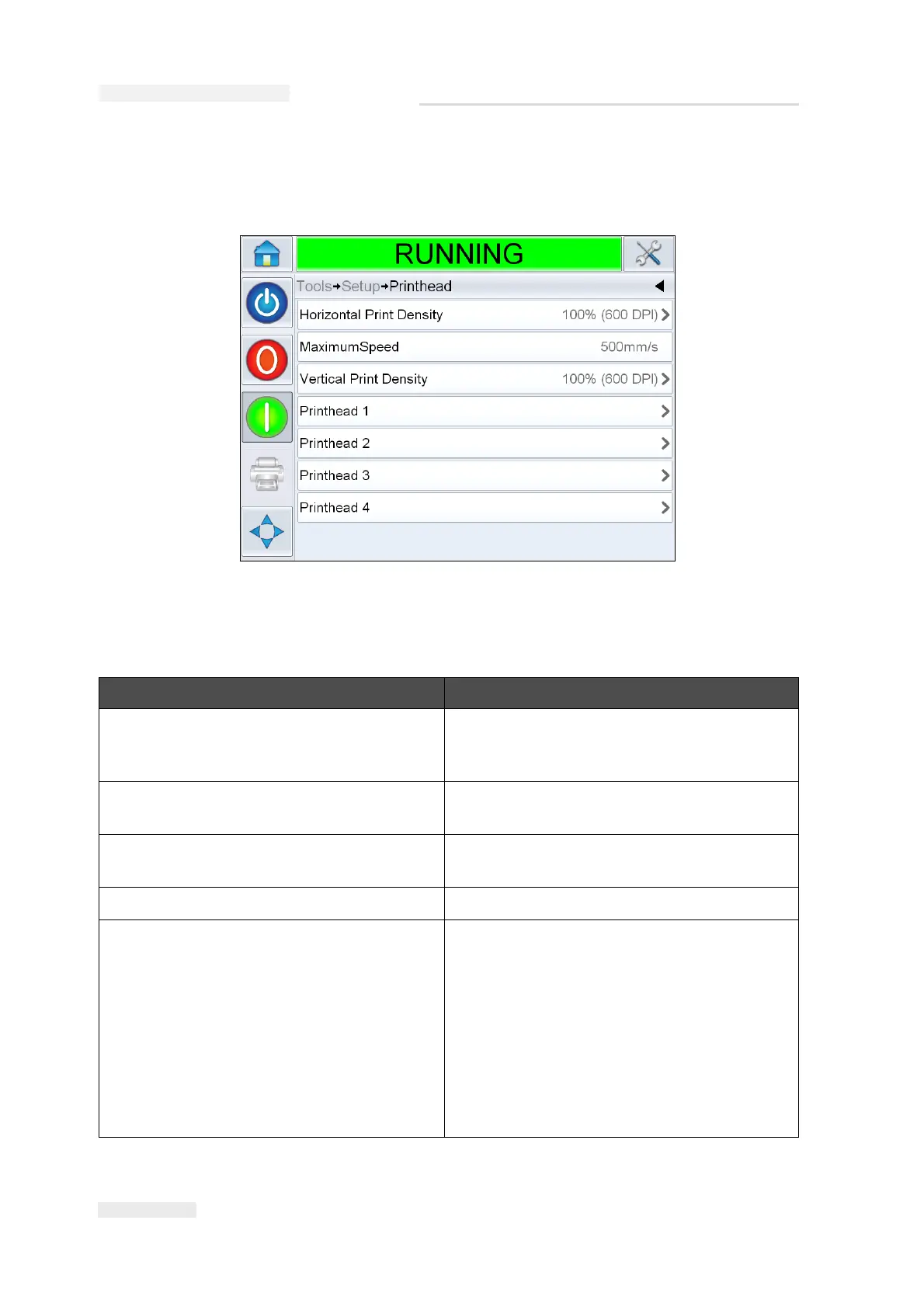
Navigate to Tools > Setup > Printhead (Figure 4-4).
The Printhead screen allows the user to set the following parameters:
Option Description
Horizontal Print Density Allows the user to set the print resolution.
For more information, refer “How to Adjust
Print Resolution” on page 5-17.
Maximum Speed Allows the user to view the maximum print
speed in millimeter per second (mm/s).
Print Speed (available only in fixed speed
mode)
Allows user to set the print speed.
Vertical Print Density Allows the user to set the print resolution.
Printhead 1-4 Allows the user to set the product delay,
direction of product travel, and print
orientation. For more information refer
“How to Setup the Printhead Settings” on
page 5-15.
Note: When printheads are grouped together,
the parameters for the group are matched
together. The screen displays the number of
groups. If four printheads are grouped, the screen
displays it as Printhead 1.
Table 4-3: Printhead Setting
Figure 4-4: Printhead Setting



 To Next Page