4-12 Using the Tools Screen Rev AB
Videojet 8520 Operator Manual
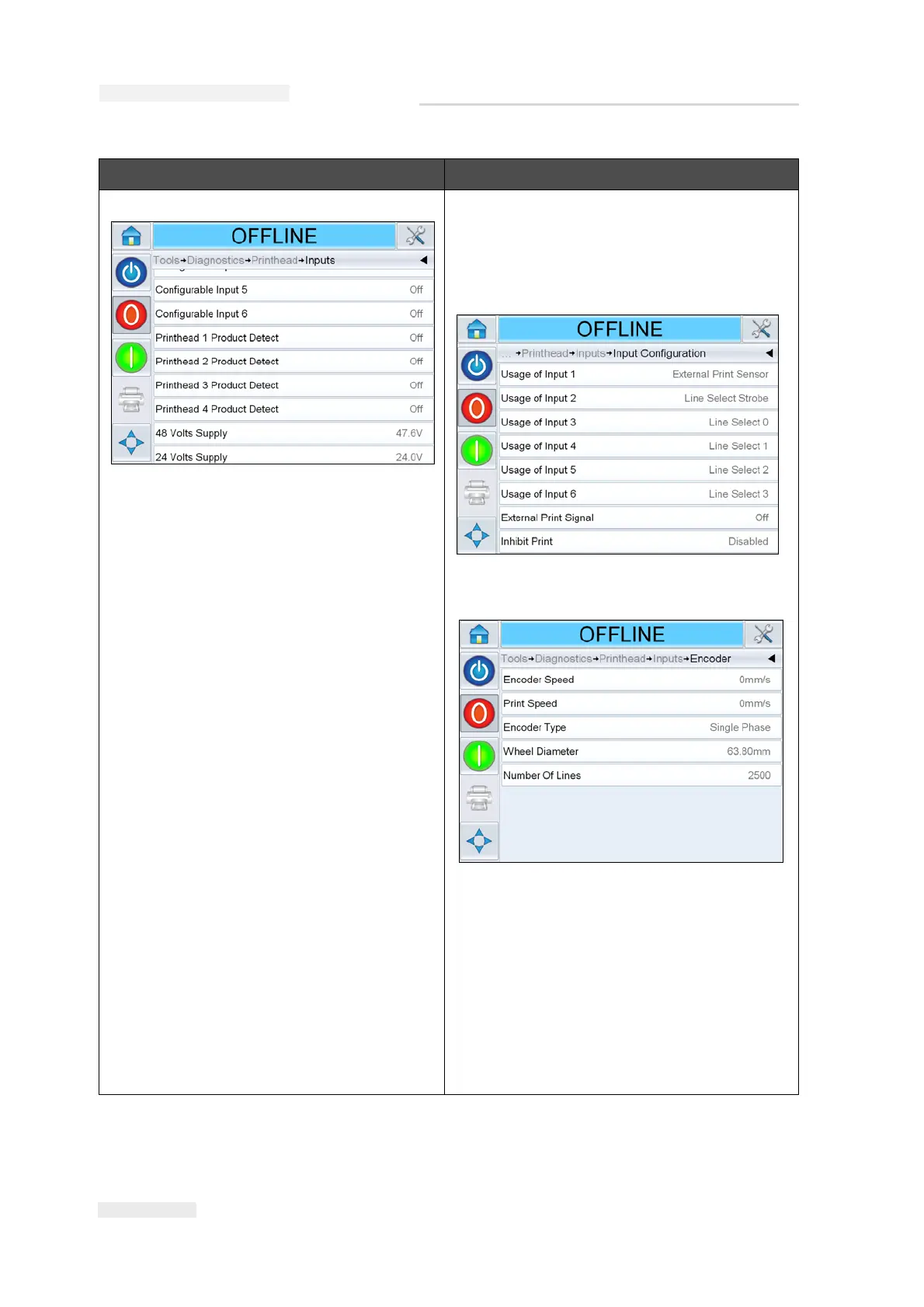
Inputs The Inputs Diagnostics screen allows the user
to access the following parameters:
Input Configuration: Displays the usage of
inputs 1-6 and the status of line inputs 0-3,
Print signals, Job queue and so on.
Encoder: The Encoder screen allows the user
to access the following encoder parameters:
• Encoder Speed: Shows the actual real-
time speed of the object being measured
by the encoder.
• Print Speed: Shows the print speed
• Encoder Type: Shows the current
encoder type.
• Wheel diameter: Shows the diameter of
the encoder wheel.
• Number of lines: Shows the resolution of
the encoder expressed as the number of
pulses per revolution.
Option Description
Table 4-6: Printhead Diagnostics Screen (Continued)



 To Next Page