ViewRay Inc. MRIdian® system L-0009 Release 4.5 183
Chapter 6: Treatment Planning
6.13 Interpolating and Editing Image Sets
Interpolating images by modifying the
voxels (volume elements) across-slice
r
esolution to match the within-slice reso-
lution clarifies details and 3D volume
visualiz
ation.
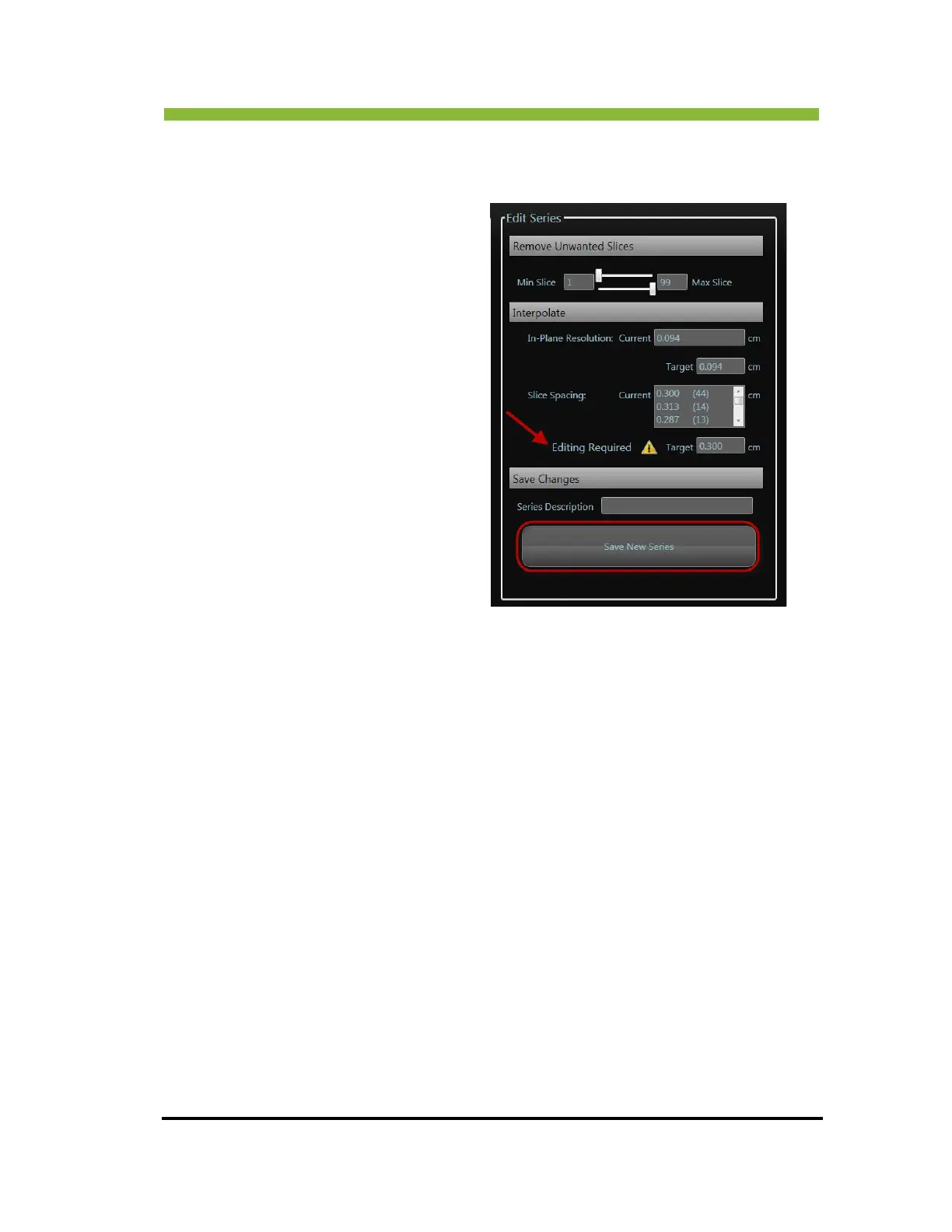
Non-uniform slices must be interpolated.
When non-
uniform slices are present, the
system displays the Editing Required
warning.
To interpolate images:
1. Choose target sizes for both the In-
Pla
ne Resolution and Slice Spacing.
2. Click
> Save New Series.



 To Next Page