ViewRay Inc. MRIdian® system L-0009 Release 4.5 319
Chapter 7: Imaging
7.21 RealViewer
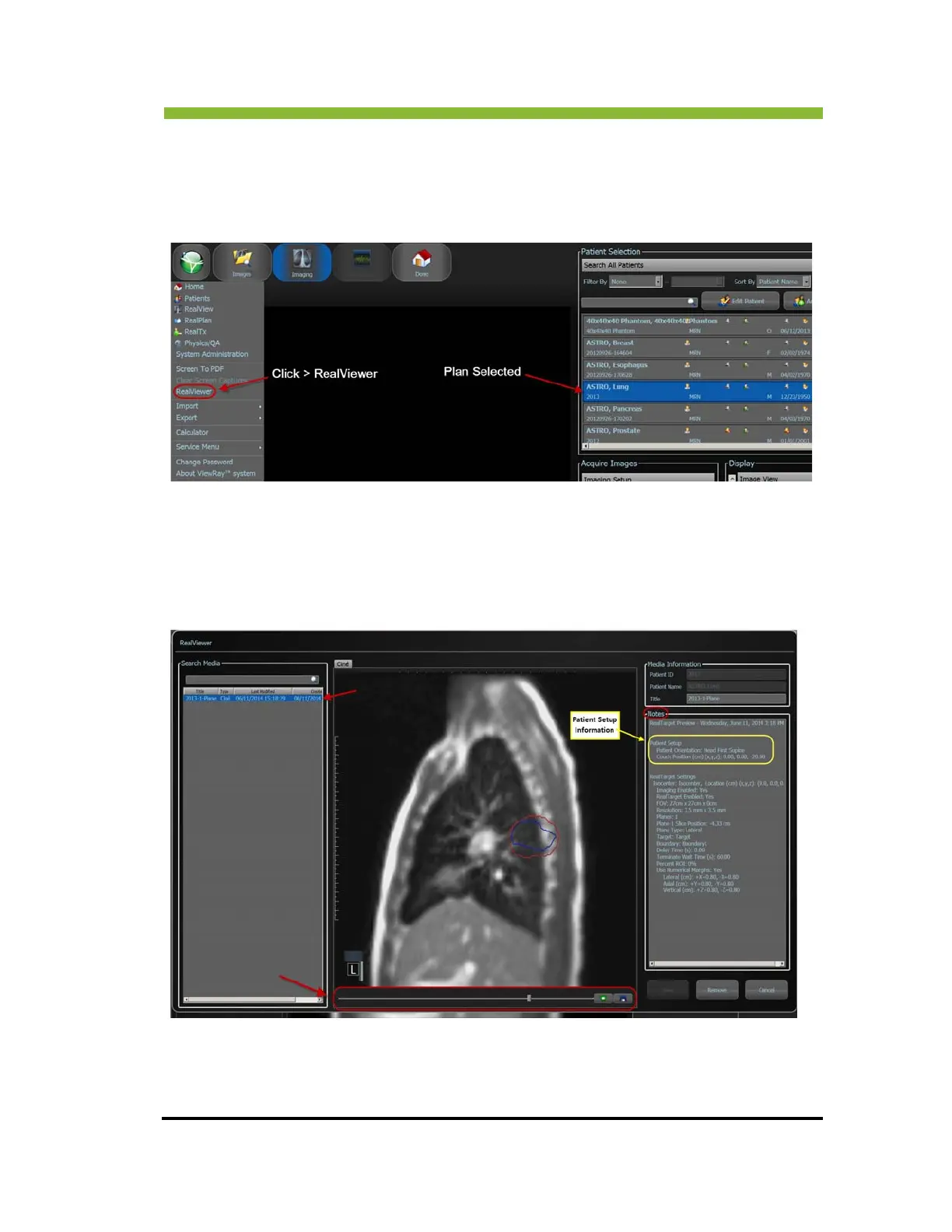
The RealViewer stores patient cinés and is available from the MRIdian® system icon
dropdown menu when a patient’s plan is selected.
The RealViewer has a list of captured cinés that are sorted by capture date with the newest
cin
é
at the top of the list. There is a Notes section that displays the patient Setup information
and the RealTarget Setting. (See screenshot below.)
Click > inside the Notes box t
o add additional notes. A slider bar at the bottom can be used to
fast forward or rewind the ciné
. There are stop, play and export icons.



 To Next Page