348 MRIdian® system L-0009 Release 4.5 ViewRay, Inc.
Chapter 9: Treatment Delivery
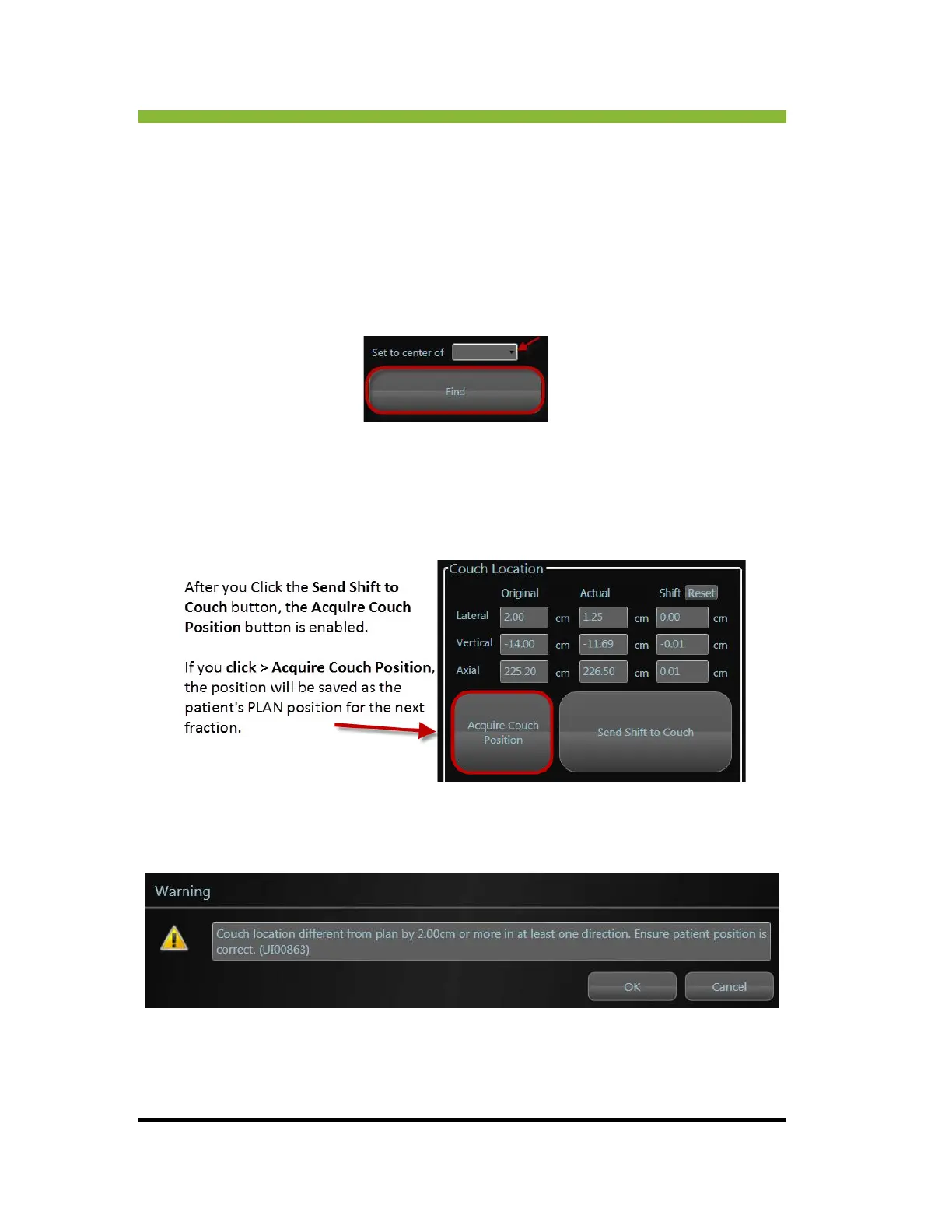
6. Click > Acquire Couch Position (See“Saving the Patient’s Couch Position” on page 348.)
7. Pr
ess > ENABLE + ISO on the couch control to move the couch to the updated ISO.
9.6.3 Set to Center of Option
You can also find the couch shift by using the Set to Center of option. This option allows you
to set the isocenter at the volumetric center of a structure. Choose the structure from the
dropdown menu and Click > Find.
9.7 Saving the Patient’s Couch Position
Use the Click > Acquire Couch Position to save the couch position as the patient’s PLAN
position for the next fraction.
If the couch shift is greater than 2 cm from the original planned couch position, you will
receive a warning you have to “OK” before moving on to treatment delivery. This message is
based off the original plan isocenter position.



 To Next Page