ViewRay Inc. MRIdian® system L-0009 Release 4.5 349
Chapter 9: Treatment Delivery
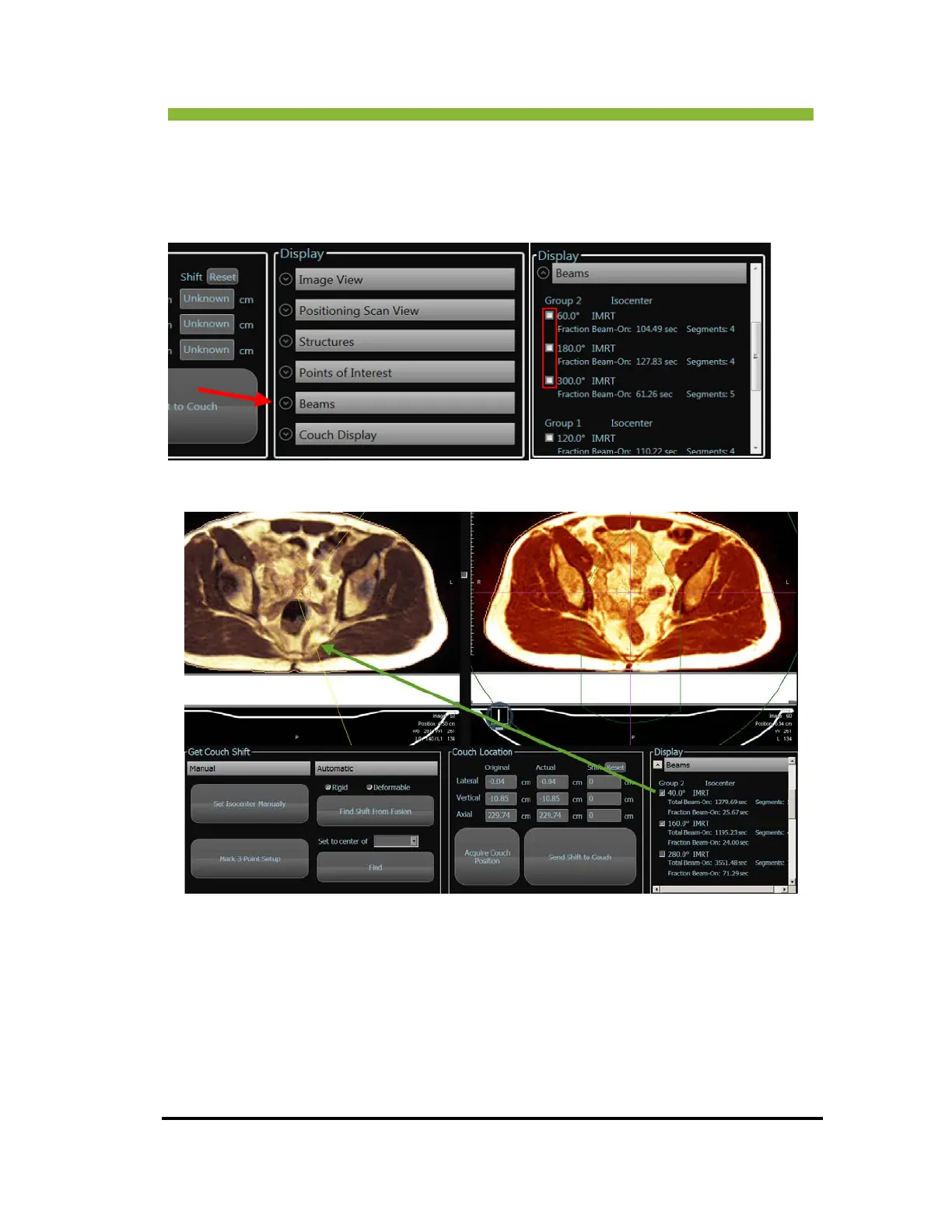
9.8 Viewing Beams on the Positioning Screen
You can view the beams by selecting Beams from the Display box and select the checkboxes
next to the beams you want to view on the plan image.
9.9 Editing Contours for Patient Positioning
You can edit the contours on the daily image. In the Process and Plan box Click > Edit
Contours. This will open the image in the Contouring screen (See Contouring on page 197).



 To Next Page